Found a workaround for using “Set Track” in my audacity macros to change simply the name of a labeltrack: Instead using "SetTrack:Name="NewName" " I replaced it by "SetTrackStatus:Name="NewName" ". That worked for me also in Audacity 3.3.0 without any crash.
BTW: The new beat grid in Audacity is really great and makes a few macros of mine unnecessary.
Projectspeed (Hz) are missing in Audacity Update 3.3. Please fix.
I have now downgraded Audacity to 3.25

Yes. In the name of a simpler, easier to use interface, Project Sample Rate has been moved to Audio Setup > Audio Settings under Quality.
Wonderful!
I really cannot wait to see all Nyquist plug-ins work in realtime.
I’m so zealous to new versions, even Alpha of Beta releases.
Is there some?
3.3.2 was just release overnight.
The current nightly (untested) 3.4 Alpha is available here: nightly.link | Repository audacity/audacity | Workflow build.yml | Branch master - Do not use the Alpha for production!
That would be terrific, but it is not likely to happen any time soon as it will require fundamental changes to how Nyquist integrates with Audacity, and will probably require significant changes to how Nyquist plug-ins are written. For example, whereas now a Nyquist plug-in slider control sets a numeric value to a variable, in a real-time version, the slider control would need to generate a signal that can vary as the slider is moved. More fundamentally, the way that Nyquist accesses audio samples would need to change from being a symbol to being a function.
Hello, I am a visually impaired user, and noticed that version 3.3.0, doesen’t have the tabular interface on vst2 plug ins, when desabling the graphical interface. I have a PC, with the Windows 8.1 operating system. Will this situation be fixed in future releases? Today I installed the version 3.3.2, and it keeps the same fault.
Thank you in advance.
Alfredo
It is a waste of time to navigate through menus to change the sampling rate. As a user, I often need to change the sampling rate depending on the project I’m working on. However, the current method of changing the sampling rate is a permanent source of errors as it is easy to forget the default rate and the rate specific to the current project. This leaves me unsure of where I stand with the sampling rate at any given time.
The removal of the sampling rate menu is confusing and frustrating. It’s an essential feature that should be easily accessible to users. Instead, the new tools that have replaced it are of no use to me. I believe that the menu should be reinstated and made more user-friendly to help avoid confusion and mistakes in the future.
Having the ability to change the sampling rate quickly and easily would improve workflow efficiency and prevent potential errors, ultimately leading to better overall performance. Therefore, it is crucial that this feature be reinstated in a more accessible manner.
2 Likes
Updated to Version 3.3.2 while in the middle of editing a 90+ minute episode. I use the envelope tool to adjust audio levels, but after the update, I noticed that it started to give me issues (would randomly stop functioning, requiring me to relaunch the program). Nearly finished, I zoomed out on the timeline and noticed there were dozens and dozens of random envelope adjustments throughout. I uninstalled the update and rolled back and now am frantically trying to fix this in order to meet my deadline. WHAT A PIA!!
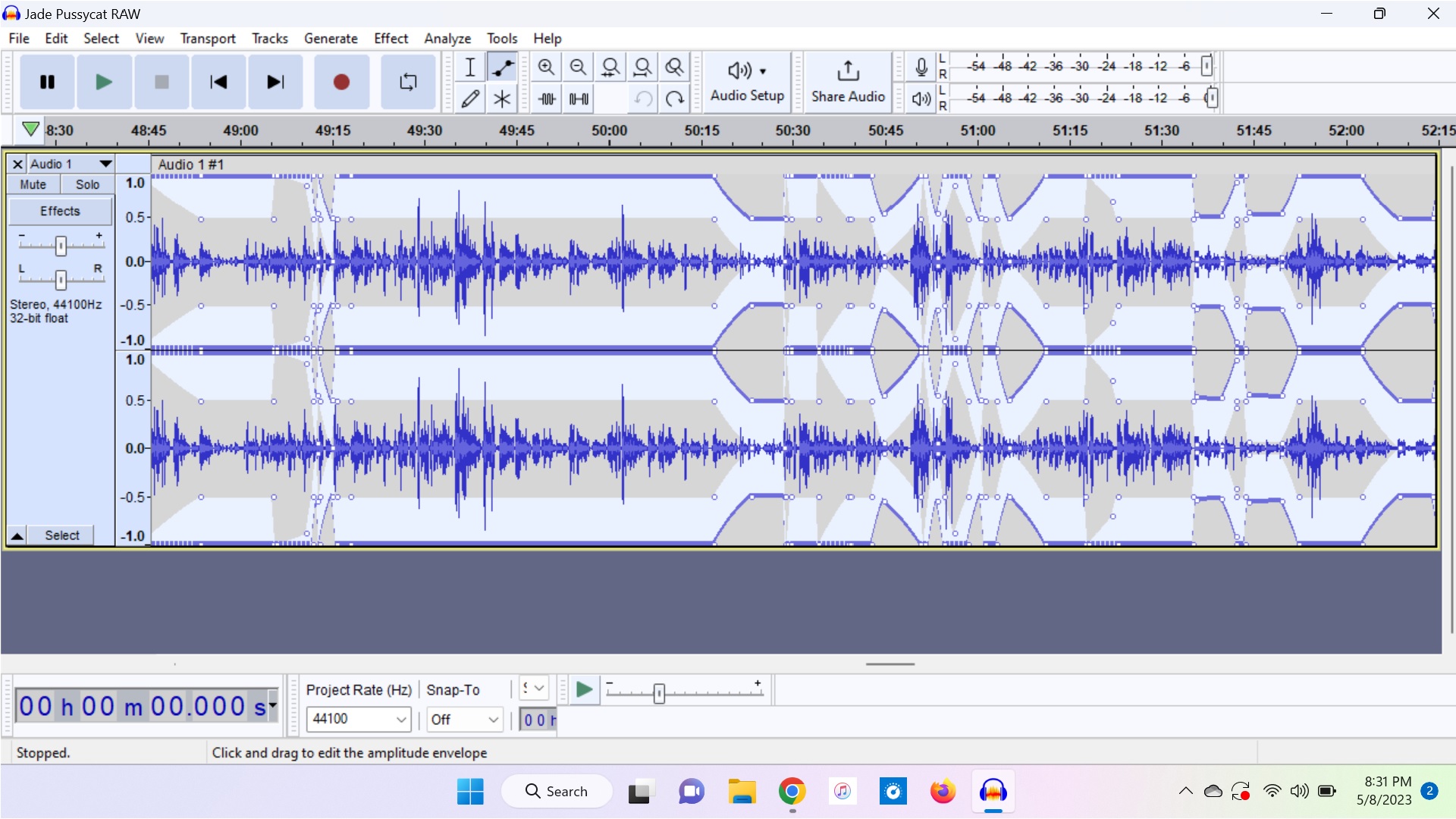
I don’t know if this helps, but you can delete all envelope points with View > Extra Menu, then Extra > Scriptables I > Set Envelope > Delete (check Delete twice, uncheck the other options).
Note that there are pre-existing Envelope Point issues, see here: Issues · audacity/audacity · GitHub
Please try to improve UI in upcoming updates.
1 Like
Is there a problem with High Sierra iOs and the new version of Audacity? I tried downloading it on my old Mac Airbook, but after installation it doesn’t get past 50% on the verification progress bar.
“The Verify system appears to just have a problem with the universal image.”
Just updated to 3.3.2 and some of my preferences were reset, which wasnt a problem. What is a problem is that yall swapped R and Shift+R without telling us in an easy to see manner… atleast put the a summarized changelog on startup without us having to click to view wall of text changelog…
Seems like that got reset together with the rest of your preferences. Preferences → Recording → Record on a new track wasn’t changed AFAICT.
1 Like
3.3.3 just came out and you did not bring back the toolbar OR provide anything like the window example above. There is just no easy way to resample a track before export, or quickly record in a different sample.
Hi… the version 3.3.3 appimage, must run on Debian 10 ?
not working for me, only audacity-linux-3.2.5-x64.AppImage
thanks !
I have installed V3.3.3 and am able to monitor audio when recording. But once recorded, it won’t play audio back. I can see that it is playing on the playback meter but no sound comes out of the speakers. The speakers work for things like YouTube, Facebook etc. I have uninstalled and reinstalled to no avail. Any suggestions?
Yes, check that they are plugged in prior to starting Audacity (else Transport > Rescan Audio Devices). What is your playback device setting in your Audio Setup ?
I guess my setup is too old for newer updates… I have a Gateway SX2803 with Windows 7. I’m using Audacity 3.2.5.0 and it works great. I tried a few version and this works best.