2.1.3 is installed. Im ok to drag 2.0.6 and 2.1.1 to the trash?
Ive got De-Clicker.ny in a couple locations that Ive seen. Neither is the correct Im assuming.
there’s a plug-ins folder within the Audacity App and a plug-in folder within the plug-in folder within the Audacity App. Each appears to have the same list of PIs.
Course I decided to do this in the middle of narrating a 16-chap online course … i know better … didn’t have any trouble when i did this before. course I wasn’t in the middle of a gig then.
Thanks
Liz
**this is for anyone who can help me get Paul’s De-Clicker (back) into my effects drop-down. I’ve got a grip of green apples until then!
Yes, but make sure the Plug-Ins folders in 2.0.6 and 2.1.1 don’t contain any custom plugins that you may want to keep.
You are now only concerned with 2.1.3. As it says in the link I gave, the best place to put your extra plugins is in ~/Library/Application Support/audacity/Plug-Ins. That way, they won’t get overwritten when you install the next version of Audacity over 2.1.3.
To get to that folder, open Finder, look in the Go menu at the top and choose “Go to Folder”. In that box, type or paste:
~/Library/Application Support/audacity/Plug-Ins
then paste your plugins in there.
And then in 2.1.3, open Effect > Add / Remove Plug-ins…, select the plugins you added to ~/Library/Application Support/audacity/Plug-Ins, click “Enable” then OK.
Pasted ~/Library/Application Support/audacity/Plug-Ins. Came up empty-handed. I backed-it up to ~/Library/Application Support/audacity and got this.
Notice plugins is empty. In my frustration, I took everything to the trash and re-d/l 2.1.3. I opened a file id been working on (to test) and all the effects that I believe come packaged were greyed out. Some were avail toward the bottom. I clicked the “manager”, no ability to add the standards, mostly izotopes, apple et al.
At this point, Im hoping for the defaults (NR, EQ, amp + low & high pass filter, hard limiter + P’s DeClicker. Believe I’ve tried izotopes declicker once. it applies it somewhere in the middle of your audio as I recall and scrambles the rest (trial perhaps?).
Gale, Im sure theres a protocol … maybe editing or deleting messages that you will no longer need to read …
BECAUSE EVERYTHING IS, once again, PEACHY KEEN JELLY BEAN!
Latest Version 2.1.3 In
Older Versions 2.0.6 & 2.1.1 Out
All Shipped Effects, Generators, Analyzers In the drop-down
DeClicker In as well
THANK YOU SO MUCH for your time, patience, QA know-how and, of course, for Audacity.
I have observed too that the time to process rises more than linearly with the length of the recording. I am not sure why. But I have long suspected it might involve “garbage collection” in the Lisp runtine.
Recently upgraded to latest V Audacity. the uber quick “stop + delete + play” or even just deleting has delays/pauses. Still the best open source audio soft fo sho!
Now my prized possession … Pauls De-Clicker … did defaults change? Before, 2 passes at 6 = 0 loss of qual. (this is for vo btw). It was perfect. I never had to worry a thing! i could let de-clicker run as my final production step and never worry that something may have occurred so i better give it another final listen.
Have not touched the settings. running current defaults. CHEWS UP my audio up to bits!!! im forced to undo it. No time/patience at this moment do manual. See what happens when you get spoiled!!
I looked at Pauls initial post regarding settings. In a bit of a jam. client awaiting.
If anyone knows the default numbers top to bottom, Id dig you!!
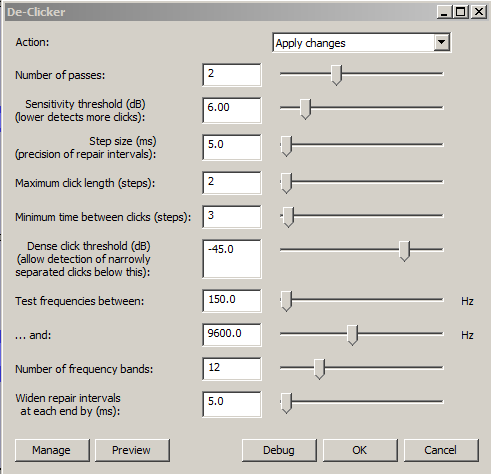
Heres what my DeClicker currently shows (top to bottom run-down)
1
2
1
2
3
-45.0
150
9600
12
5
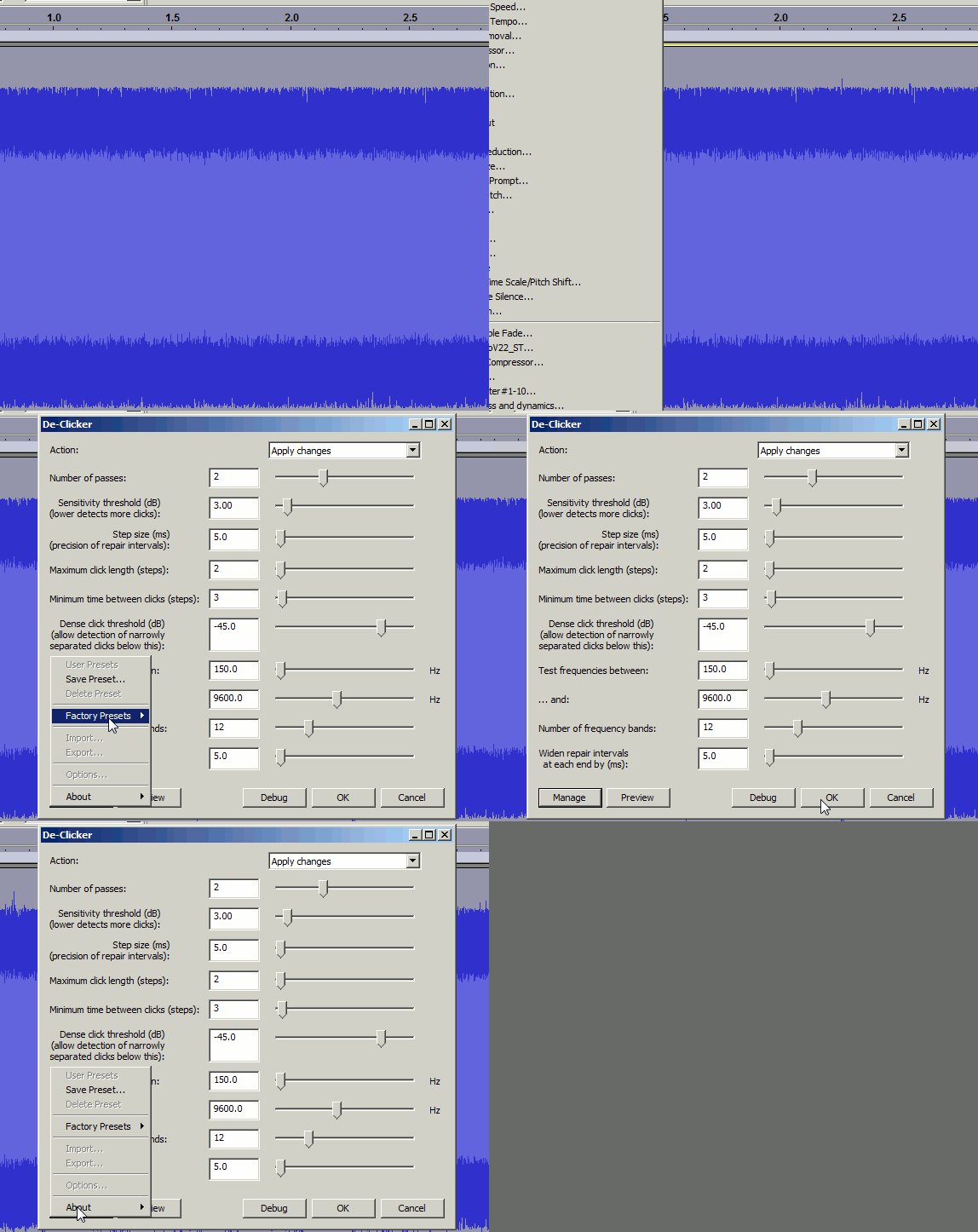
Trebor showed you the default values, but it is easy to get back to the defaults if you need to. Click the “Manage” button, expand “Factory Presets” then click “Defaults”.
If you’ve adjusted the DeClicker from the default settings, those settings persist during that session of Audacity when you try to return to default settings. The default settings only return after restarting Audacity.
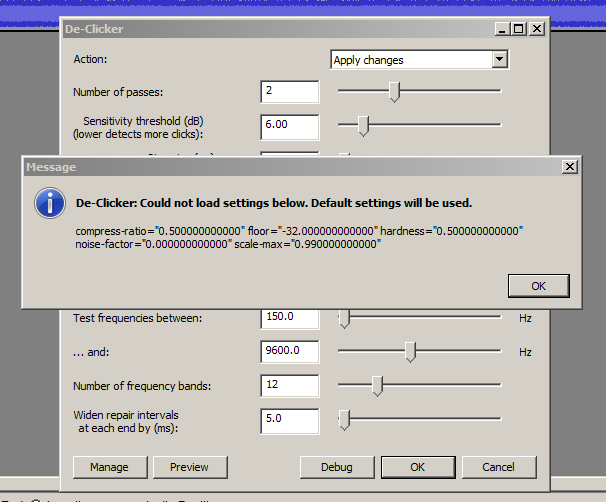
It does not happen to me on Windows 10. You may need to exit Audacity and delete pluginsettings.cfg, and perhaps delete pluginregistry.cfg as well (especially if you have multiple copies of the shipped Audacity plugins in the Effect Menu).
I’ve an idea what may be happening. @Trebor, could you try this test to see if it causes similar symptoms.
Here are two versions of a very simple ‘effect’ plug-in. It just tells you what value you selected.
Both plug-ins have the same name and the same file name, so you’ll need to keep careful track of which is which. AAAtest.ny (236 Bytes) AAAtest.ny (241 Bytes)
Install “version 1” and run it.
Close Audacity.
Replace the “version 1” file with the “version 2” file.
Restart Audacity and re-test the plug-in.
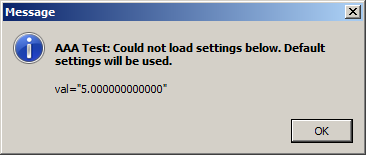
I get the error on first launch of the replaced AAAtest about not being able to load the setting of “5”, but that part seems totally expected to me. That error only appears once.
The error clicking on defaults is repeatable, so I guess the issue is that Audacity does not check to see if the defaults actually changed and if so update the defaults.
In Trebor’s original case, pluginsettings.cfg seemed to be reading settings from another effect. If you were careful, it would have been possible just to delete that one bad entry in pluginsettings.cfg, but users should not be expected to have to do that.
It doesn’t, and what’s worse, it retains the default setting even if the plug-in is removed (either via the Plug-in manager, or physically removed).
A possible fix might be to unset the “initialized” token when a plug-in is removed, or ‘missing’. This could allow the last used and custom presets to be retained in case the plug-in is added back later, but would force the defaults to be reinitialised. I’ve not yet worked out how to do that, but I’d say it’s a ‘bug’.




 Still the best open source audio soft fo sho!