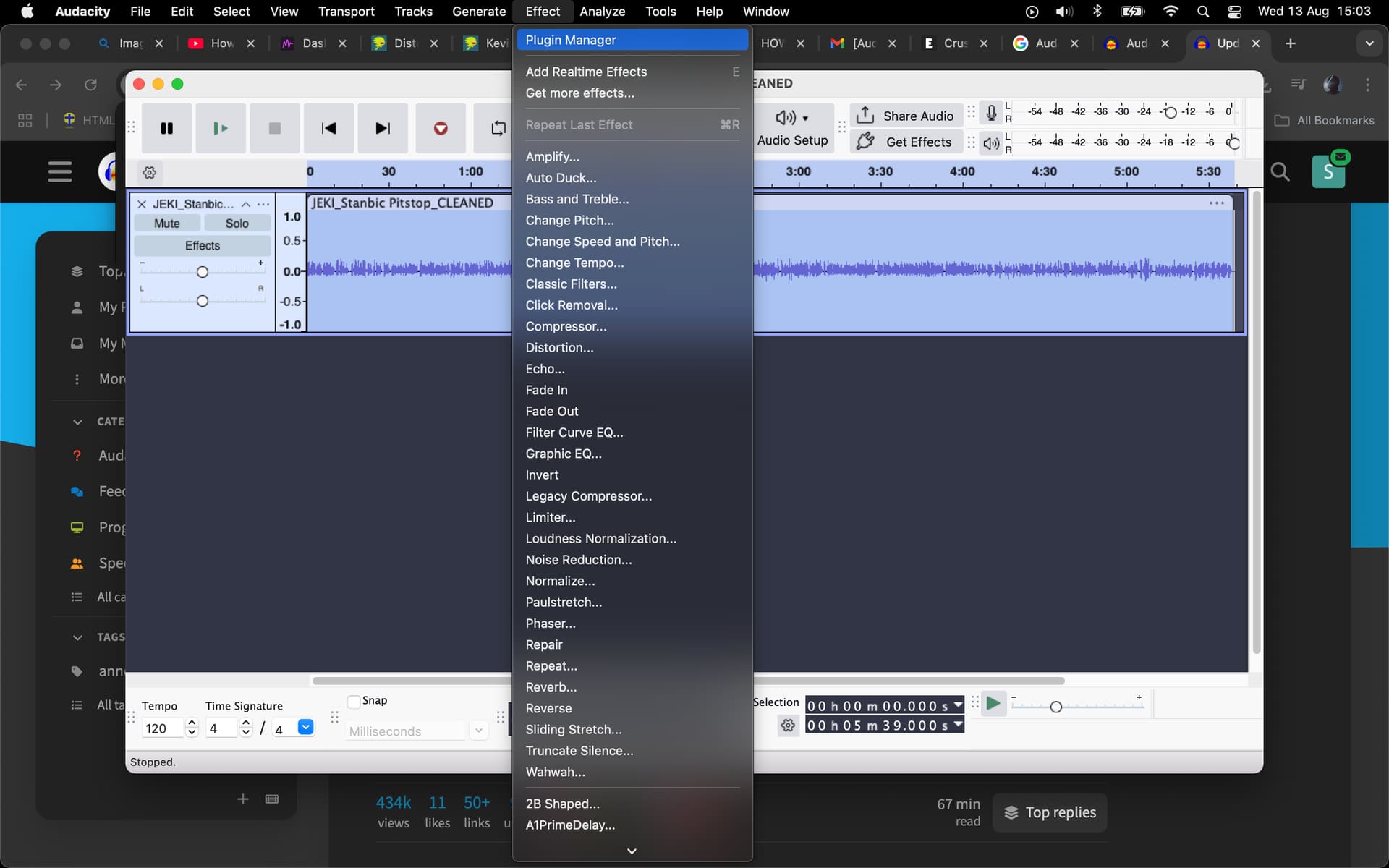
In Audcaity3, De-Clicker ends up in the “n/a” folder in the effects list.
Will the Declicker plugin work if you can’t actually see the click sound mark on your DAW? I can hear it through my headphones, but I can’t see it on Audacity.
It’s usually visible on the spectrogram view … Spectrogram View - Audacity Manual
I landed here today searching for ways to remove mouth noises in podcast audio (without having to purchasing Izotope plugins or adjust mic position/make the speaker drink more/eat an apple).
I spent a while experimenting with Paul’s de-clicker. When it works, boy does it work! It’s pretty magic. But I’ve also run into the same problem as many others here with slow compute and at times failure to complete.
I wanted to draw attention to the simple but effective loop_process.ny plugin by steve for anyone in a similar situation to me: https://forum.audacityteam.org/t/processing-long-tracks-with-declicker-ny/66393/22
I’ve implemented it with the settings below to get mouth noise out of a 70 minute track. It still takes a while to run (about 20min for me), but it does finish. I’ve used 8 sections, and a fairly aggressive de-click setting which I spent a long time tweaking over a small portion of audio with significant mouth smack and saliva sounds.
LoopProcessing:mode=“Analyze” num=“8”
LoopProcessing:mode=“Select” num=“8”
De-clicker:control-action-choice=“Apply changes” control-crackle-threshold=“-45” control-crossfade-interval=“5” control-frequency-bound1=“150” control-frequency-bound2=“18173” control-max-steps=“3” control-n-bands=“20” control-passes=“2” control-relative-threshold=“6” control-separation=“2” control-step-dur-ms=“5”
LoopProcessing:mode=“Select” num=“8”
De-clicker:control-action-choice=“Apply changes” control-crackle-threshold=“-45” control-crossfade-interval=“5” control-frequency-bound1=“150” control-frequency-bound2=“18173” control-max-steps=“3” control-n-bands=“20” control-passes=“2” control-relative-threshold=“6” control-separation=“2” control-step-dur-ms=“5”
LoopProcessing:mode=“Select” num=“8”
De-clicker:control-action-choice=“Apply changes” control-crackle-threshold=“-45” control-crossfade-interval=“5” control-frequency-bound1=“150” control-frequency-bound2=“18173” control-max-steps=“3” control-n-bands=“20” control-passes=“2” control-relative-threshold=“6” control-separation=“2” control-step-dur-ms=“5”
LoopProcessing:mode=“Select” num=“8”
De-clicker:control-action-choice=“Apply changes” control-crackle-threshold=“-45” control-crossfade-interval=“5” control-frequency-bound1=“150” control-frequency-bound2=“18173” control-max-steps=“3” control-n-bands=“20” control-passes=“2” control-relative-threshold=“6” control-separation=“2” control-step-dur-ms=“5”
LoopProcessing:mode=“Select” num=“8”
De-clicker:control-action-choice=“Apply changes” control-crackle-threshold=“-45” control-crossfade-interval=“5” control-frequency-bound1=“150” control-frequency-bound2=“18173” control-max-steps=“3” control-n-bands=“20” control-passes=“2” control-relative-threshold=“6” control-separation=“2” control-step-dur-ms=“5”
LoopProcessing:mode=“Select” num=“8”
De-clicker:control-action-choice=“Apply changes” control-crackle-threshold=“-45” control-crossfade-interval=“5” control-frequency-bound1=“150” control-frequency-bound2=“18173” control-max-steps=“3” control-n-bands=“20” control-passes=“2” control-relative-threshold=“6” control-separation=“2” control-step-dur-ms=“5”
LoopProcessing:mode=“Select” num=“8”
De-clicker:control-action-choice=“Apply changes” control-crackle-threshold=“-45” control-crossfade-interval=“5” control-frequency-bound1=“150” control-frequency-bound2=“18173” control-max-steps=“3” control-n-bands=“20” control-passes=“2” control-relative-threshold=“6” control-separation=“2” control-step-dur-ms=“5”
LoopProcessing:mode=“Select” num=“8”
De-clicker:control-action-choice=“Apply changes” control-crackle-threshold=“-45” control-crossfade-interval=“5” control-frequency-bound1=“150” control-frequency-bound2=“18173” control-max-steps=“3” control-n-bands=“20” control-passes=“2” control-relative-threshold=“6” control-separation=“2” control-step-dur-ms=“5”
Hello Paul. Was the version of both plugins 32 bit? I’ve tried every suggestion to install DeClicker and DeEsser on my 2014 Macbook Pro. I see both plugins in the Contents-Plugin folder. I see them as well in the library application support audacity plugins folder…when I try to install Audacity says they’re already installed but when I pull up the Plugin Manager I can’t see either plugin…
Whether your version of Audcaity is 32-bit or 64-bit makes no difference to Nyquist plugins (name ends with “.ny”)
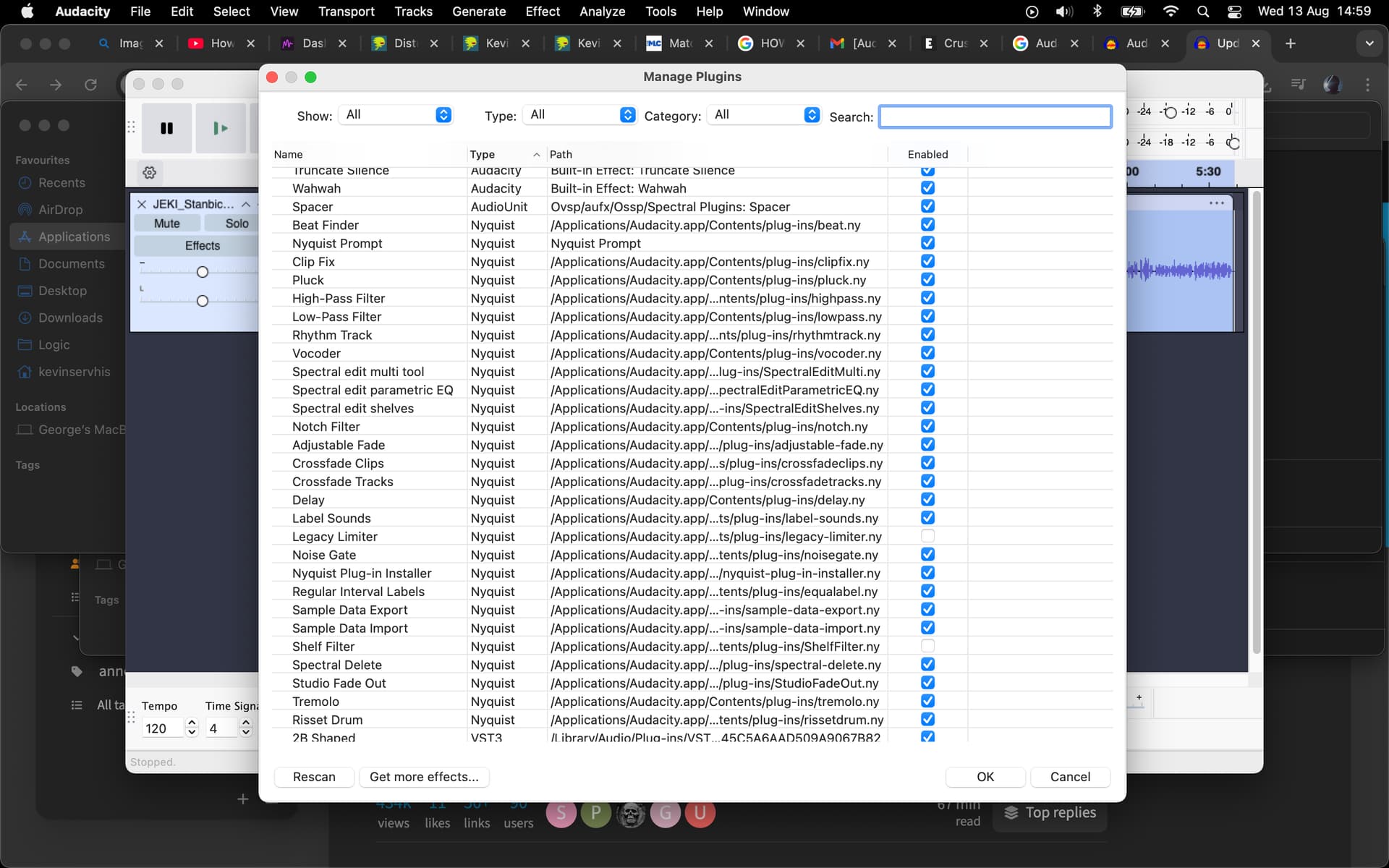
In recent versions of Audacity they can end up in a folder called “n/a” in the effects menu …

Trebor…I reverted to the 3.0.0. version of Audacity in order to see the plugins. I’ll download the latest version and see if I can find them via n/a as you have suggested.
The rigmarole is: download plugin, install, enable, then restart Audcaity.
Only then does it appear in the effects list.
All previously done and redone just moments ago…still can’t see them. I’ll stick to the legacy version for now I suppose.

Put them in the same folder as your other Nyquist plugins. ( I don’t speak Mac ).
Hi folks. I’ve got a set of lectures, each 2+ hours length. I cannot apply the De-clicker plugin as it fails after about 1 minute or running the operation. The reason is:
The maximum number of sample blocks has been
reached, so audio computation must be terminated.
Probably, your program should not be retaining
so many samples in memory. You can get and set
the maximum using SND-SET-MAX-AUDIO-MEM.
error: audio memory exhausted
So it seems like I need to drastically increase that limit (10 times), but I don’t find it in the UI. And I haven’t found it in the source file DeClicker.ny as well.
So how to achieve that?
Kubuntu Linux 22.04
Audacity 3.7.0 (as AppImage).
Nyquist plugins have a maximum amount of audio they can process in one go. In the case of DeClicker it’s ~15 min …
Oh, thanks, what a bummer. “Free” tools as in “suffering” once again 
If you break it up into 15 min chunks, perhaps via a macro, it becomes digestible.
Trying to run the de-esser plugin causes the application to crash after 1 second of running the effect - anyone experience something similar or have an idea on how to remedy it?
I know this is a silly question, but did you change the category to show all plugins?
Hello. I need your help, please. windows 11, audacity 3.7.7 installed the DeClicker plugin from the link attached here and added it to the plagin folder, launched it, everything appeared in the menu, but the plugin does not seem to work, since nothing happens when clicked. When you click the “debug” button, it writes “error: unbound function - DB-TO-LINEAR”. What do I need to do to make the DeClicker plugin work? Thank you
Hello, Paul!
I am trying to remove these clicks from my audiobook recording, but I cannot find an adequate threshold (and possibly other settings). It mostly removes the voice and doesn’t even touch the clicks. Could you please advise the settings for the plugin?