Nevertheless, the Zoom H1N is pretty good for what it is. What it is, is a compact, lightweight, inexpensive digital recorder with decent recording quality. They are quite widely used for recording rehearsals, due to the fact that they are easy to operate and will often fit in a pocket of a guitar case. It’s not as good as the H2N, but that’s to be expected considering it’s cheaper. The H1N is a direct competitor of the Tascam DR-05 V2.
A tip regarding any of these portable digital recorders - use a decent flash card. “Bargain” flash cards can be a waste of money. The flash card holds the recorded audio data - if it can’t keep up with the data, or if that are bad bits, the recording can turn out to be unusable.
Had Thanksgiving lunch with my brother today.
He’s known about me wanting to pursue this for a month or so now.
Offered to outright buy any of the 3 Zoom models as a gift for me. Out of nowhere, unsolicited.
He knows I want to do this and, more importantly, that I can do this.
Is there any reason I wouldn’t pick the H4n Pro over the H2n or the H1n?
A local shop with a decent return policy (Guitar Center) has them on sale, down to $199 from $219.
I have only hands-on with an older H4 which doesn’t even belong to me. Now you’re into cranking through the reviews and other forum opinions. It’s pretty unusual for us to recommend hardware. It’s so easy to have a bad experience particularly with microphones which depend on environment and user expertise.
I can take this upside down. Once you get it, write about it on the forum. Ever do an unboxing video?
I completely understand not recommending specific hardware in many cases. Too many variables in play.
I/my bro will be making the buy next week. I’ll certainly write about it and immediately post some samples for y’all to rip apart.
I’ve seen a few unboxing videos, but have never done one. This kind of reads like a friendly challenge. I like challenges; they tend to make us stronger. Thing is, I don’t even know what I’d use (hardware-wise) to make it with. I don’t have a webcam; all I have is an iPhone 6s. I do have a YT channel with exactly one video on it: a ShadowPlay video-grab, no audio, from my ancient Nvidia GTX 650 1GB first-gen GPU on a Splinter Cell: Blacklist walkthrough. I think it’s 480p, but it might be 720p. It’s been a long time since I watched it. I’d have to dig out my YT login info from wherever I’ve stashed it on this massively disorganized desk.
Thank you very much for this ^ Koz. I know I’m new here and this is all new to me, but your help, and Trebor’s, Steve’s, DVDdoug’s, and whomever else I missed has been invaluable, really opened my eyes, and I’ve learned much, but I know it’s barely scratched the surface. I will say it is obvious, even to a newbie, that you are all pros.
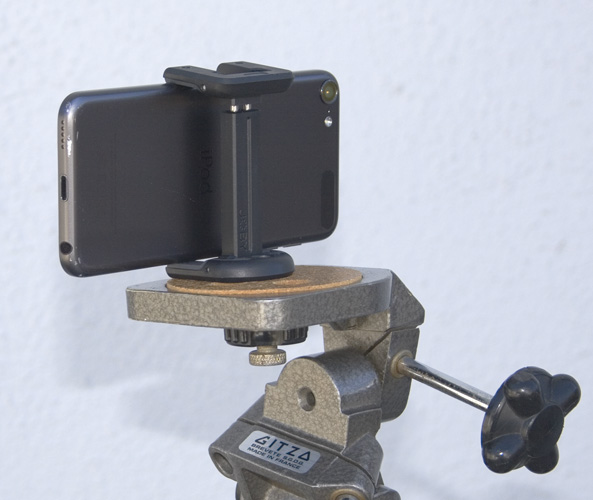
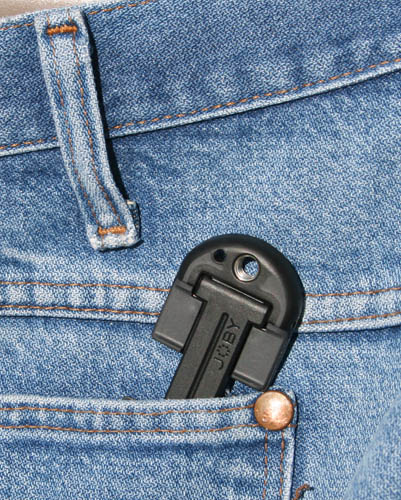
My GF has a selfie stick that fits my phone, but the bracket doesn’t come off.
I know we’ve got a mini-tripod around here somewhere. Wish I still had my killer full-size Bogen? tripod from 30 years ago. That dang thing would support a VW Bug with no vibration.
The improved noise floor (-120 dBu EIN)
Inputs
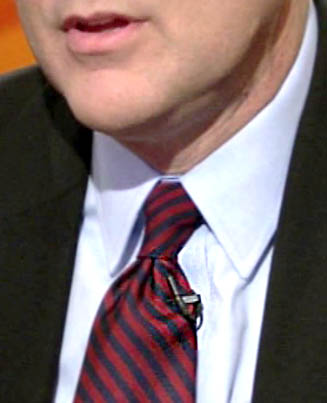
The two locking combo connectors accept either XLR or ¼" balanced/unbalanced phone cables, handling mic- and line-level signals as well as instrument-level signals. Phantom Power of +24 or +48 volts can be applied to both inputs. Plus, there’s a stereo 1/8” Mic jack for external audio sources, including lavalier microphones requiring 2.5 volts of plug-in power.
Outputs
A stereo 1/8" Line/Phone Out, with dedicated volume control, allows for headphone monitoring or connection to your DSLR, while the built-in monophonic speaker allows for quick playback reference. In addition, a USB port enables fast file transfer, firmware updates, and use as a 2-in/2-out audio interface for computers.
Four-track simultaneous recording
High-fidelity mic preamps
Built-in X/Y stereo microphones, adjustable between 90˚ and 120˚
Record up to 140 dB SPL with X/Y microphones
Two mic/line level inputs with XLR/TRS combo connectors
Stereo 1/8" Mic In mini phone jack
+24 or +48V phantom power for main inputs and Plug-in power (2.5V) via Mic/Line In mini
phone jack
Output/headphone jack with dedicated volume control
New rubberized and ergonomic body with improved 1.9 inch backlit LCD display
Built-in reference speaker for fast playback
Records directly to SD and SDHC cards up to 32 GB
Supports up to 24-bit/96 kHz audio in BWF-compliant WAV or a variety of MP3 formats
Onboard Mid-Side decoding
Internal mixdown: four-track to stereo and stereo to dual mono
Up to 99 marks per recording
Built-in effects, including compression/limiting, low-cut filtering, modulation,
reverb/delay and amp models
Normalize (maximum gain) and Divide (file splitting) functions
Chromatic tuner and metronome
Loop playback with user-defined start and stop points
Variable playback speed, from 50% to 150%, without affecting pitch
Variable pitch without affecting playback speed
USB port for file transfer to and from computer
2-in/2-out USB audio interface for PC/Mac computers
Mounts to mic stand or tripod, or directly to DSLR with optional Hot Shoe adapter
Runs on 2 standard AA alkaline or NiMH rechargeable batteries with up to 6 hours of
operation (up to 10 hours in Stamina mode)
lavalier microphones requiring 2.5 volts of plug-in power.
That’s the lavalier (chest microphone) that’s designed to plug into your computer Mic-In.
That may not be the advance you think. Nobody is expecting those to sound very good, so nobody is going to spend a lot of design effort on them. The microphone in the picture isn’t like that. That one is a real microphone, but it doesn’t use “Plug-In Power”.
(up to 10 hours in Stamina mode)
Did they say what “Stamina Mode was?” That sounds like an engineering mistake that the promotion people got ahold of and made it into a Feature.
The improved noise floor (-120 dBu EIN)
And that sounds grand, but your voice can arrive at -60dB and the Audiobook specification for noise is 60dB below that. 120db, bare minimum. There are systems far worse than that, so that’s probably good to go. They wouldn’t publish it unless it was good compared to anything else.
I’m good with the H4n Pro. On the whole, the specifications look OK. They have the desperation method techniques covered and they do have a reputation to look to. Not every sound shoot goes as designed. Did you look for any negative reviews? I like to read those even if I don’t pay any serious attention to them.
My H4 has a tripod mount option for the bottom so I can mount it on my tripod. I’ve never used it that way, but I do have all the adapters.
Stamina Mode: "Stamina Mode - Stamina mode is designed for the sole purpose of conserving battery life, and should only be used if it is necessary to record for extremely long periods with no access to fresh batteries or AC power. Stamina mode will increase battery life from about 6 hours to about 11 hours. In stamina mode, the H4n operates exactly like stereo mode with several limitations:
“In stamina mode, the zoom cannot record in any format other than the lowest quality WAV.
In stamina mode, the MODE sub-menu is locked out. To turn stamina mode on or off, the user must power down the recorder, and hit the stamina mode switch inside the battery door, then restart the recorder.”
H4n Pro has a standard tripod socket on the bottom.
I’ve read a LOT of reviews on the H4n Pro, and the negative ones seem either misinformed or inconsequential. Here’s a link to a Fakespot that I refreshed the other day:
There is a massive spike in the review count from what looks like late December 2017 to about February 2018. Not sure what this means.
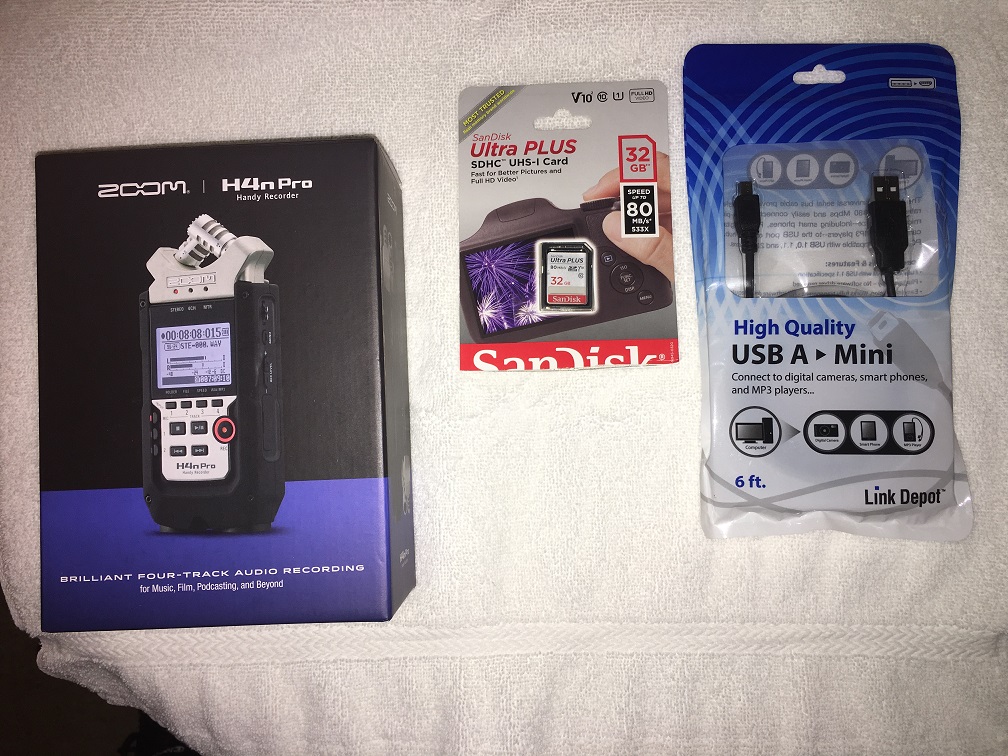
I bought the unit today, but haven’t unboxed it yet. Seems I have a bigger problem. If this weren’t a (I’m presupposing here) a family-friendly forum, I’d be using some pretty coarse language right about now.
ETA: My problem may not be a problem. If all I’m doing is recording 16-bit, 44.1kHz voice, I’ll never need ASIO, right?
The spike (& preceding price-dip) around that time is explainable as Black-Friday & Christmas.
ASIO driver software is only an advantage if the mic/recorder is connected to the computer, and you’re monitoring the recording live via headphones attached to computer.
[ ASIO minimizes the software-delay introduced by the computer, (a/k/a latency), to negligible levels ].
The H4N has a headphone-socket where you can hear what’s being recorded, live, without any software-delay.
So installing ASIO driver software in your computer not essential if you have that recorder : just transfer the recording from the H4N to computer via a USB cable, (like connecting an external drive), or remove the memory-card with the recording from the H4N and plug it into the computer.
If for some reason you need free audio-editor software compatible with ASIO drivers, try Audacity’s competitor OCENaudio.
The H4 has a setting where it turns itself into a memory card player for the computer. It mounts in the computer like an external hard drive. Drag your sound files over and go home. That doesn’t need ASIO, either.
Seems I have a bigger problem.
So the packaging is User Resistant? I’ve had packaging that needed Tools From The Garage.
If all I’m doing is recording > 16-bit, 44.1kHz > voice, I’ll never need ASIO, right?
You can stand-alone record at any specification that the recorder and Audacity supports. ASIO is only used when the H4n runs as a live microphone while connected to the computer. In other words, it makes possible all the USB microphone problems, shortcomings and damage we’re trying to avoid.
Stamina Mode:
Desperation Method. You must come back with a sound track, it’s getting late and everything else about the shoot has gone straight into the bin. You will very probably run out of battery if you don’t do something. This is the something.
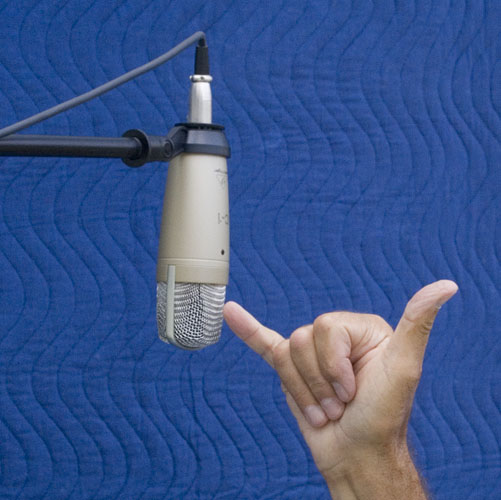
You can try it now. The wind sock is for close talking and outside environments. Normal spacing is about a Hawaiian shaka.
That’s a side-fire microphone. You will be talking into the “top” of your H4n.
Mess with it before you commit to anything serious. My H4 has an “Arm Mode” where it sets up for recording and runs the meters but doesn’t actually record anything until you press Record the second time. There are two mount modes for when you connect to the computer, etc.


 I like challenges; they tend to make us stronger. Thing is, I don’t even know what I’d use (hardware-wise) to make it with. I don’t have a webcam; all I have is an iPhone 6s. I do have a YT channel with exactly one video on it: a ShadowPlay video-grab, no audio, from my ancient Nvidia GTX 650 1GB first-gen GPU on a Splinter Cell: Blacklist walkthrough. I think it’s 480p, but it might be 720p. It’s been a long time since I watched it.
  I’d have to dig out my YT login info from wherever I’ve stashed it on this massively disorganized desk.