Hello.
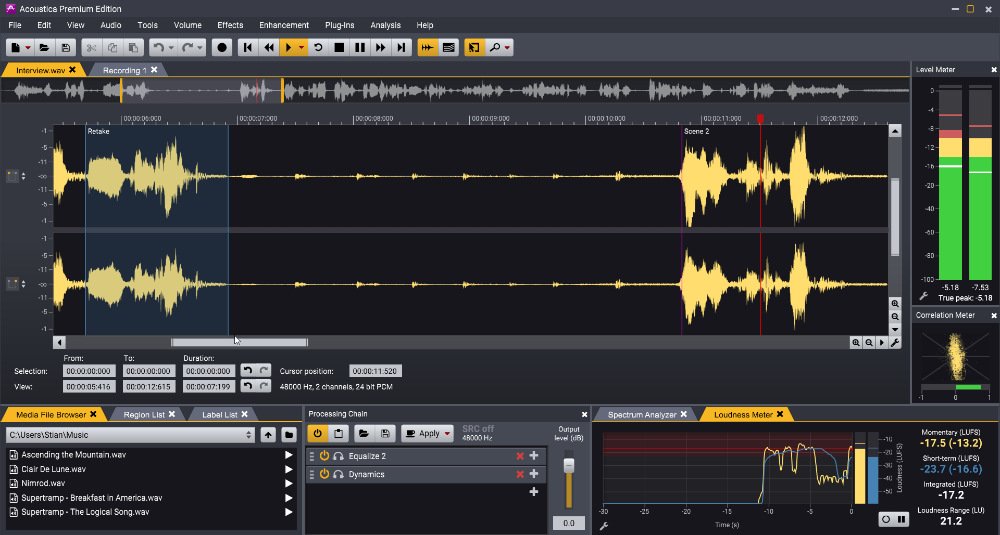
I think it would be useful for Audacity to have a “single-file view” that is common in other audio editing programs. This is a screenshot from Acoustica, as an example:
It’s a low res image, but I hope you can see there are two files open, with “Interview.wav” in the foreground and “Recording 1” in the background. Other programs like WaveLab and Sound Forge also support such views.
The benefit is that you maximize the working space for the file in focus and you don’t have to mute all other open files when you work on it.
1 Like
Yeah, tabs are a thing which would be handy for some cases. Right now, the way to do single-file editing is by opening multiple windows instead. I believe there’s technical limitations why it can’t be a thing just yet, but those should resolve itself as things get modernised – maybe for Audacity 5?
1 Like
I see, thanks for your consideration.
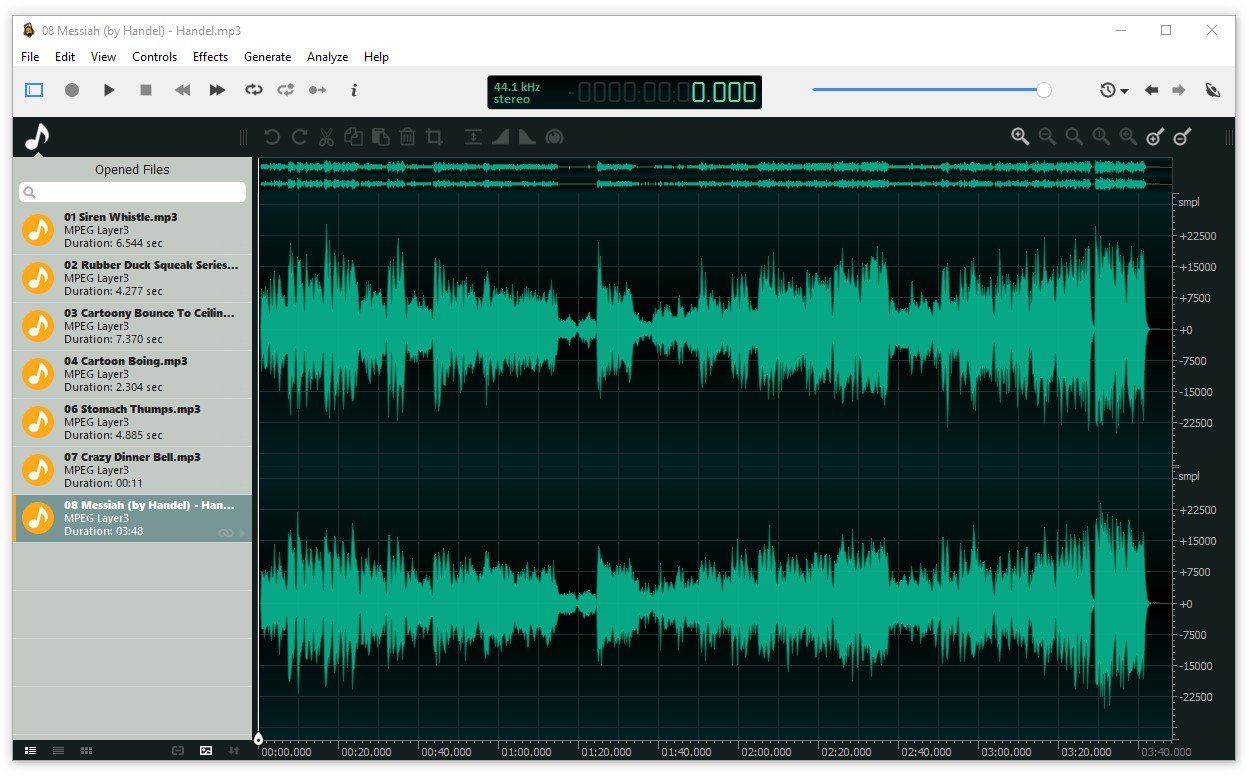
I would like to add that tabs are not the only way to display multiple open files, but it’s something that I first thought of. Ocenaudio displays them like this, for example:
The main idea is just to make editing individual files easier. The best UI to achieve this can be discussed.
If such changes aren’t on the horizon yet, I suggest a couple of settings to make this work better with the current Audacity UI:
- “Automatically solo focused track”
- “Automatically expand focused track and collapse other tracks”
This would enable faster navigation and editing of individual tracks, without having to manually solo and expand each one. A keyboard shortcut for “Cycle focus between tracks” would also be useful (or you could just make the current prev/next focus commands wrap around).
1 Like