When i use audacity and am clicking around edits, audacity constantly ends up marking a selection / loop section . I have uploaded a video of this as i am not able to explain this correctly . If you look at the video where i am playing a file and when i stop it creates a selection . My question is how can i stop audacity from creating this selection feature when i am editing. Is there a switch i can toggle and stop it from selecting sections?.
The thing is I am an AE and I am used to the Cubase workflow at work. At home I have audacity installed on my laptop and sometimes when I do some edits, I am struggling :(. I changed all the shortcut keys / etc to my personalization and gotten really comfortable with this software, except for this feature, where I am getting stuck. I wanted to know if there is a preference setting where I can switch this feature off. I am unable to rewire my brain because of I am constantly using Cubase at work.
Thank you so much for your time. I really appreciate it.
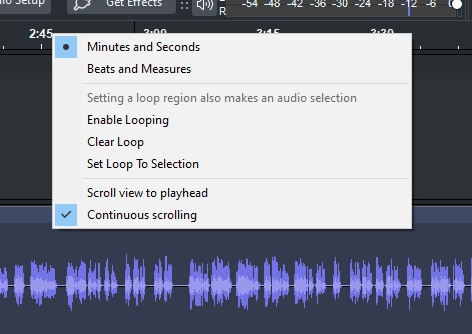
Looks like i am on a different version of Audacity than yours. My version is 3.7.7 on windows . I get a different screen when I right click on the time line. I have included the picture below.
I am sorry for not checking in on this thread after my last message.
Yes as i am doing edits, i usually click on the time line to hear if the edits are right. and when i click spacebar to stop this happens . I have another video uploaded which is a little longer and hopefully you should be able to recreate this issue i am facing.
At this point, I would quit Audacity, create a zip or copy of the %APPDATA%\audacity\ folder, then rename it (to audacity-2026-06-09), then start Audacity, which will create a new folder.
If the behavior now is what you want, I would quit Audacity, rename the current %APPDATA%\audacity\ to audacity-377emptystart, rename audacity-2026-06-09 back to audacity and then compare the two audacity.cfg files in these two folders using Little Differ or similar and try to find the one setting that makes the difference.
Then I would change it in the current audacity.cfg.
I installed the software via microsoft store and i dont think there is some error during install. The only thing i did with it is change shortcut keys so that it goes with my work flow. However I will try what you have suggested soon.
I have made another video and i hope you will be able to reproduce the issue i am having. This time i have added some text of what i am doing and if you do the same it should happen to you too.
OMG . I was so sure this was a bug and you would experience it too. I will do what you suggested with taking off the appdata files and get back to you.
It worked. Thank you very much for that technique. I looked up the two cfg files and it showed me quite a few changes over a variety of areas. Most of them were in inconsequential areas, but i could not actually figure out the main issue. Anyways, i have decided to keep the new cfg setting/directory and just do the shortcuts again ( which is about 10 of them ). This is easier for me to do and move on.
Super glad to hear it! Thank you for coming back and reporting.
Just in case: if you like, you could send me the old cfg via direct message (I’m guessing it can be attached? or you could quote it in a code block?) and if it causes the same issue on my machine, I would try to pinpoint the config that is at fault and report back here and report it as a bug (if broken configs cause incorrect behavior, that’s a bug) or maybe we’ll find out it’s a feature ^^ You can use Online Text Replacement Tool no ads no cookies no subscriptions no bloat to remove usernames and such from the file. (But no worries if it’s too much of a hassle.)
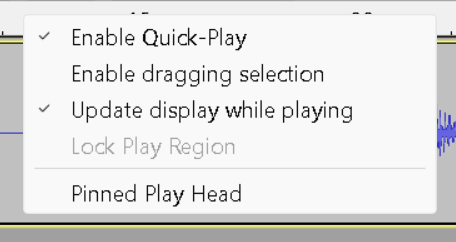

 . Thank you for your input . That is helpful.
 I will do what you suggested with taking off the appdata files and get back to you.