Please help rescuing .aup3 project file (v3.7.4) - project tools, sqlite db browser and v3.7.5/6 already tried

Hi, I hope you can help me IN ANY WAY with my .aup3 file that can´t be opened any more.

Here is the course of events and all the facts:

  1. I started a big remix-project by using Audacity v3.7.4 on Windows 10 pro (Version 10.0.19045.3930) and worked MONTHS on that. I saved different versions of the file from time to time, to have a backup and to be able to fetch deleted tracks (old edits) in case i would need them again (which happened a few times).

  2. I just had finished another step of edits and that was file “remix v36”, sized ~10GB (i think 50 tracks or more inside, each up to 9 min. long), which was saved correctly. Like always I wanted to rename it (e.g. from “remix v36 to edit xyz” to “remix v36 edits xyz done”), and clicked twice on the file in Windows Explorer (1st click to mark the file, 2nd click to change the filename). But I did the doubleclick too fast, so that audacity opened the file. Audacity opened the file correctly and I IMMEDIATELY closed the file.

  3. Then I renamed the file and made a copy “remix v37” to go on.

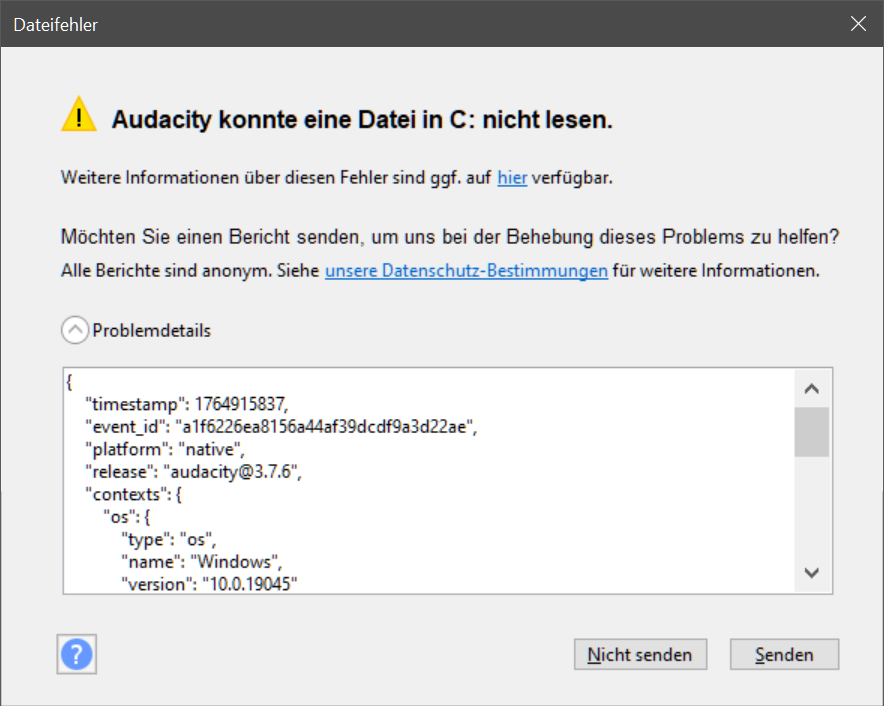
  4. Then I tried to open “remix v37” but audacity came up with the following error:
    {“timestamp”: 1764915837,“event_id”: “a1f6226ea8156a44af39dcdf9a3d22ae”,
    “platform”: “native”,“release”: “audacity@3.7.6”,“contexts”: {
    “os”: {“type”: “os”,“name”: “Windows”,“version”: “10.0.19045”}
    },“exception”: {“values”: [{“type”: “File_Error”,“value”: “Audacity failed to read from a file in .”,
    “mechanism”: {“type”: “runtime_error”,“handled”: false,“data”: {
    “sqlite3.rc”: “101”,“sqlite3.context”: “SqliteSampleBlock::Load::step”
    }}}]}}

    (audacity wasn´t able to read a file in c:)

  5. I also tried to open “remix v36” but the same error was presented (which is logical because the file was the copy source of “remix v37”).

  6. So the damage was done inside the file by simply opening and immediately closing the file “remix v36” (audacity v3.7.4 used). And HDD is ok and has enough space free (200GB+). I also updated to v3.7.5 and v3.7.6 but still the same error. Almost tears in my eyes.

  7. The problem is: I made LOTS of changes from remix v35 to v36, a work of 2 whole days, and I additionally can´t remember all the settings HOW i made the edits. So I have a very bad chance to get to the result of v36 by editing v35 again, even if i would invest several days again!

  8. I searched the forum and tried the audacity project tools. According to github the error “sqlite.rc:101” means “sample block is missing”. The tool says “db integrity check has passed”, but i can´t extract clips (tracks). Instead I was able to extract 9875 sample-block files in 319 folders plus the .xml-file which describes the project. That seems not hopeless at first sight. Although creating single mono/stereo track seemed to be useless due to bad sounding segments inside the wavs.

  9. Some questions now to you praised experts: How to get back my whole tracks in a practicable way? What can/should I do? What exactly did audacity do to the intact file by just opening and closing it? (I now won´t ever open an .aup3 file without having a backup - what an unproductive state!!!) Why are there lots of negative block numbers in the .xml-file? Are those tracks damaged forever? Or is this normal?

  10. I rather try all your suggestions, even if it would take me weeks, instead of trying to remember/redo all the edits from v35 to v36, because I only have the worst chances to get that ever done again.
Any help is welcome - please be my saviour - you will be credited for sure!
Not mentioned above: I also tried the SQLite DB Browser. I deleted the autosave table - no success. I swapped the names of tables autosave and project - no success.

Yes, like I said, I´ve tried this tool (see point 8.).

Maybe one interesting fact too: When I try to open “remix v36” (10GB) audacity loads the file a long time (like I was used to) until the point when the error-message appears. So it seems estimated 95% or more of the file must be readable and ok for audacity. It´s just the endpart when audacity decides to abort the read operation. Certainly this can mean nothing if the sample-block tables are damaged here and there. It would be a great help to make at least the path of recovering clear by manually adding all those 9875 sample blocks although I don´t know by now how to do this practically. I must find out what those negative block numbers mean. Thats essential I think.

Here is one excerpt from the .xml-file genereated by the audacity-project-tools: Checkout the negative block numbers!

;

; <waveblock start=“0” ; blockid=“163926” />

; <waveblock start=“262144” ; blockid=“163928” />

; <waveblock start=“524288” ; blockid=“163930” />

; <waveblock start=“786432” ; blockid=“163932” />

; <waveblock start=“1048576” ; blockid=“163934” />

; <waveblock start=“1310720” ; blockid=“163936” />

… and so on…

; <waveblock start=“8912896” ; blockid=“163994” />

; <waveblock start=“9175040” ; blockid=“207219” />

; <waveblock start=“9437184” ; blockid=“-262144” />

; <waveblock start=“9699328” ; blockid=“-262144” />

; <waveblock start=“9961472” ; blockid=“-262144” />

; <waveblock start=“10223616” ; blockid=“-262144” />

; <waveblock start=“10485760” ; blockid=“-262144” />

; <waveblock start=“10747904” ; blockid=“-262144” />

; <waveblock start=“11010048” ; blockid=“-262144” />

; <waveblock start=“11272192” ; blockid=“-262144” />

; <waveblock start=“11534336” ; blockid=“-262144” />

; <waveblock start=“11796480” ; blockid=“-262144” />

; <waveblock start=“12058624” ; blockid=“-262144” />

; <waveblock start=“12320768” ; blockid=“207220” />

; <waveblock start=“12582912” ; blockid=“164022” />

… and so on…

; <waveblock start=“20447232” ; blockid=“164082” />

; <waveblock start=“20709376” ; blockid=“164084” />

; <waveblock start=“20971520” ; blockid=“164086” />

;

Is this track as an example damaged forever because of those negative block numbers?

Sorry I don´t want to give the file (btw. 10 GB of size) out of my hands (kinda copyrighted work). But for sure I will try all the suggetions given to me. And I even double-try if suggested. Another hope: Maybe some other people get the same error, so that there will be some motivation for the developers to have a look at what audacity does, when it should do nothing (hurting my file by just opening and closing it quickly). But you can have the .xml-file if that would make any sense.

I understand. I can’t offer any other help.

I understand too, you want your copyrighted rescue method, I want my copyrighted remix. You would have been credited, I had offered that. But no problem. Hoping that other people here will show up sooner or later. Nevertheless - thanks for your participation!

At the moment I´m analysing the .xml-file that audacity-project-tools was able to extract from the broken project file (remix v36). There are in sum 188 mono wavetracks (some of them bundled to stereo), and 12973 sampleblocks related to them. But 2718 blockid´s show negative numbers (often the same like “-262144”). So when I assume that those blocks are damaged and gone forever, there would be 12973-2718=10255 valid sampleblocks used by those 188 wavetracks. But audacity-project-tools only recovered 9875 wav-files (in 319 folders). So another 10255-9875=380 blocks seem to be lost! Why, and where are they? Can they be recovered manually? Each block is most often about 5 seconds in length, so it seems that I have a loss of 2718+380=3098 blocks, meaning around 258 minutes, so around 28 full wavetracks with each a length of around 9 minutes. But those negative blockid´s are wildly scattered, so there is chance to recover this and that bit of a track. I haven´t checked integrity of v35 because at the moment a backup of all files is running and that takes time (at least until tomorrow). I have hopes that v35 is ok and in conjunction with recovered bits of v36 I may rescue some work. Maybe enough to be able to manually recover the rest. That´s what I deeply hope!

Most important question: What is the order of the wavetracks when a single-mono-wav is created by the audacity-project-tools? It´s NOT in the order the .xml-file is listing them! Please help, because it would speed up the process of recovery essentially, if I could use the single-mono-wav to recover each one of the 188 mono wavetracks (the .xml file gives the samples-count for each wavetrack). That would be far easier than to chain 5-second-chunks (blocks) together manually. I hope someone can help me here!

@Fraggle please try this script audacity 3 project parser and recovery tool · GitHub

It is nowhere near production quality. I wrote to recover a few corrupted projects in the past. It can help with situations when the project xml is desynchronized with the rest of the data, which looks similar to what you have.

python3 project_parser.py [path to your project]

If it succeeds, it will create a new project file with a (Recovered) suffix, and the lost parts of the project will be marked by labels.

If it failed, I can look into it if you don’t mind sharing the project.

1 Like

Negative block numbers are not a problem on their own, the negative block number is used to store the length of the silence.

1 Like

Moreover, it will print out ids of missing blocks, which are, by a good chance, present in your previous edits, and with a bit of surgical work, you can move them to the last edit.

1 Like

@kryksyh Thanks so much for answering - you give me hope! I´m eager to checkout the promisingly python script, but now I´m “once bitten, twice shy” and so backups (including binary comparison) are running, likely the whole night at least, maybe tomorrow too (328GB for the entire remix project). But as soon as finished I´ll be back well rested, and then we will see.

If all those negative blockid´s are really pure silence then this would be extremely great because of less data loss. I have encountered sampleblocks that were positive numbered, but contained pure silence, so I´m not sure if I can rely on this statement for 100% in any case (I have 2718 negative blockids). I´ll try to verify this little more tomorrow.

Another thing that puzzled me: According to the .xml-file some of the 188 wavetracks have one or more short clips added at the end (with blockids that weren´t extracted). But I don´t work with clips/offset, it´s always one clip without any offset in one wavetrack in my edits. So the .xml-file seems to be more or less unreliable - and you said that. All my hopes go now for the python-script, starting tomorrow.

@kryksyh Meanwhile the backup was done (binary comparison can wait, cause this takes further 12 hours). Checked previous remix v35 - it was safe and sound. Experimented with audacity project tools on v35, because I wanted to know what´s normal behaviour of the tool (it always said unsupported version). Some options don´t work (clip extraction, analysis, etc.) but the main functions still work (sampleblock and project-xml extraction). I compared the xml-file with the broken remix v36 but there were too many differences. So if v35 will give assistance then only at wavetrack level inside audacity as usual. Btw. v35 also contains negative blockids, so I guess it´s true that this is always pure silence and not data loss. Regardless of positive blockids, that can contain pure silence too.

After that I felt mentally strong enough to try the promising python script. If that would fail… but it succeeded, at least at first sight!! There were a couple of lines printed at the screen (I guess the lost sampleblocks), and I didn´t keep the list (cmd-buffer was too small). But the rescue-file was created ok and with the same size as the broken file. Maybe I will do the process again to get the full list as a text-file.

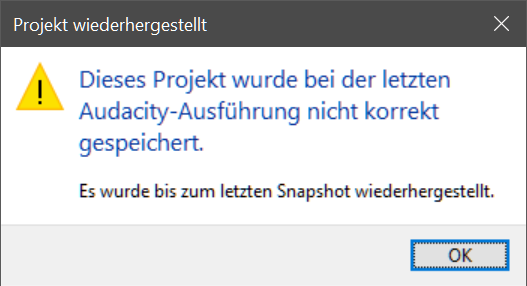
After backing up the rescue-file I opened it in audacity which worked!! Audacity only mentioned the following affair:

(project got recovered to the latest snapshot because it was not correctly saved last time)

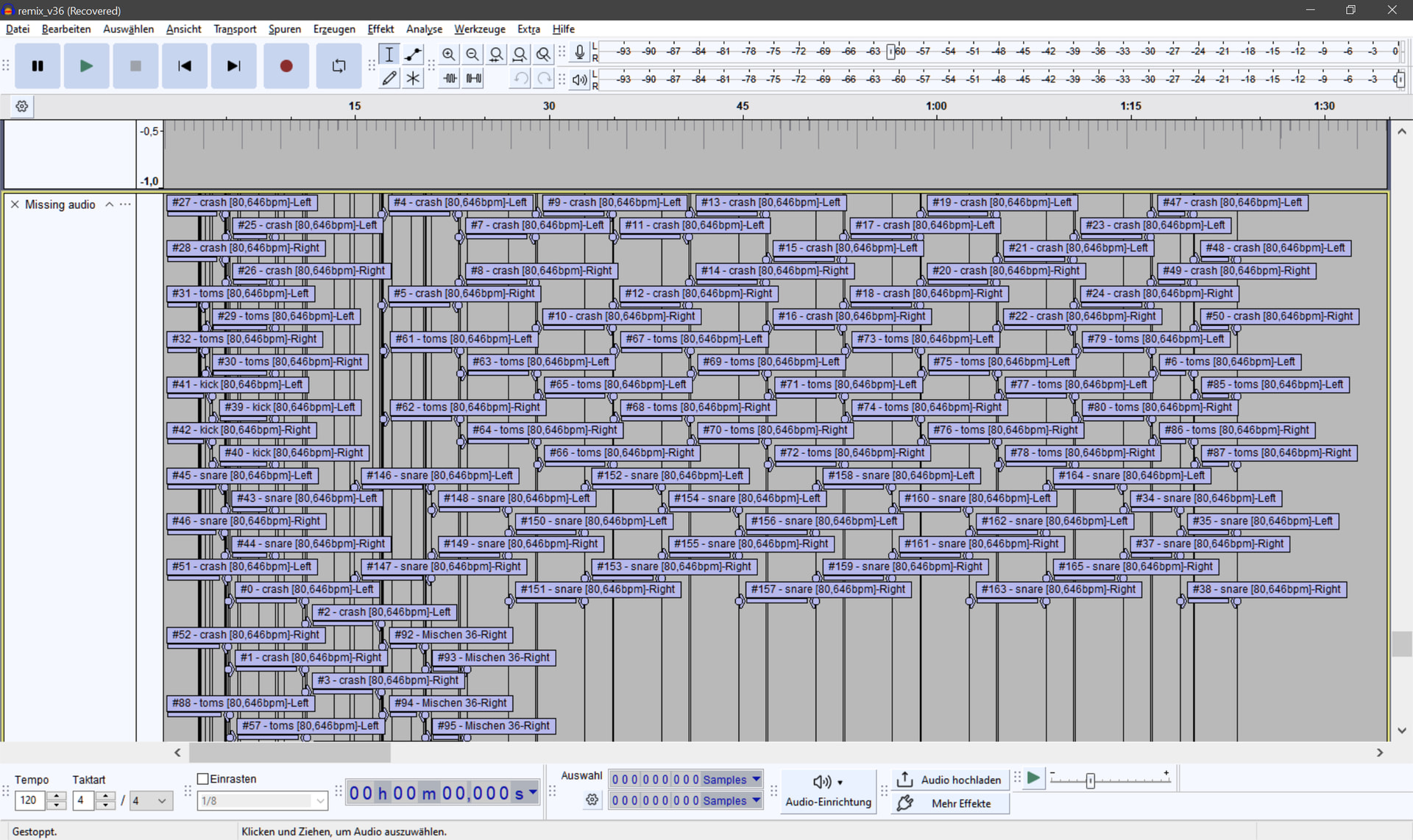
All 188 wavetracks look good (including gain&pan settings)!! A replay of the whole song (97 tracks active, 91 inactive) sounded ok!! At the bottom I found this:

It´s all within the first 1,5 minutes. I guess these are “ghost-blocks” - sampleblocks from “ghost-clips” that never really existed. Those (around 400) blocknumbers that the tool hadn´t extracted.

Looks like the best birthday present I´ve ever got - you are my absolute audio HERO & SAVIOUR! Without your help I would have invested weeks of recovering work and maybe never really got back to v36. Certainly I will credit this in the video if this remix ever gets finished (but there is pretty good chance now, because it was almost finished!).

What remains is some singly auditive review of those few 97 active tracks., just to make sure I´m 100% back. This certainly will take at least another full day. If you are curious in what kind of work you have saved, then you can checkout my lousy youtube channel in maybe one month (Youtube).

Wish you the best and thank you 1000 times again!!

1 Like

@Fraggle I’m glad to hear that, let us know when your project is finished :grinning_face:

In return, please try to recreate the issue you had and if you can reproduce it, describe the steps with as many details as possible. This could help me fix it in Audacity.

What I am mostly interested in is:

  • the size and the structure of the project
    • file size
    • tracks count
    • total lenght
    • clip count per project and average per track
  • Your PC details
    • OS and its version
    • storage: internal, external, hdd or ssd, filesystem, free space left
  • anything else you might find relevant

I must say I think it’s great to see Audacity devs dropping into the forum discussions from time to time. I think it benefits everyone.

@kryksyh It would be great if this bug would get fixed in upcoming Audacity versions! It´s an uncomfortable situation now to always have to do a project-backup before daring to open the project-file with Audacity. Users of big project-files should be warned! I will try to contribute to the bug-hunt with infos/ideas/files as good as possible. I´ve already given some details in the thread, but have no problem to do this again.

  • remix v36.aup3 project´s file-size: exactly 10 364 350 464 Bytes (~10GB) for the broken and also the rescued version.

  • the following infos were gathered by analyzing the .xml-extraction (audacity project tools) of the broken project-file (v36): there are 188 mono-wavetracks (some of them bundled to stereo), 91 inactive, 97 active. the total length of the song is around 8m40s. But not every wavetrack has this full length. There WAS always only 1 clip per wavetrack with no offset because I don´t feel comfortable with clips/offsets (a feature I simply don´t use). BUT the .xml of the broken project-file shows some wavetracks with additional clips, that I call “ghost-clips”. I never created such, and it seems that the related blockIDs don´t show up in the extracted sampleblocks (“ghost-blocks”).

  • The used Audacity version for the last 10 remix versions has always been v3.7.4. But when the file-corruption appeared I upgraded to v3.7.5 & 6, trying to get that project opened again. OS is Windows 10 Pro 64bit (Version 22H2 10.0.19045.3930) which certainly is not the last version (19045.6575). I´ve chosen “Pro” back then, to be able to disable upgrades as good as possible. Upgrades turned out to be downgrades in almost all cases in the last 20 years, that´s my computer life experience (reaching back to the 80´s with their first really ingenious 8-bit homecomputers).
    The system drive is a M.2-SSD with 65GB of free space. The project is stored on an internal HDD with now still 167GB of free space. Never had any problems with the PC or storage, and still don´t have because the rescued-file opened, closed and reopened without any problems (for heavens´s sake!!).

  • Now to some thoughts that may be relevant:
    To me Audacity has at least 2 critically bad behaviours and they go hand in hand:
    When you open a project file, maybe scroll down and up again the wavetracks, and then close the file, it always gets modified! It´s not just a tiny useless tampering, instead lots of bytes change inside! You can find that out by the command “fc /b file1 file2” (file compare binary).
    Another important thing is: Audacity does not load a big project (say >5GB) fully into RAM, at least not at the very beginning after opening. That´s not a matter of available RAM (my PC has 16GB total, often more than 10GB available). When I am opening my remix files (5 to 10GB) I first have to scroll up and down around 20 times the whole wavetracks-scrollbar to be not any more interrupted in scrolling vertically due to HDD data loading. And when I start to play the song, Audacity stops every few seconds to load data from the HDD, interrupting the audio output of course. I have to let it run, better say hobble, through the song (with turned off speakers), and only after that I am able to listen to the song without interruption, because everything now seems finally loaded into RAM. Such full loading should be done at the opening process of the project file, not sometimes later, for good reasons!

    So to me it seems there are 2 “bugs” that can lead to problems: A project always gets unnecessarily modified. Audacity doesn´t have all data at startup. Modifying with insufficient data is risky. A fast project open-and-close procedure should never be performed when working with bigger projects (say >5GB). That´s what I know now.

    A kind of solution must address both issues. Force it to load projects completely into RAM when opening. Additionally it would be wise for Audacity to leave files untouched when nothing is modified by the user/editor. That´s my poor suggestions for “defusing the bomb”.

    If you need further support just let me know. I guess the .xml-file could be of interest for you. I certainly can provide it on demand.

    Thanks again for all your efforts!!

@Fraggle, thanks for the help. It seems that the slow drive is the key. I’ll give it a try.
Could you also try to reproduce the project corruption, it would give us a perspective on how easy it is to corrupt the project.

@kryksyh I´m glad when I can help too. Meanwhile I switched back to Audacity v3.7.4, because of some strange behaviour in the editor when I wanted to mark a section with the mouse (it was impossible). I also went on with my project and maybe in a few days my backing-track has a chance to get finished. This time I exported all important wavetracks before closing the project, just for being on the safe side. This is not the project´s point in time to risk any data loss again.

I already thought about how I can replicate the file-corruption and I think it will be pretty easy to do. Just take a 10 minute stereo track, make 100 duplicates and a project-file of 10-15GB is created. After computer boot-up (nothing cached), just open and immediately close the project-file. This should do the “trick”. I´ll try this in the next days, but maybe it will take me a week to be successful in forcing the error, who knows.

Besides I don´t believe that the “slow” (>100MB/s) internal HDD has something to do with that. Audacity NEVER loads a project-file entirely into RAM at startup, regardless of how fast data is delivered. If I ever will be successful in the error-reproduction, I will then also try it at the M.2 SSD which is lightning fast, to get that point also cleared.

@kryksyh Still no success in trying to replicate the error, even on slow USB-Drive. I just can reaffirm that back then the project file was saved and opened correctly without any errors. Opening and immediately closing the file did the damage afterwards. This bug obviously doesn´t seem to occur often and I´m sorry I still have no more ideas how to track it down (at the moment). Personally I would analyze exactly how Audacity modifies a file at opening and closing (without any user modifications in between). I would also check out the possibility of a dirty cache fetching. Maybe the problem relates to the database handling subsoftware or how Audacity uses it.