Yes I realise I have a cheap mic, I bought it for “testing” purposes before I actually got any job role. IF I start getting more requests I am more than willing to invest in better equipment (IF necessary) but It doesn’t seem that it is always necessary or that it even helps much though??
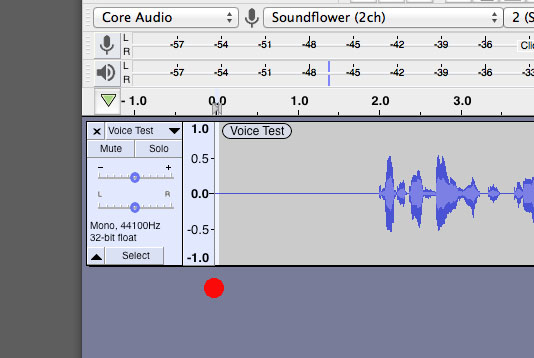
Did you listen to the actual recording that I sent where you clearly here the echo or reverb whatever you techy guys call it on the “So…”? Its usually when I emphasise a word.
Sorry I think you misunderstood me. I’m starting out as a voice recording artist, so I am registered on a few freelance websites Upwork being one of them. SO someone found my profile and asked me to record her book for audible. But this is her first book and its my first “official” and paid recording job. SO she isn’t even aware about all these ACX technical requirements which had I not come across them myself (in trying to learn how to edit) by the time she tries to upload to audible they probably would have denied. SO as a part of the price I’m supposed to offer a complete / ready production. (although you really don’t want to know how much I charged her, this being my first job to put me on the market)
what I meant is, I already started editing before i discovered this forum by using some YOUtube tutorials which just tell you how to use normalize and noise reduction. SO theres a couple of chapters that I’ve already done this on. Can I still use the AUDACITY audiobook mastering on them? And if I now start to edit the other chapters which are still in raw form am I going to get a completely messed up result???
I am using a 4 year old laptop with a cheap USB condenser mic! I don’t even have a pop filter. I always wanted to buy a mac if i am going to start taking voice recording seriously and of course a better mic, but I don’t like Apple. I’m old school.
The next time windows wants to update should I just keep postponing it? (thats what I normally do)
When exporting to MP3, I know the Bitrate Mode should be: Constant 192kbps, but what should the “Channel Mode” be? Joint stereo, Stereo or Force export to mono?
I can hear the faint echo after “Broke”. As it’s a raw recording, echo is not due to your processing.
It sounds like an electronic echo, rather than an acoustic echo from the room.
As it’s intermittent a possible explanation is software-delayed sound bleeding from headphones & reaching the mic through the air, (or through an internal electronic feedback-loop).
ACX Audiobook Acceptance happens in two layers. The first test is simple technical compliance: Is the submission loud enough? Does it have any overload damage, etc. It tests the same things that Audacity ACX Check does. ACX Check was written here based on ACX’s published values and settings. ACX has no formal relationship with Audacity.
I call it their robot test because you can get a software package to do it. It doesn’t have to be a human sitting in a dark room with strong coffee.
If you make it past The Robot, the submission goes on to Human Quality Control. Again, that’s what I call it. This is the testing step where a real person listens to your submission for theater qualities: Do you pop your “P” sounds or have trouble with lip smacks or other wet mouth noises? Are you “Essing?” Are you recording in the garden with background sounds or in a kitchen with echo and reverberation?
There was an extreme example on the forum a while ago where someone with clinical asthmatic gasping was reading. They never posted back, so we have no idea whether they succeeded or not.
Theater defects are difficult or impossible for a software package to catch.
This is also the step where they bounce you if you put the wrong number of seconds of silence or Room Tone at both ends of your chapters. That mistake is surprisingly popular.
In my opinion you should pass everything and there is a way to submit a short test to them to find out.
I think the hiss sound is still too much personally.
Home readers never pass noise—the whole world is biased against them. Noisy computers, noisy microphones or interfaces, cat howling next door, number 26 metrobus outside the house, etc. The limit of -60dB is audible at normal listening levels. That’s why I urge strongly to pass noise by more, say -65dB or better. If that’s not scary enough, -60dB means your background sounds have to be 1000 times quieter than your voice. -65dB is quieter than that.
There is one other tool that can be used to reduce it further. Let me see what happens with your test. It doesn’t work for everybody.
I just now noticed something. Your post doesn’t start with pure room noise. There is a tiny pop in the first small fraction of a second. You can get rid of it by selecting a sliver of the far-left time line and delete it.
What effects did you add to your original readings? If they were Amplify, Normalize or any of the other pure volume changers, you may be able to just apply the above collection or tools and have it work. If you started out with one of the dynamic processors such as Noise Reduction, it may be too late. Noise Reduction at harsh settings affects voice quality and you can’t stop it.
ACX is very serious about having all their chapters and sections match. There is no applying some corrections to some chapters and not others unless you are a professional studio.
This brings us to the strong recommendation that you Export all your first readings as WAV backup sound files. In your case, you would trash all your older corrected files, open up the WAV backups, apply the above tool collection and go home.
I need to drop for a while. I can look at your older work and see what’s there. In My Opinion, if the above mastering works for you, you should start with fresh readings.
Constant 192kbps, but what should the “Channel Mode” be? Joint stereo, Stereo or Force export to mono?
If you start your readings in mono, one blue wave on the timeline, none of those settings do anything. I’m not a fan of Forced Export to Mono because that means your WAV Edit Master and your MP3 audiobook submission may not match.
You can’t go back and edit your MP3 submission. Editing an MP3 causes sound damage and you can’t stop it. If there is a change, edit or re-cut, you need to go back to the WAV Edit Master to do the change and then make a new MP3.
I applied all the corrections to that sample and it seems to have noise pumping which is what happens when the voice and corrections get out of step with each other. The words have noise tails. You can submit that if you want, but I think you should read it fresh.
We finally got the product finished and submitted to ACX and this was their feedback:
Issue: There are files that are too loud and too quiet in volume.
1 file has a high RMS and is too loud: 02. Chapter 1.mp3
1 file has a low RMS and is too quiet: exit.mp3
Requirement: files measuring between -23dB and -18dB RMS
Solution: Please bring the overall RMS level of each file to within our requirement
Issue: This title has a combination of mono and stereo files.
10 files are mono - Opening Credits (1).mp3, 01. Overview.mp3, 02. Chapter 1.mp3, 03. Chapter 2.mp3, 04. Chapter 3.mp3, 05. Chapter 4.mp3, 06. Chapter 5.mp3, 07. Chapter 6.mp3, 08. Chapter 7.mp3, 09. Chapter 8.mp3
1 file is joint stereo - exit.mp3
Requirement: all mono or all stereo files
Solution: Revise files to either ‘stereo interleaved’ or ‘mono’ (Submitted audiobooks may not contain both mono and stereo files.
\
I ran another check on this file and Audacity still passes it. What to do next???
2.This was recorded by the author herself, but is it a quick easy fix???
There is no “This File.” They are complaining about multiple different files not matching each other, and a mix of Stereo and Mono through the whole book. All these problems are show stoppers. Even if you Master that one single file, it’s not going to match the files on either side.
is it a quick easy fix???
I’m going with no. You have a mish-mash of different errors and no good way to correct them. You can’t edit or correct the submitted MP3s without violating the ACX MP3 quality standard of 192. Each time you edit or change an MP3, the quality goes down and you can’t stop it.
That’s just how MP3 works. That’s why you File > Export a perfect quality WAV sound file of original readings before you mess with them. That’s your protection archive.
Audible Corporation is going to offer different products and services after you submit and the quality is going to go down for them, too. If you submit a low quality MP3, somebody at the end of the line is going to get a trashy show and nobody will be happy.
I’m sorry I think I didn’t make myself very clear.
There were TWO main issues they found which i listed as 1. And 2. And asked my questions accordingly regarding those 2 separate issues.
So the first issue they mentioned (1.) Was related to 2 specific chapters/ files. Chapter 2 they said had a RMS that was too high and “exit” (closing credits) they said had an RMS too low.
I re-ran an ACX check using the tool on Audacity on the final mastered mp3 file of chapter 2 and it passes all the checks. So I’m wondering why they said the RMS is too high…
The “exit” file I know probably wasn’t mastered at all since the author recorded it and is a novice. (Even more than me)
The SECOND issue was regarding only ONE file that was recorded in joint- stereo. Since I recorded the the opening credits and all chapters of the book, I did them all in mono following success advice from the experts. The AUTHOR however decided to record her OWN “closing credits” (not sure why) and she has no clue about all the different requirements etc (which I also didn’t until you guys helped!) So she recorded in a different format.
My question regarding the second issue was whether one can simply change/ convert the file to mono, or will it have to be re- recorded (which isn’t catastrophic since its probably less than a minute AND not my problem since she decided to record it herself lol) but I thought I’d ask on her behalf to be nice.
FYI I followed all tips, advice and instructions from the Audiobook mastering page which you kindly sent me so I did save WAV files before mastering.
PS - I’m not shouting when i use capitals just emphasising line using italics but I’m using my phone so it was easier to use CAPS.