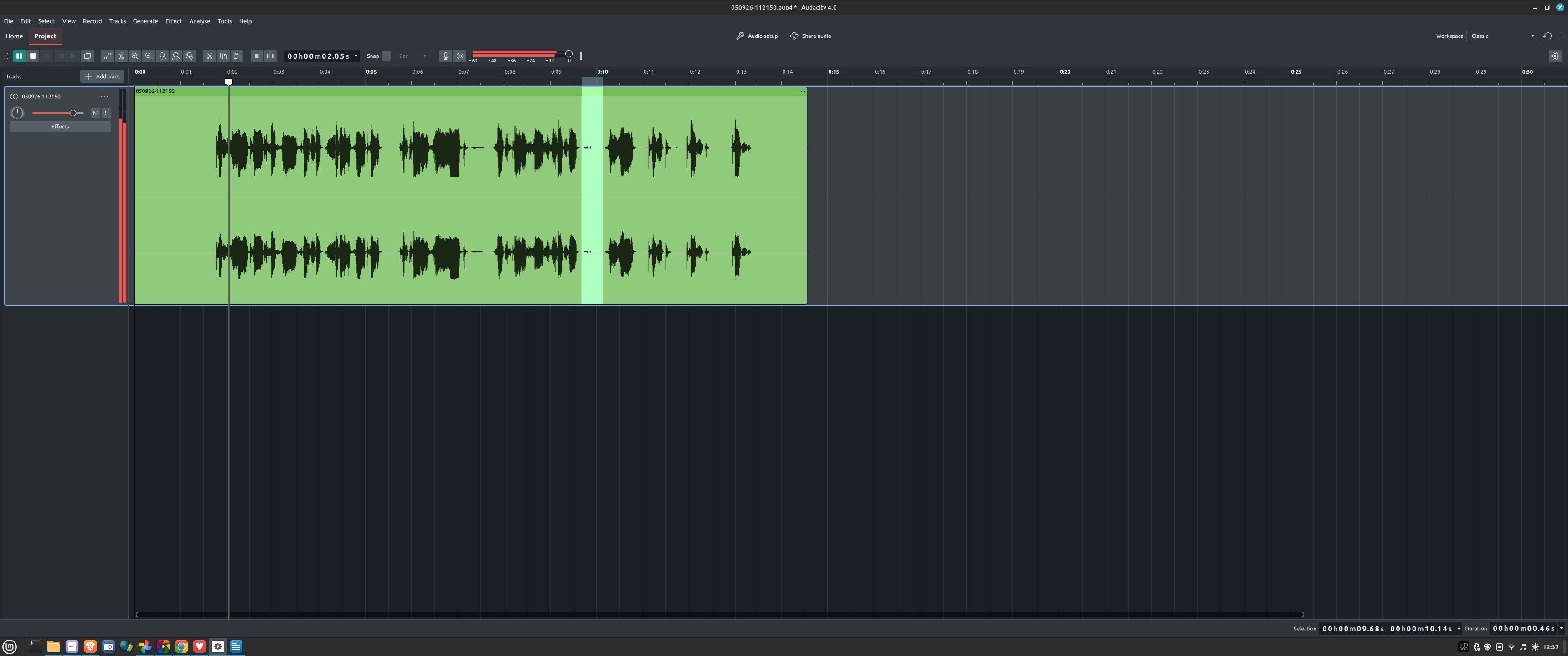
I have highlighted a section that I want to play. This used to work for me in Audacity 3, but in Audacity 4, it starts from the beginning of the track. I’m not sure what to search for, but I’m looking for a setting that lets me play only the selected zone.
I have the same issue and it’s a dealbreaker for me, since I use Audacity to edit dialogue. When I click on part of the track, I need the playhead to move to that click.
Hoping this is something that will be resolved in the upcoming hotfix.
Glad that I am not the only one experiencing this issue. I use it in the same way as you and expect the playhead to move to that click and only play the selected/highlighted region.
I am speculating that it is teething issues and they were keen to get it out asap. Hopefully fixed soon.
Yes, but no, it doesn’t! All that does is move the playhead; it does not play the section and stop. The loop function is the closest. But here is the process for the loop function:
Move playhead
Select area
Play section infinitely until you stop it
Turn off loop
Wished you hadn’t
Repeat and rinse.
Whereas the old Audacity 3 method:
Select area
Hit space
I am sure they will fix this issue, but if I highlight it now, they may do it sooner. The issue that I have is that if I do any editing and find that it cannot achieve what it could do before in Audacity 3 (which should be the minimum benchmark before release), then I have to start again, as .aup4 is not recognised by Audacity 3.
So do I switch back in the meantime, or push on with 4? There are other issues as well; I feel they should’ve tested it more before releasing it to the general public, and I am a complete amateur. I wonder how many issues the pros will find.
Just installed and tried 4 for the first time just now. This issue bothers me. That’s a huge difference from 3 for a very basic editing feature. Hope they get this corrected soon, it’s a deal breaker for me. I’ll have to continue using 3 for the time being.
Go to Edit->Preferences->shortcuts and search for Play Selected. Then you can assign a shortcut. I used Shift-P. The shortcuts in a4 are in some cases very different than a3. You can’t just export from a3 since the formats are different. Working with ChatGPT I got an export file form a3 that moved my shortcuts to a4 and now allis a lot better since there are many things missing from the menus.
This is why I love this forum. I never thought to search the shortcuts for a non-existent menu item. I guess there’s lots of them.
I assigned Shift-space to “Play Selected”.
This conflicts with “Play/Pause from cursor” which is similar to AU3’s “Play/Stop and Set Cursor” with shortcut “X” (the AU4 command doesn’t set the cursor to the stop point the way AU3 does). So I assigned “X” to AU4’s “Play/Pause from Cursor”. I can live with that for now. Given this Github issue it looks like we might get the “X” key functionality back in the next release.
@bertradio Thanks mate, you’re awesome! It really helped. I assigned space key to Play selected and it works like before in A3. Thanks really, really much!
Yeah, but that is like saying, " The milk is in the fridge, and I want some milk. Well, if you walk out of your house, hop in the car, drive to the shop, buy milk, bring it home, you can have milk". But milk is in the fridge.
Yes, it is a solution, but there is an easier solution, and that is to replicate what is in 3.
Nonetheless, thank you for identifying a temporary workaround. I will use it until they reinstate the original method.
Hi there, you can indeed create a new shortcut, but you can also remove the “Space” shortcut from the other commands and reassign it to “Play Selected.”
Nice - that will do the trick. Thank you, sir! I guess it’s probably about time I get used to setting shortcuts for stuff I use all the time. Because I also noticed pressing “w” no longer returns the cursor to the start of the audio.
I did this with CTRL+SPACE, which isnt already assigned to anything else. Since I am always using CTRL+ something anyway, its pretty decent for a workaround. Thanks for the tip!
Hey @Macr are you a developer or contributor? If so, I really would love for you to check out my recent post. Funny how the guy that has “the squeaky wheel, gets the grease” gets your reply, but me who is praising 4.0 has no mentions or forwarded to the developers or not even a reply.