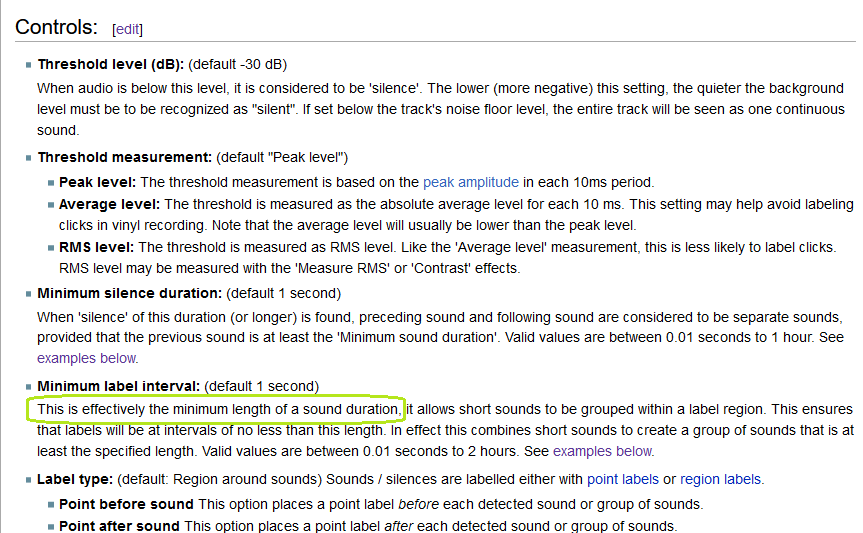
But when I set minimum label interval to 1.0 s and run Audacity>Analysis>Label Sounds I find that a lot of < 1s sounds get labeled. Here is an example:
The label track above shows the duration of each sound and silence gap in seconds.
Can someone tell me what I’m missing here? Maybe I’m not understanding the term “minimum sound duration” which seemed self-evident to me but is actually not defined on that manual page.
@waxcylinder So there is something to test on, I’ve added an .mp3 to my post. Although it’s not the same as in my screenshot, it gives the same sort of results.
By the way, note that I’m using a dB log scale in the screenshot
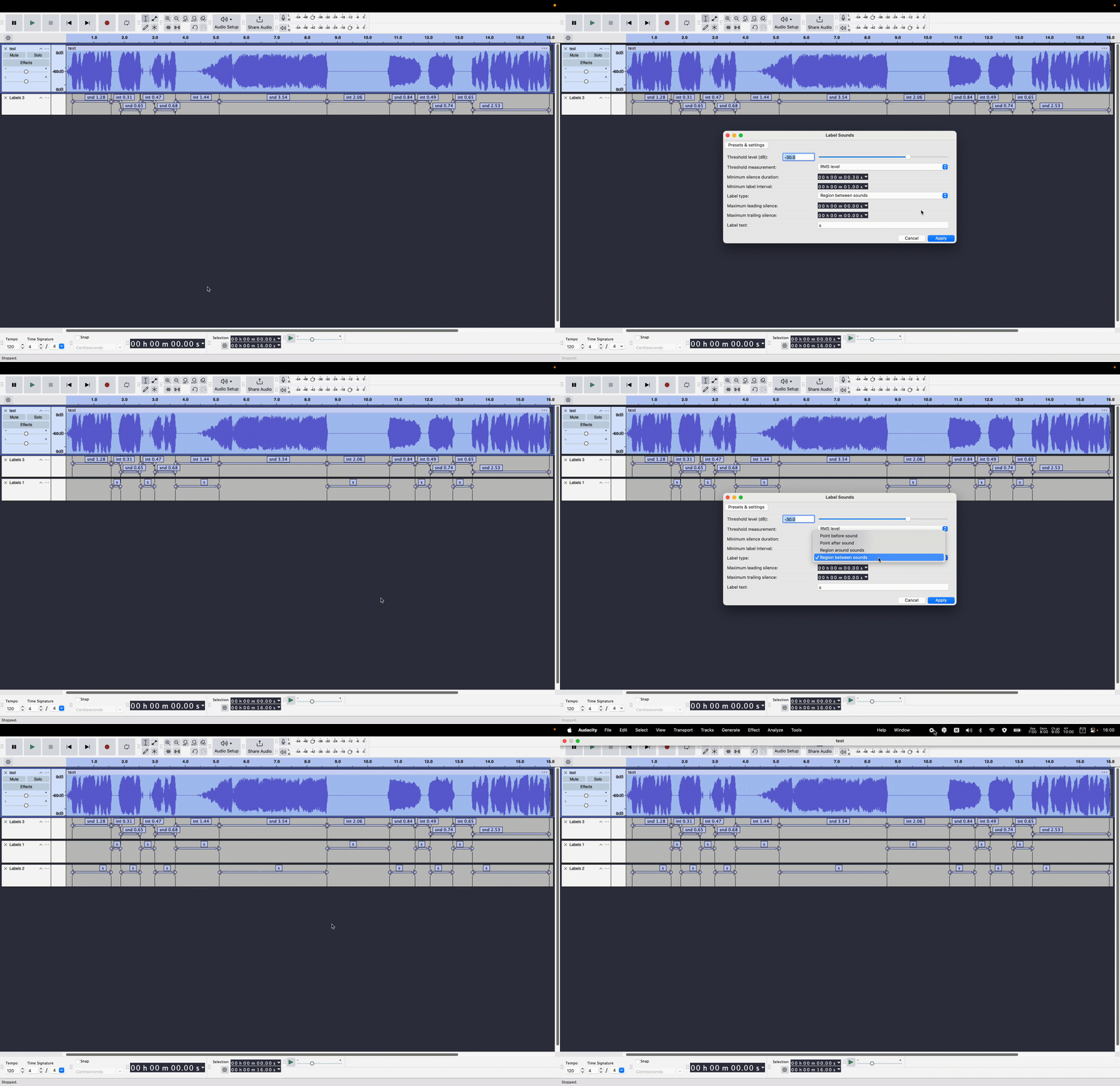
To make things clear, in this screenshot the sounds are labled “snd” and the intervals “int” (to see everything clealy, I have to right click the animated gif and open it in a new tab)
When I run Label Sounds, I do so in 2 ways: first labeling the intervals, then labeling the sounds. In each case, I choose 1s as the “minimum label interval”, yet you can see there are label intervals generated with values below 1s.
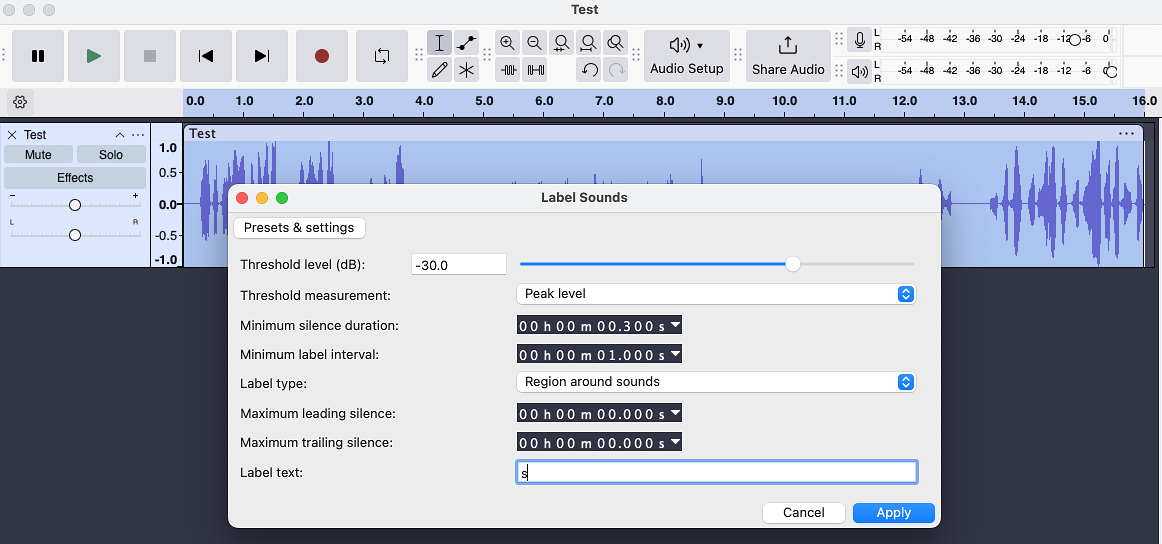
we did not get the same results despite using the same parameters on the same file - the first 2 sounds in mine are combined into one in yours
they look very different because I’m using a log dB scale
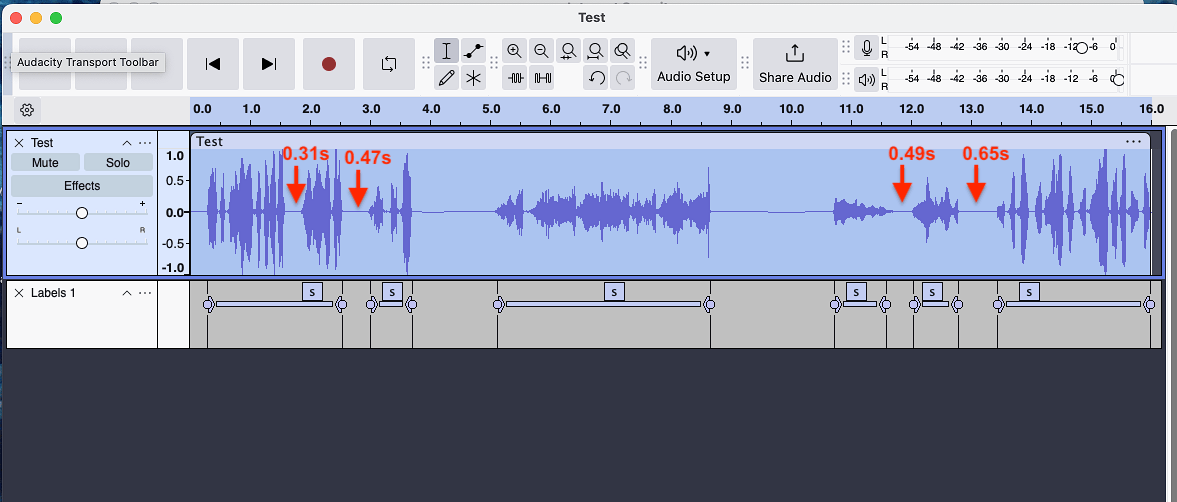
the main point, however, is that your result has the same problem mine does: the intervals between some labels are less than the “minimum label interval” of 1s, as shown by my last 3 red arrows here in your image.
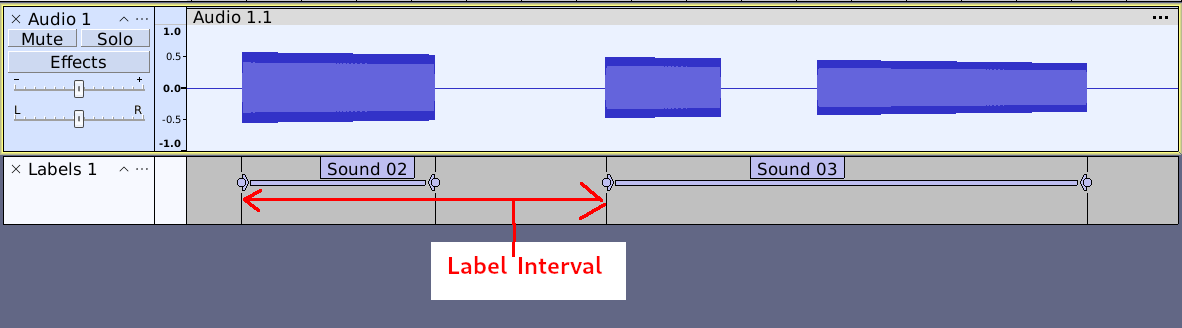
In other words “Minimum label interval” means the interval between one label starting, and the next label starting. As it says in the manual; “Allows short sounds to be grouped within a label region.”
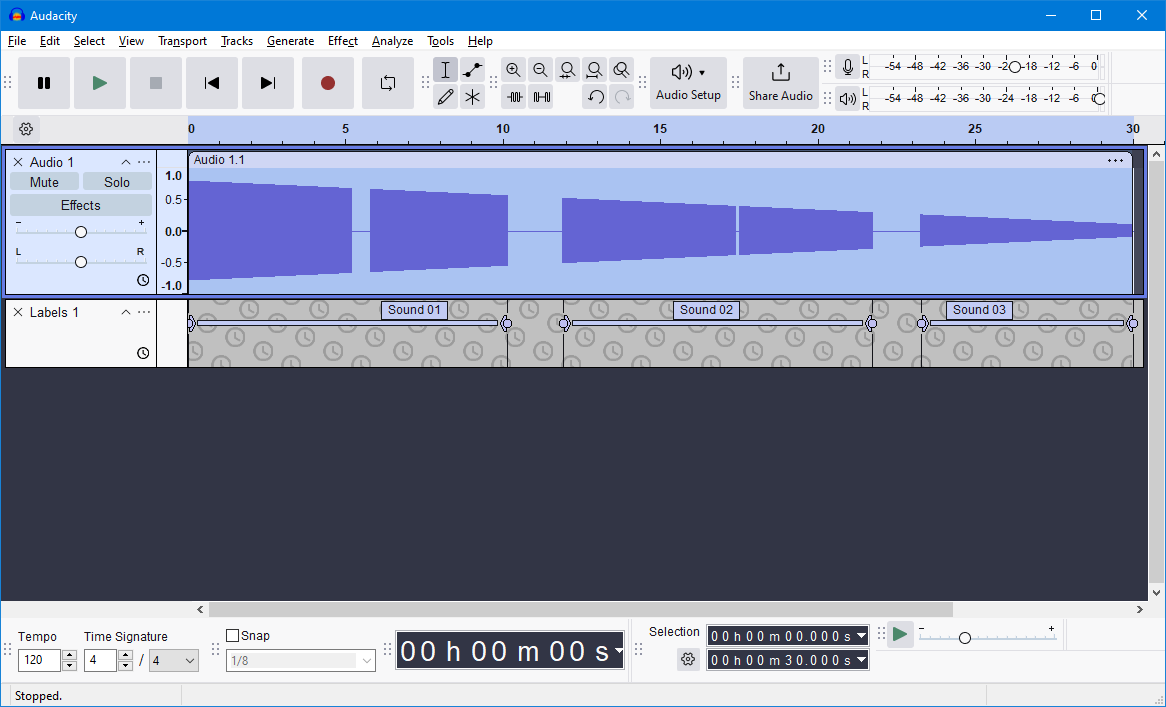
So if you increase the label interval to 1.3 seconds, the second 2 sounds will be grouped together like this:
This is very helpful – it gives me a way to get past the roadblock I was experiencing.
It also points to the value of pictures. A picture like @steve supplied would be great on the instruction manual page. In my experience with explaining technical material for decades, words that seem like they are so clear to me end up causing confusion in others until I provide pictures.
And also the pictures I draw end up showing me where my thinking was wrong – that happened to me even in this thread!
This plug-in went through A LOT of iterations before it was accepted. Originally I wanted to call the “Minimum label interval” control “Minimum sound duration”, which made more sense to me, but not to the chief QA guy at the time.
Is it worth raising a GitHub issue and an associated PR to change the wording to that which you originally wanted?
This would make eminent sense to me given that the Analyzer is called “Label Sounds”.
But thank you for that picture with the “Minimum interval label” - now I understand.
@tlm I’m actually the person that curates the manual (for now at least) though Steve wrote most of the text for this page as well as writing the Analyzer too. I’ll see what I can do to improve the Manual for the next release.
I think this is something very difficult to communicate.
Both of the above suggests the duration of a single region label surrounding EITHER a silence or a sound. But Steve’s picture makes clear that what’s meant is the duration of BOTH a sound and a silence. It’s difficult for me to figure out how to express this, perhaps something like “the interval between the starts of adjacent sounds”, or more briefly, “sound start interval”.
One way to make this clear is as follows:
Let S1 & S2 be the start and end of a sound, and S3 & S4 the start and end of the following sound. Then we will call S3-S2 the silence between sounds, while S3-S1 will be called the sound start interval.
Of course, Steve’s picture should then include S1, S2,…


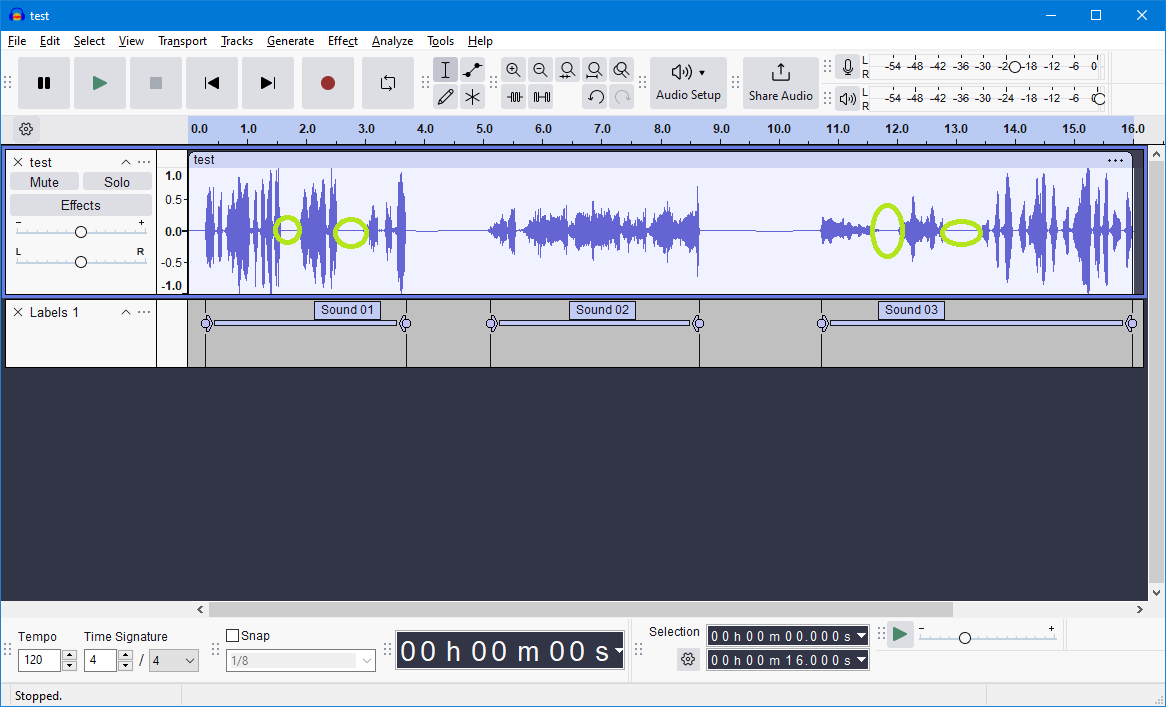




 ) It should have been: