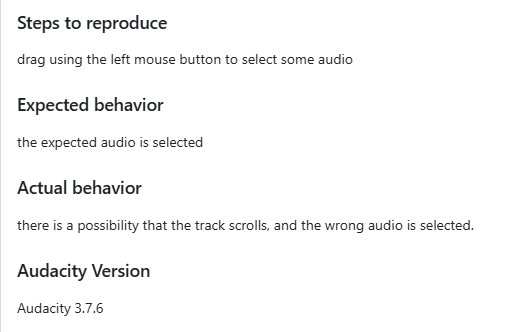
Since the new update today, I am having issues using the “Selection Tool” to highlight areas within a track. Whenever you try it simply drags the audio track and won’t let you select the area you want.
Yes I’m having the same issue too and it’s very frustrating. Is there a way I can revert the current version’s change and bring back the ability to click and drag on a track to select the contents underneath rather than drag the whole track around? Thanks!
I’m having the same problem. Thanks to “Colzzm” for reporting the issue. I’ve since reverted to the previous version.
The error doesn’t occur if the selection is made on two consecutive, attached tracks. At first, I thought the mouse was broken, but then I figured it out.
I’m having exactly the same problem. It seems to work better when I zoom out which is weird. I just got an update Monday evening (12-8) and that’s when it started. I can’t use it like this. How do I go back to the previous version?
How do I go back to the previous version please?
Download an older version of Audacity from the website. If you made any adjustments to the “standard / factory settings”, and the problem remains (which means, you have applied a setting causing the mis-behaviour), you need to delete the “audacity” folder. In macOS, it resides in your user directrory / Library/Application Support/; in Windows somewhere in the depths of the folder %appdata%.
I went back to the previous version, it was way too frustrating and time consuming trying to use the new one. Whomever wants that track dragging feature though is going to be stoked.
I’m having the same problem as well using Audacity 3.7.6 on a Mac with OS 15.6.1. It does seem that if you zoom way in, it seems to work. Also, I went to downgrade to 3.7.5 but when I go to fosshub, it only has downloads up to 3.7.2
MAc OS 14.6.1 I can’t make an accurate selection in any audio file with cursor. Each time I try to highlight a seciton the entire file moves or an unintended selection is made. Major issue. Surprised it was not noticed. What am I missing?
Ditto. It’s made my existing projects uneditable.
Likewise. I will need to revert back the previous version until this is fixed, as it has made basic editing of a podcast so difficult as to be unusable.
Unless the new version has features which are absolutely necessary for your work, there is no need to always install the latest / newest version of any program.
The “problem” of this forum is that it is mostly a user-to-user forum and not an official way to get in touch with the developers about mis-behavings of their product. And no, I also have no contact address…
I have this same problem. This is such a basic editing process that it should be fixed immediately.
Having the same problem here, ug. Really causing a headache for me.
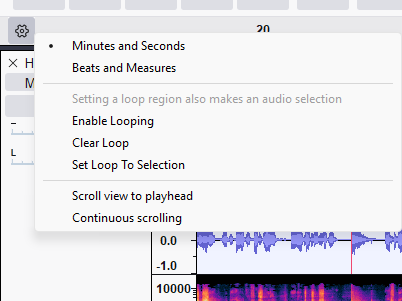
On a mac - same issue. Select audio, try to move it and the whole window shifts. Super super super impossible!! I think I will downgrade until this is fixed.
I wish this worked for me! But alas … still doing it. What frustration!
I am on windows 11