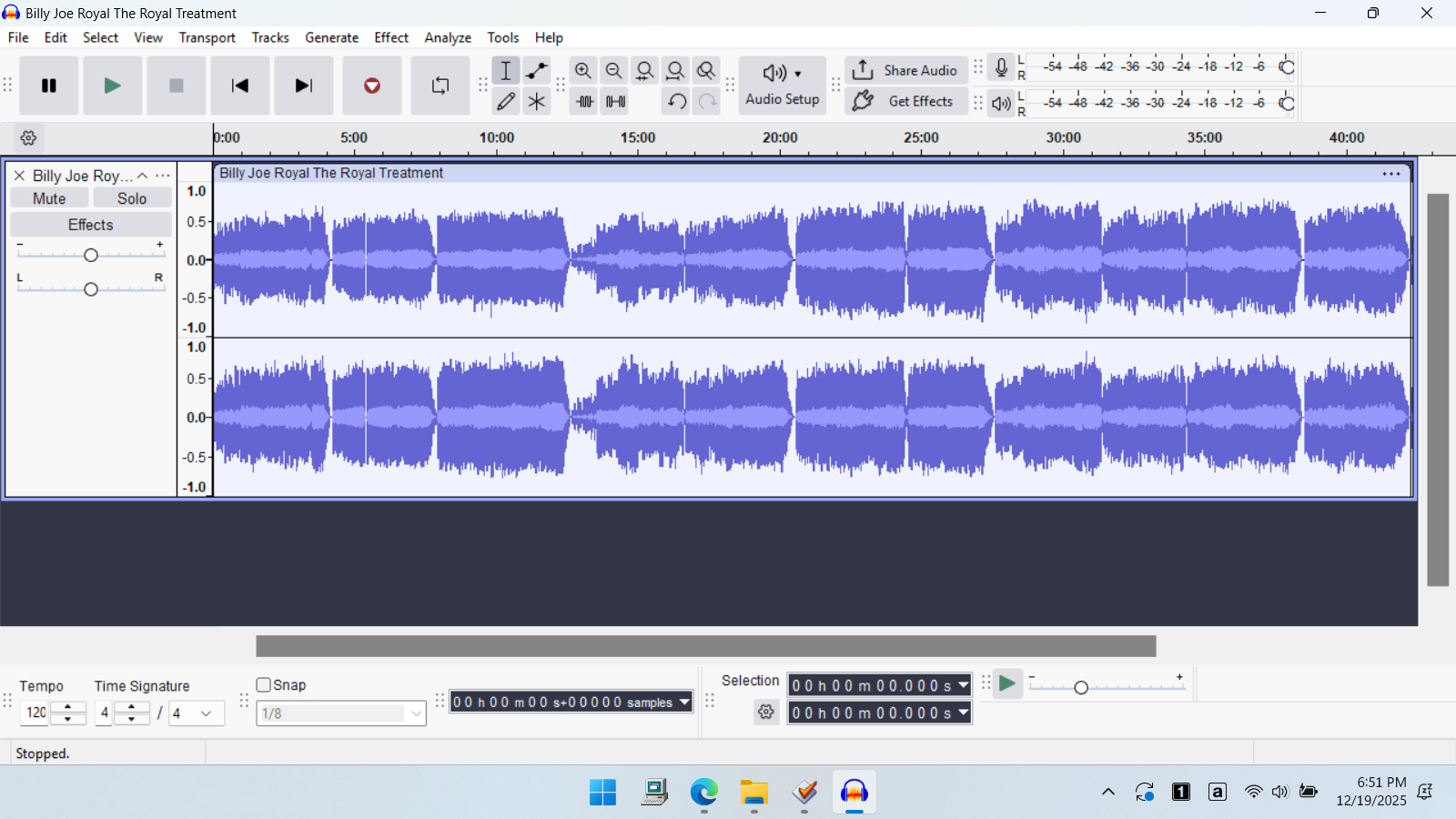
About a year ago I used Audacity to create WAV files from about 900 vinyl LP albums. These were then cleaned up with the click removal tool and then exported as FLAC files.
Recently, I’ve been Importing the FLAC files and using the Silence Finder Tool to extract each song on the album as a separate file. (Yes, I could have gone back to the master WAV or AUP3 files however extensive tagging and cover art were added to the FLAC files).
I occasionally have an FLAC file that will not fully import into Audacity. It appears to be 1-2% of these files. I’m currently using version 3.7.2., however I’m sure I used earlier versions a year ago.
For a specific example, I have an FLAC file of 878,150kB that is 1hr and 25 minutes long. Importing into Audacity has only 8 minutes and 24 seconds of audio. This is consistent for this file. Other files terminate at various places.
These large FLAC files fully play with Windows Media Player, VLC Media Player, and Music Bee Player.
Any idea what is causing this and how to avoid it?
The full album (this actually came from a cassette tape) is about 42 minutes. It plays fine on music players however importing to Audacity ends at about 5:30.
This is what I found. I tested your FLAC file on my Linux PC. Using every player I had installed, I had a 42-minute recording that I could skip through just fine. All worked as expected, the same as it did for you. However, it seems that the issue is not confined to Audacity. I opened the file in Ocenaudio and that too showed a 5m30s recording. Weird!
I used MediaInfo to check the streams present and there was a 1 FLAC audio stream and 1 JPEG image stream. I used Soundconverter to convert your FLAC to MP3 (1 audio stream and 1 JPEG image stream) and WAV (1 audio stream only). Then I converted my WAV file back to FLAC (now just the audio stream). All three of my conversions showed as 42m17s files in Audacity and Ocenaudio. So it seems neither editor is happy about the image stream with WAV or FLAC files but is OK with it for MP3.
I hope that helps you to find a way forward.
Mark B
Thanks for confirming the problem. I’m not 100% sure, but I probably used MP3Tag to add the artwork (as I did with all the files). So, something with the image file?
With a slightly different result. At least this is my understanding based on the statement “So it seems neither editor is happy about the image stream with WAV or FLAC files but is OK with it for MP3.”.
Based on the conversion to WAV (see above), I have (with Audacity 3.6.4) split the recording into tracks and exported to mp3 192 kbps and added the original LP cover (instead of the cassette scan). @Larry1957 - send me your email address and I can send it to you via Swisstransfer.
Romontschun, thanks for the offer. I have not used Swisstransfer before however I’m sure it is straight-forward. Maybe I’m overlooking a way to send you a private message (instead of posting my email address).
Currently, I’m flagging these problem files and will go back to them after I convert the ones without problems. I have about another hundred to do.
But, perhaps someone with the Audacity source code could debug and find out specifically what is the problem. My opinion is that if all music players can play the full file, why can’t Audacity import it? Could this be a bug in Audacity that could be fixed?
I’ve been busy for the past few days and just did a test. I Opened the master wav file and then did an export to one FLAC file. I then imported back into Audacity with no problem. It imported the full file. So, I’m past my immediate problem but it would be nice to know what went wrong previously. When I get more time, perhaps I will use MP3Tag to import artwork and then repeat (trying to recreated the problem).
I’ve heard of problems when the FLAC had non-standard metadata. For example, some software has problems with FLACs that have ID3 tags. (FLACs are supposed to use “Vorbis Comments”.) I don’t know how that happens, or how to check it but MP3Tag can remove all tags/metadata. And of course, MP3Tag does “the right thing” when tagging FLACs.
BTW - Just to add to the confusion… I downloaded the file from your Google Drive and I got all 42 minutes. (Audacity 3.7.7 and Windows 11.)
DVDdoug, Yes- the file on the Google Drive contains 42 minutes. The problem is when you import it into Audacity that it terminates early.
Regarding Tags, I used MP3Tag for most of the files however I do have some tags that were modified using the MusicBee Player. Don’t know if they treat FLAC files correctly or not.