I’m using Audacity 3.4.2 and trying to export as an mp3. However, I don’t have mp3 as an option. How do I add that as an export option?
Could you send a screenshot of the export menu?
File > Export > MP3?
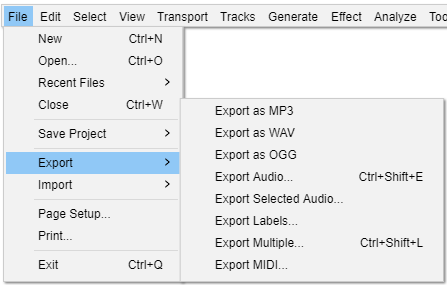
It should look roughly like this.
That’s the way it’s always looked before but now it’s completely different. The only mp option I have is mp2.
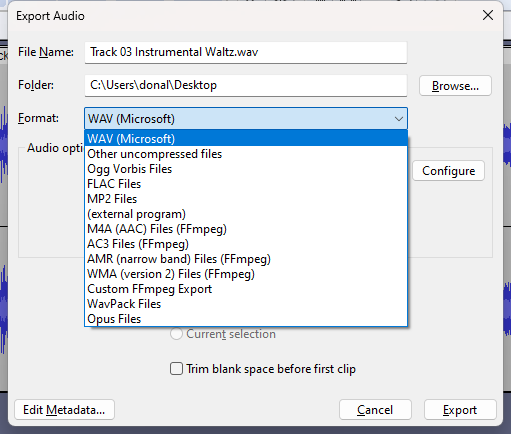
This is what I get now.
In 3.4.2 all the audio exports wre consolidated into a single menu command File > Export Audio and a single Export dialog:
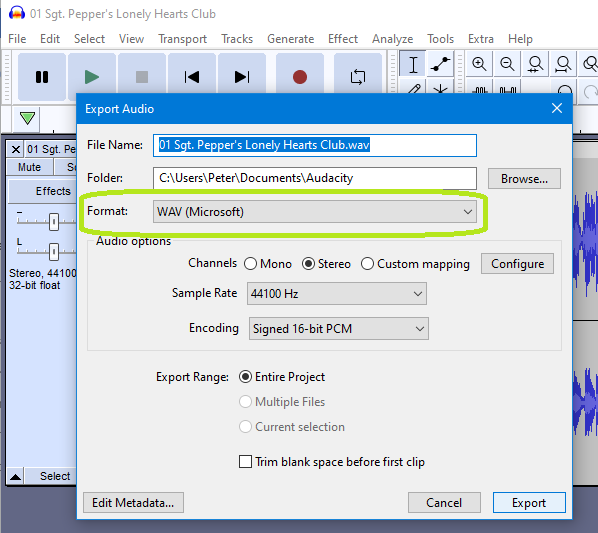
Click in the Format field you will get this menu where you can select MP3
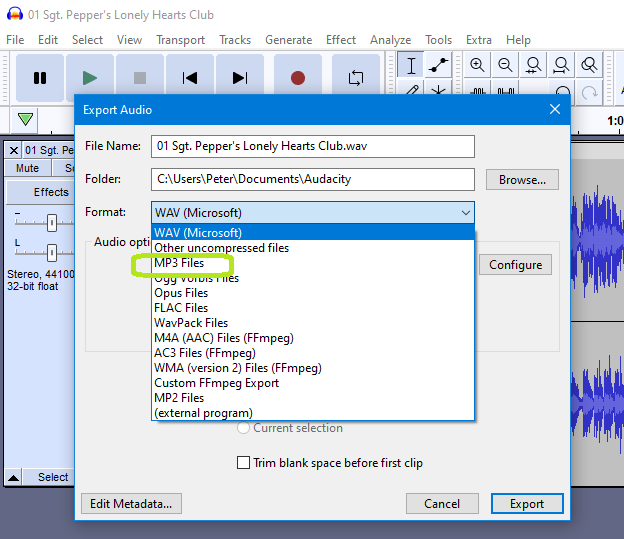
See this page in the Manual: Export Audio - Audacity Manual
Peter
I spent probably an hour working on this yesterday. I accessed a number of files online, many of them audacity files. I even reinstalled audacity. After it was all said and done, MP3 appeared at the bottom of the list like the one in the last response to me. I have no idea how it was added but it’s there now and I can export to it. I can’t help anyone solve this issue because I don’t know how I solved it. Thanks to those of you that responded.
This topic was automatically closed after 30 days. New replies are no longer allowed.