Hi there. I’ve used Audacity 3.3.x for a while to edit audio recordings made in stereo. I slice them up into multiple tracks, and then export them to mono mp3s, using the File > Export Multiple flow. This has (and still) works.
I can’t appear to do this in Audacity 3.4.1 (Apple Silicon installer). I go through the File > Export Audio flow, select “Mono” from channels, and a few other options (captured in the below screenshot). However, any exported mp3 file appears to be in stereo.
I can use the old version for now as a workaround. Thanks!
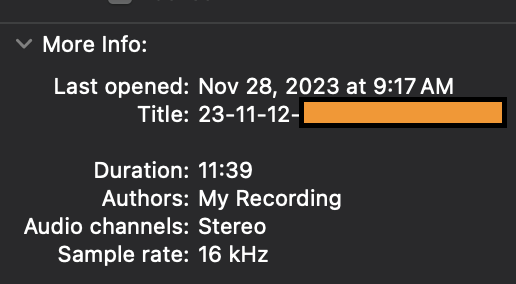
Because I can’t do multiple embeds in a post, here’s what an individual exported track looks like after going through the above mono / 16kHz / 24kbps export (note the “Stereo” audio channels in the OS X info panel)
Maybe try Custom Mapping. But you’ll probably have to reduce the levels before mixing to prevent clipping when the tracks are summed/mixed (if you’re not doing that already).