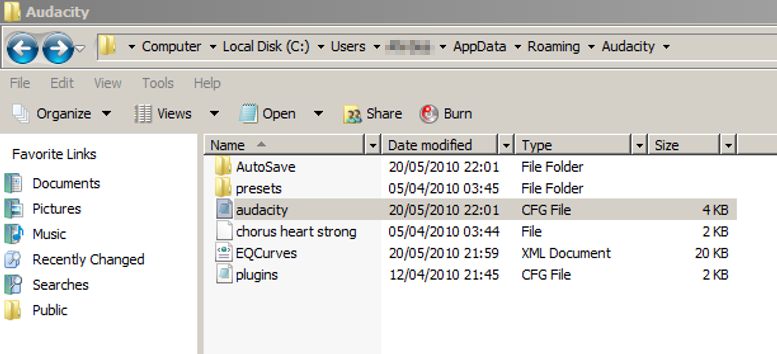
I use Audacity as part of restoring my collection of 78rpms. Especially the Re-Equalization function is enormously important to me…
However all equalization (presets) curves suddenly disappeared from Audacity. I have removed and reinstalled Audacity several times, rebooted my computer but to no avail. I’m using a Dell Studio (64bits) with Windows Vista. It all worked fine untill the curves just went away. All other effect functions work fine…
What to do?
And I believe that the developers may have plans to simply the set of preset EQ curves that are available, but to put easily downloadable curves for 78s and other unusual EQ curves in the Wiki.
Personally I’m inclined to agree - but the dev discussion spent some time on weighing the pros and cons of having an overloaded drop-down list with specialist options (like 78 EQ curves) which only a few specialized users would need - and they wanted to opt instead for a concise list with options that most folks would be likely to need.
If your equailzation curves were custom made they are in"EQCurves" (see above screen-grab): save a copy to avoid having to remake them if the problem recurs.
Thank you for you input. I have followed the instructions and then restarted Audacity… The problem continues. The equalization curves are just flat, although the presets are visible in the equalization menu, all curves are flat. In did not customize any curves…