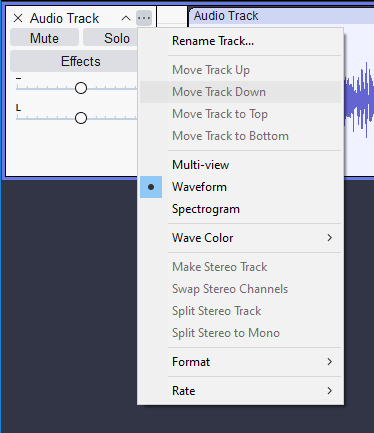
I am currently running Audacity 2.4.2 on Linux Mint, and a bunch of videos and the manual show the Effects button in the Track Control menu. It does not show it for me, and I can’t post a photo, as I am a n00b on this forum.
The Effects button in the Track Control Panel is for non-destructive real-time effects.
It was added by Muse (who now own Audacity) much later than 2.4.2 - I can’t recall in which version it was introduced but all the later 3.x versions have it.
I also use Mint and I use the AppImage of the latest version (3.7.7) because Mint Software Manager has only version 3.4.2. It works fine for me with one caveat - I can’t find a way to make file associations work. If I double-click on an aup3 file it will open Audacity but NOT the project. I have to do that from the File menu. I’ve just learned to live with that.
If you installed Audacity using Mint’s package manager, then you will have the latest version specifically for your version of Mint. This is the recommended way to install Audacity on Linux.