correction… it says " unable to open database file"
Please reread step 10 of the instructions, then post a screenshot.
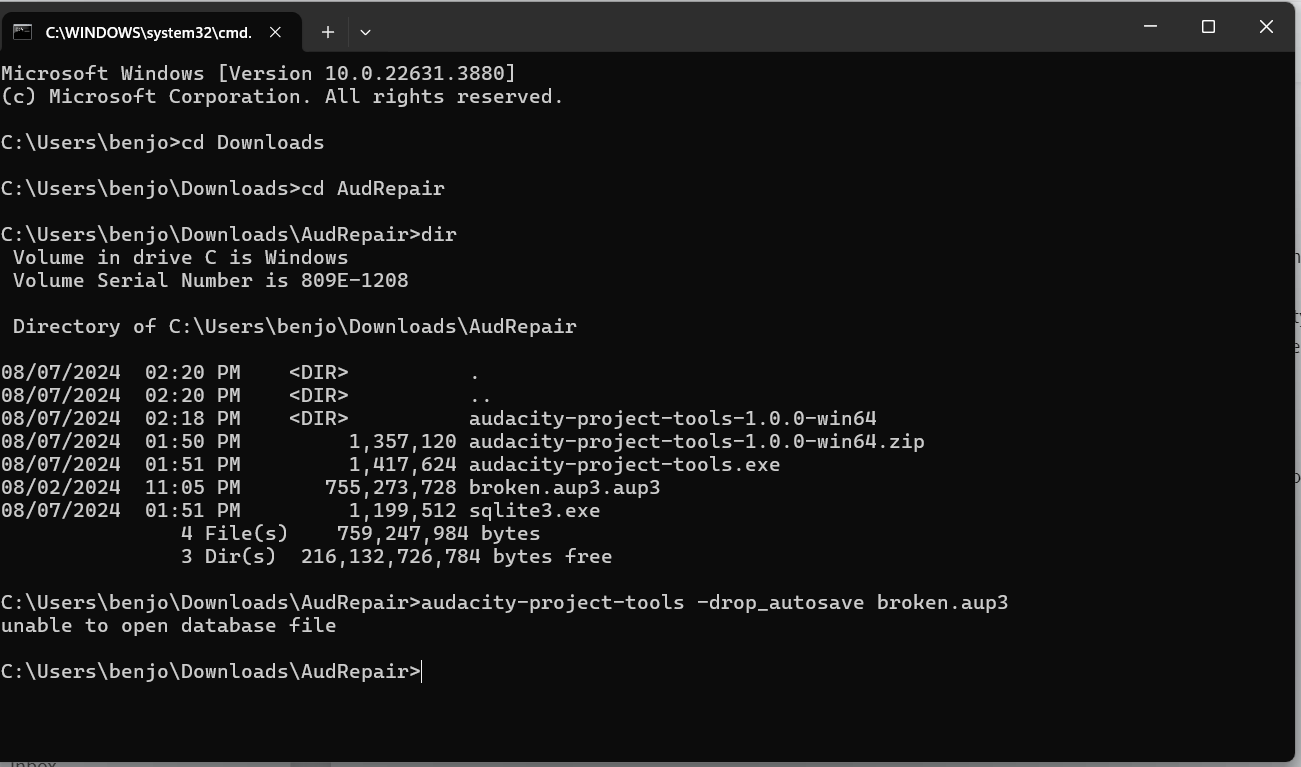
I don’t get that far, it says unable to open database file. I don’t know why the broken file has .aup3 after it twice but when I tried other files it did the same thing.
i tried typing in different things too, just to make sure I wasn’t doing something right but I’m pretty sure I didn’t mistype anything ? Regardless I tried through step 12 and it says the same thing.
I used this to recover another project from about a month ago (I had forgotten that this is what I used) and it worked beautifully. When I tried this the first time for this file today, it would go through the entire thing, down to the last step but after everything, it kept opening the file from last month…even though that is not what I had copied into the audrepair folder and I had deleted the previous file. Hope that makes sense…
'tis as I feared. You have named your database “broken.aup3.aup3” it needs
simply the name “broken.aup3”. Figure it out.
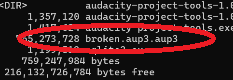
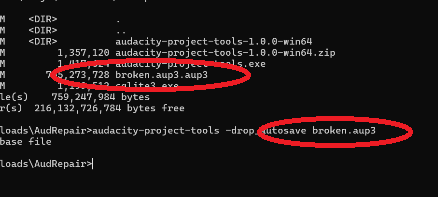
So these two file names have to match exactly.
It worked!!! I thought that might be the issue, didn’t have a chance to try that yesterday - ran out of time (and patience). thank you so much!!!
I tried it but it came back “unable to open database file”. I’ve been trying everything to get this file back. Any help would be great because I recorded my record with Audacity and I was hoping to fix this track up before release.
The error says
“timestamp”: 1726094032,
“event_id”: “23a05df89836e840923c9318b9f56494”,
“platform”: “native”,
“release”: “audacity@3.6.3”,
“contexts”: {
“os”: {
“type”: “os”,
“name”: “Windows”,
“version”: “10.0.19045”
}
},
“exception”: {
“values”: [
{
“type”: “File_Error”,
“value”: “Audacity failed to read from a file in .”,
“mechanism”: {
“type”: “runtime_error”,
“handled”: false,
“data”: {
“sqlite3.rc”: “101”,
“sqlite3.context”: “SqliteSampleBlock::Load::step”
}
}
}
]
}
}
Please share a screenshot.
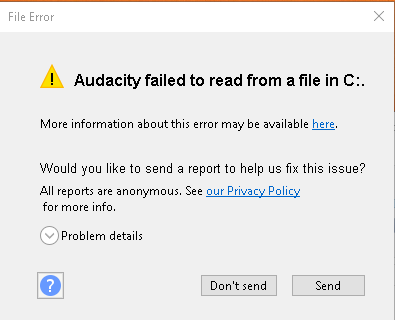
Sorry, I was not clear.
Please share a screenshot where you get the message “unable to open database file”. I suspect you created a file named broken.aup3.aup3 rather than simply broken.aup3.
I fixed the file name and it recovered it. THANK YOU SO MUCH!!!
You are welcome. Thanks for the followup. 
1 Like
HELP SAME ISSUE-- can anyone help me? here is link to the problem and screen shots as well as the corrupted file…
https://drive.google.com/drive/folders/187GrflE06IuN8AYwX5CcsjpYUvp9RzV6?usp=sharing
So you are going to need a space after audacity-project-tools.
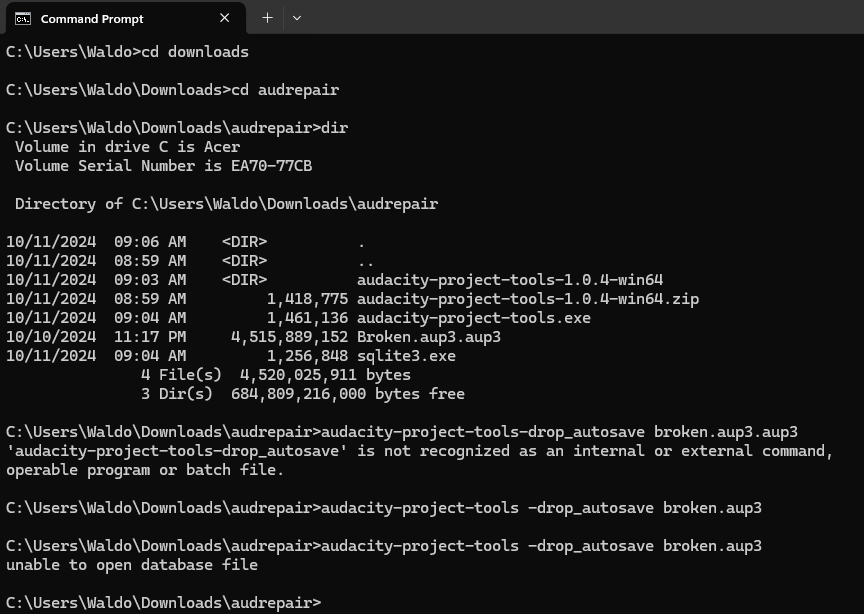
fix the file extension of ‘broken’. It has twice .aup3
I tried this solution it gave me all positive confirmation and gave me the recovered file but it was empty. I lost the audacity’s audio recording file about 3 to 4 hours of single session recording after a pc had a restart not a user initiated (not sure what happened as it was unattended).
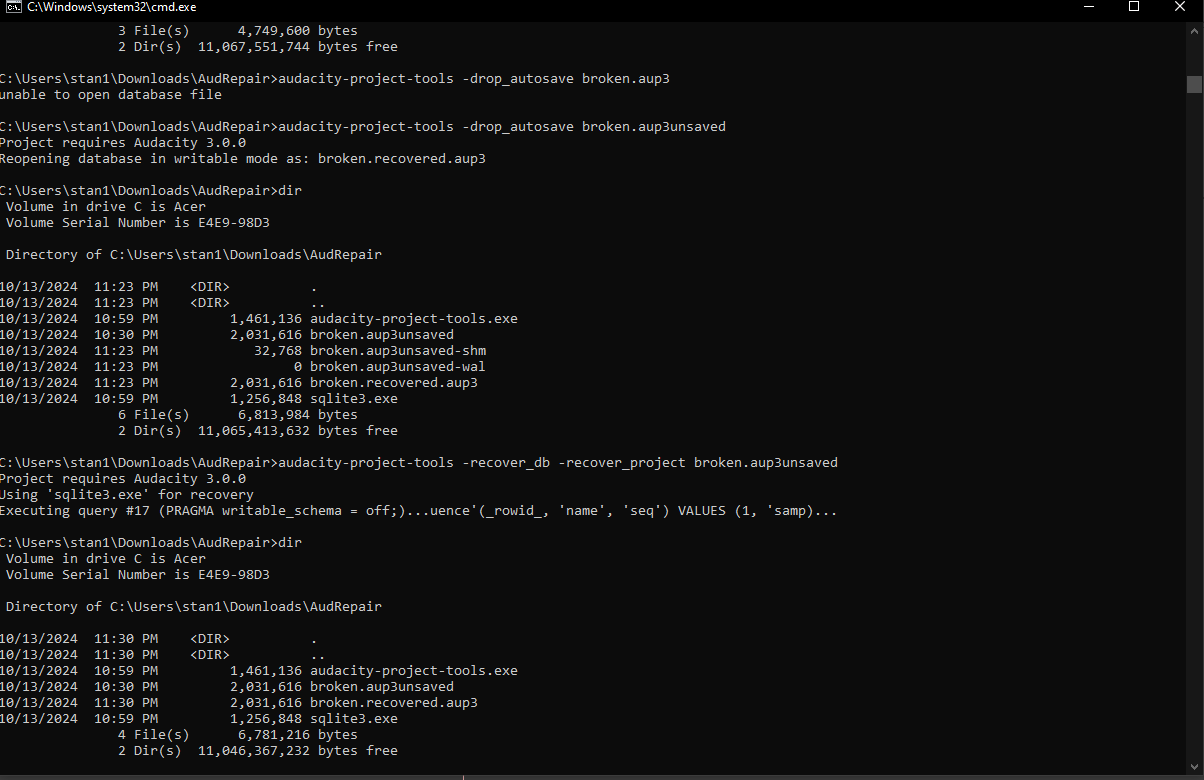
Any help would be greatly appreciated to recover or to avoid something like this in future.
Sorry, I am so late responding to this message. I lost my internet for several days due to a hurricane. As “edit” says, you have named your file “broken.aup3.aup3”. It needs to be “broken.aup3”. One way to fix this is to use the command “ren broken.aup3.aup3 broken.aup3”. Then do your dir.