I would need a file to be able to do anything with it. I don’t think that recovery problems are related to the stretched clips in the project, but in any case I need something to work with.
Yes. @siminyu690, this is an invitation for your to send your project to crsib who will look at your project in detail to see if can be recovered. This is normally done by uploading it to a public file server somewhere, then posting or PM’ing a link.
Hey crsib! I tried Google Drive but failed  So I directly copied the link from onedrive and hope you can download it. I think using onedrive might be the reason why my file was corrupted. It takes 14.8 G so might take you a while to download it. Regardless of whether it can be fixed or not, thank you very much for your help and your time
Oh surprisingly google drive worked as I tried again. So maybe try this if onedrive doesn’t work:)
Thank you for sharing the project! I think I have managed to recover all the data and uploading it to Google Drive now.
Project recovery was updated to handle your case as well. It has assumed, that the project file and blocks are always correct, which proved to be wrong in your case.
@crsib, thank you for updating these tools.  On a clerical note, at GitHub - audacity/audacity-project-tools I see:
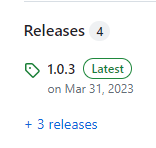
Should that be 1.0.4; with an updated link ?
I think you’ve checked a bit too early.
Wow thank you so much for taking care of this and I am surprised that it can be recovered. I am also really glad that what I experienced can help update the tools so that other users will find it easier to recover their files. This reminds me of the happiness of helping each other with coding on forum in early days. You made my day! 
I’ve sent a link in the personal messages
Yeah I have checked it and now downloading the file!
It looks like Audacity breaks this project for some reason on save. I will take a closer look on it
I took a closer look (who would have thought!). Please save the project (with Ctrl-S) right after opening. There is a bug in Audacity right now which will corrupt your project again otherwise: WaveTrack::LinkConsistencyFix modifies the AUP3 state, but doesn't force the project table to update · Issue #5862 · audacity/audacity · GitHub
Thanks for pointing it out! Actually I just opened it after leaving my laptop here to download it and found it corrupted again and then checked the forum. I am now downloading it again and I will remember to save the project manually right after opening.
Anyone willing to have a go opening mine? I’ve tried but a little rubbish with this sort of thing, would be hugely appreciated
Hi could you help me out also? Struggling to do it myself
Hi there,
Im currently editing a podcast episode on MacOS Catalina, and have received a file error stating that Audacity failed to read from the file. The file was originally saved as an aup3 on my mac itself, however I moved it to ICloud to free space. I have since moved it back but imagine this is the source of the error.
Is there anyway to restore the file or is that only possible on windows?
any help would be greatly appreciated
Callum
Yes - you need to transfer your damaged Mac file to a Windows machine for recovery purposes. Then transfer it back.
Thank you!
is it then just a case of following the recovery instructions outlined for for windows then transferring back across?
apologies I have no experience in this matter
I have uploaded the aup3 file to a google drive if anybody would be willing to hae a quick look at it