I downloaded 3.0.5 from https://www.audacityteam.org/download/mac/ , but when I try to open it I get a popup ‘“audacity-macos-3.0.5-Intel.dmg” can’t be opened because Apple cannot check it for malicious software. This software needs to be updated. Contact the developer for more information.’
I would have thought that a zillion people would be raising this issue, but I can’t find any other posts so evidently it’s just me. Can anybody tell me what’s wrong?
I’m running Mojave 10.14.5 on a MacBook Pro, mid-2015, 2.5 GHz Intel Core i7. The download was via Chrome 92.0.4515.107.
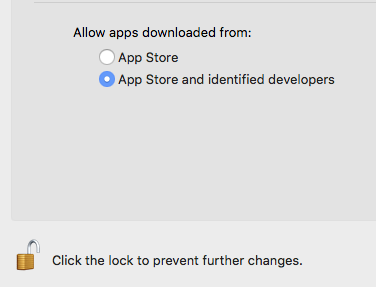
Apple (upper left) > System Preferences > Security and Privacy > Allow Apps Downloaded…
Koz
Koz’s suggestion, though a good one, does not solve the problem; this setting was already correct.
Additional information: I tried earlier versions from fosshub and found that I also can’t mount audacity-macos-3.0.X-Intel.dmg for X=4 and X=3. I can, however, mount audacity-macos-3.0.2.dmg just fine. (So the first dmg whose file name contains “-Intel” is also the first dmg I can’t mount, not that the name should make a difference.)
If we can’t figure it out I guess I’ll use 3.0.2 and let it go at that, but I’m still hoping for some other ideas.
/Larry D
(sorry if this comment is a duplicate; I tried to post it a few hours ago but don’t see it anywhere now)
Have you tried trashing your current download and downloading again?
As far as we can tell you are the only person in the world with this problem.  At least, no-one here can duplicate it.
– Bill
Have you tried trashing your current download and downloading again?
If by “trashing [my] current download” you mean deleting the .dmg and downloading it again, yes I have, many times. If you mean uninstalling my current (old) version of Audacity and trying on an Audacityless machine, I have not tried that. But I get the error before the disk image is even mounted, let alone read, so I don’t see how the presence of an old Audacity could be contributing.
\
As far as we can tell you are the only person in the world with this problem.
It’s nice to be special. Well, in that case I guess we drop it. As I said, it seems I can install 3.0.2, and I’ll just use that until something changes. Perhaps a future version will work OK, or I’ll replace my aging laptop or upgrade from Mojave and it will make a difference. Thanks anyway.
Hi - I also have the same problem as larrydb! I have never used or downloaded Audacity. I downloaded v 3.1.3 and I have a MacBook running Mojave 10.14.5. And when I double click on the downloaded file in my Download folder, I get the same message:
“audacity-macos-3.1.3-Intel (2).dmg” can’t be opened because Apple cannot check it for malicious software.
Should I download an earlier version? To say this is driving me nuts is an understatement.
The Manual has this clear warning
Do not double-click the “Audacity.app” application in the DMG window, Audacity must not be run from the DMG.
And the following clear set of installation instructions for Mac:
https://manual.audacityteam.org/man/installing_and_updating_audacity_on_mac_os_x.html
WC
The “following clear set of installation instructions for Mac” is a dead link.
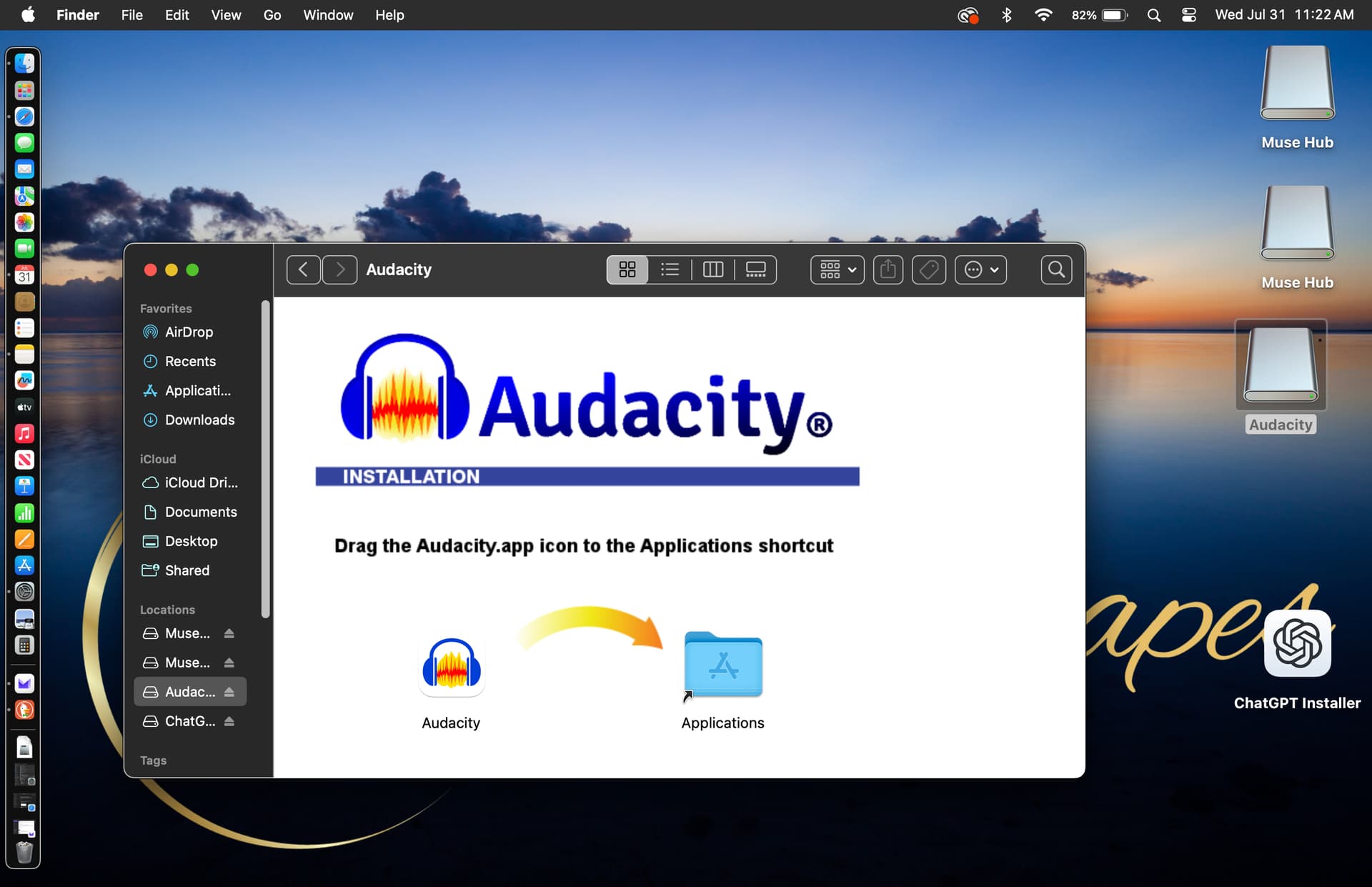
I have version 3.0.2 on an old Windows HP, and am trying several times over months, to download Audacity onto a new MacBook Pro running Sonoma 14.5. When I attempt the instructions given, including “open with” the default DiskImageMounter, the only thing that opens is an image that instructs dragging the icon to the Applications icon, and attempting to open, only opens the image again.
I need my app, please! My settings for privacy are to allow App Store and identified developers, which is the only option to App Store. Thanks.
That’s not an “image”. It is a folder with the Audacity application and an alias to your Applications folder. Drag the Audacity icon onto the Applications icon and the Audacity app will be copied to your Applications folder.
You shouldn’t need “DiskImageMounter”. Simply double-clicking the DMG should open it.
Thank you, @billw58 –
[I’m not even sure whether you can see these image files, but] This is not working for me. Here is what I see when I try to “open” the file…
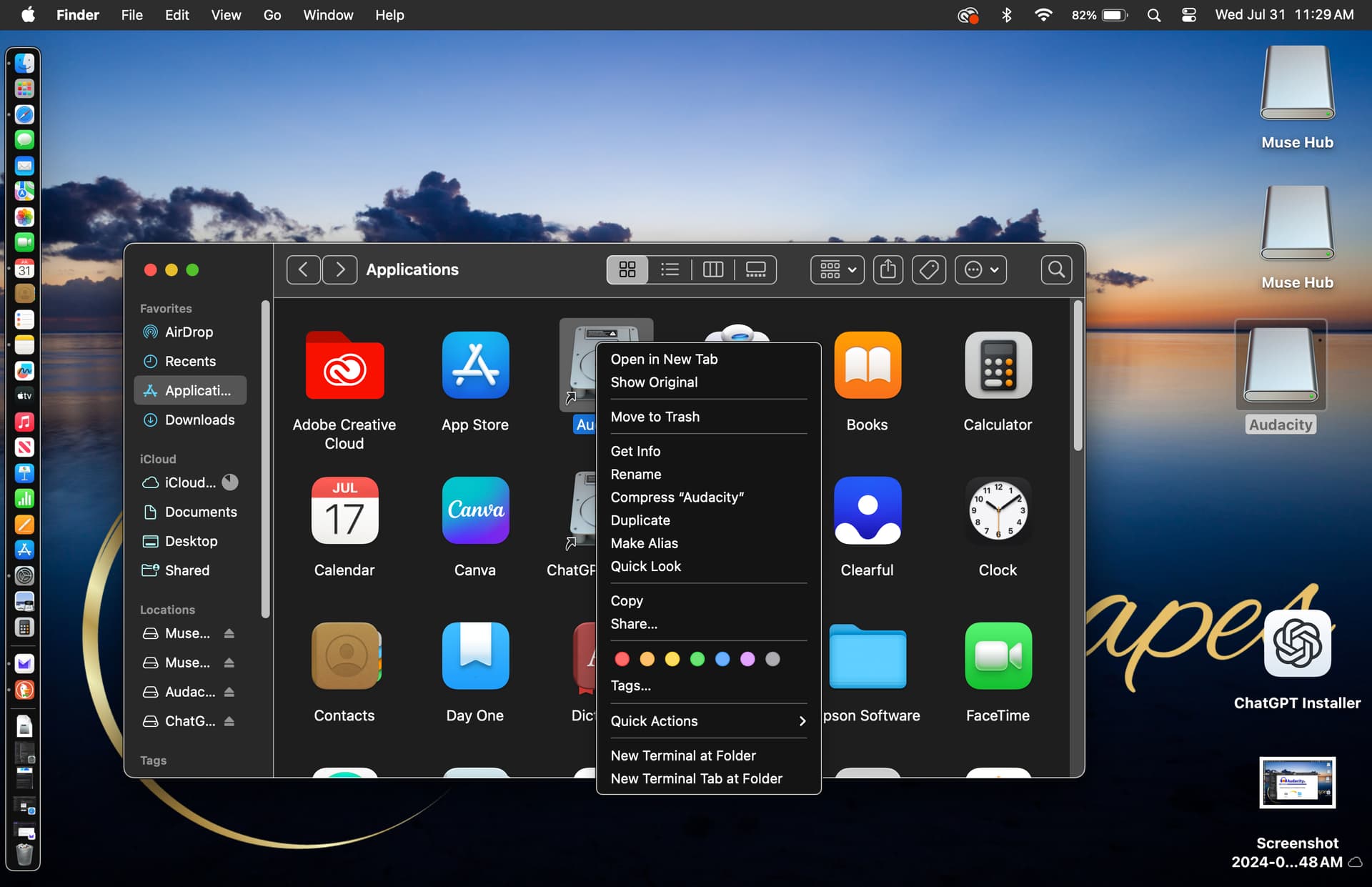
And here is what I see when I “right-click” the file…
Do what it says in the first image. Drag the Audacity icon onto the Applications icon. This will copy the Audacity app to your Applications folder.
Then, in the Applications folder, double-click the Audacity app icon (not the Audacity disk image icon)
Same. Only now I have an “Audacity alias” in the Applications folder as well, and it behaves in the same way.
You probably have not “administrative rights” for your Mac. Installations need to be done by a “admin user”.
Thank you @mac-christian – I am the admin and owner, and as such, cannot remove myself from admin rights. Are there other settings besides Users&Groups that I should also check for this?
Click and hold the Audacity icon in the DMG. Drag it over the Applications icon. Do you see a “+” inside a green circle? (As you hold the Audacity icon over the Applications icon, the actual Applications folder may pop open - this is OK.)
If you do not see the green “+”, then the Mac is not making a copy but instead an alias. Others have had this problem but I can’t at the moment remember the solution.
Still holding the Audacity icon, try pressing the “option” key or the “command” key and see if you can get the green “+”.
YES! Your last line, @billw58 !! Thank you!
Now, and “incompatible plugin found” that cannot be downloaded – appl/aufx/vois/Apple: AUSoundIsolation