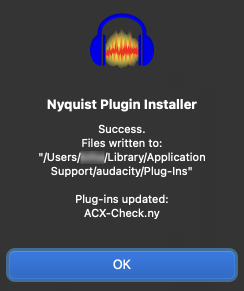
After downloading ACX check from the Wiki page, I dont seem to be able to add it to Audacity? I’ve searched through the posts and tried to drag the .ny file into audacity but when I go the Library>App Support>Audacity i get a screen with a folder called ‘libs’ no sign of a plug in folder?
A note when you do get it to work, ACX Check needs about 3/4 second of clean background sound (Room Tone) to give a good Noise measurement. You can’t just point it at any spoken word performance.
The background sound has to be “clean.” No gasping, coughing, shuffling papers or moving around in your seat. All of those will give a high noise reading.
Most home recordings are too noisy even without all those errors. Noise kills more audiobook readings than anything else.
Hi Steve, thanks for your help on this; I’m suffering from the same problem. for me, when I do what you outline––
To open the correct folder:
Select and copy this next line to your clipboard (Command + C):
~/Library/Application Support/audacity/Plug-Ins
Open “Finder”
Click on the “Go” menu, and choose “Go to Folder”
Right click and “Paste” (or Command + V)
“Enter”
–––there’s nothing there. which strikes me as odd, since I can SEE all the plugins on the various lists in Audacity when I hit the corresponding dropdown menus. I’m just trying to get ACX-check to work. Any further insight would be great! I always seem to hit these tech roadblocks.
hi I cant install the ACX check plug in, if I use the nyquist installer it takes me to a dialogue box that wants to define a path for the file, I assumed it was the “ACX check ny” so I selected it because it says the other oaths are invalid, but it also wants me to allow or disallow overwriting, so I allowed it but ACX check still doesn’t show up. I’m missing something but not sure what.
Thanks for the reply I did a lot of reading after you sent me the links, it looks like the tutorials skip the part about “rescan” that enables the plugin, which was in your link, but when I rescan it a prompt comes up “enter a valid spectral layers 8.0 license and restart the application.” So I read the elicenser center and can’t understand what they’re asking about “relevant permission failed.” I thought it was free but not sure now.
“Spectral Layers 8.0” is a proprietary Steinburg plug-in that has nothing to do with ACX Check.
Try going to Effect > Plug-in Manager and disabling the “Spectral Layers” effect. If the problem persists, the Plug-in Manager will show (in the “Path” column) where the Spectral Layers plug-in is installed on your system. You can then find it and delete it.