Sorry my mistake, I’m getting my LUFS & RMS confused.
[The suggested default setting for desibilator is the RMS, not LUFS ]
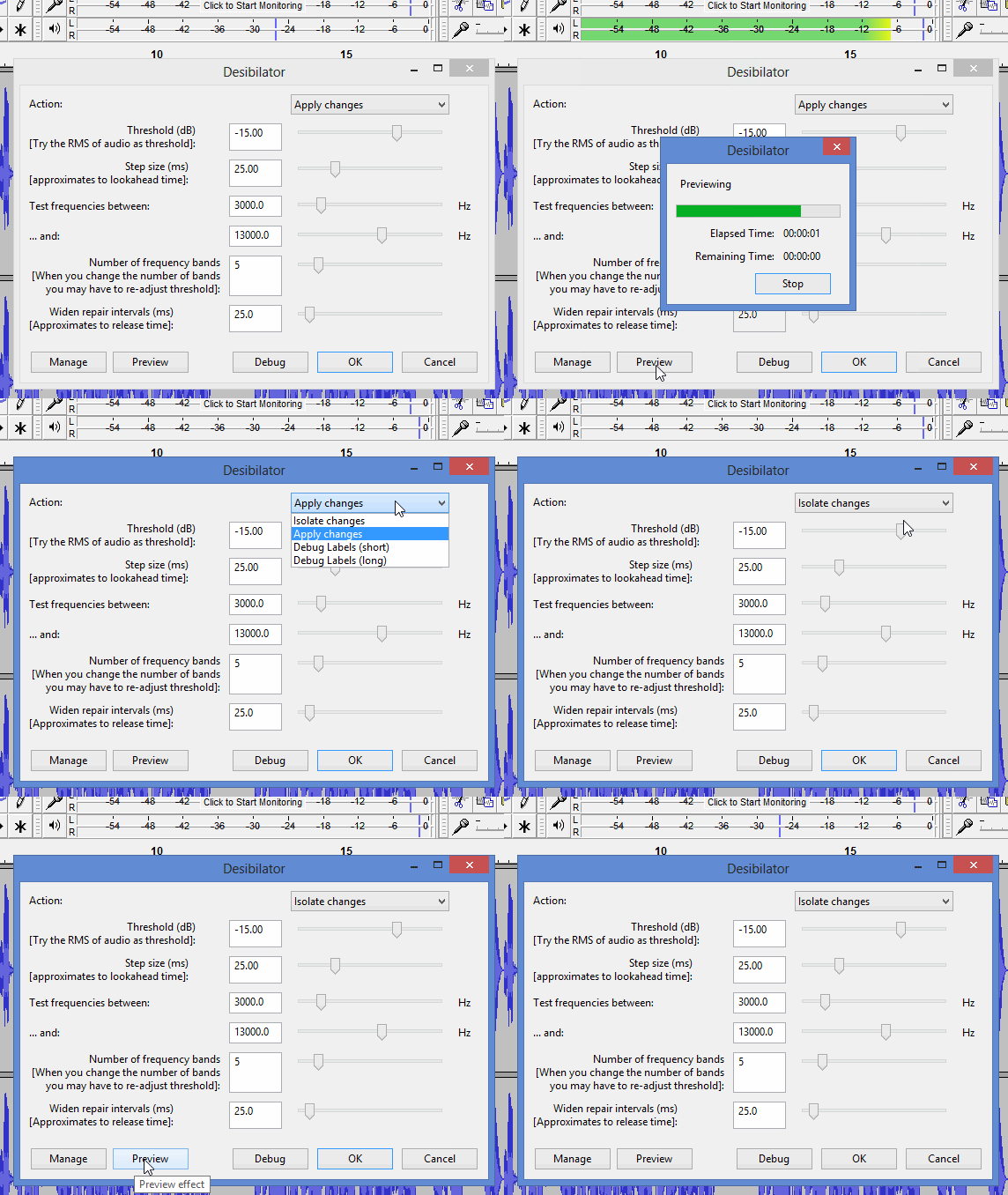
You have the option of hearing what the desibilator is removing …
“v=5ZqL0f-aWu4” sounds good to me:
it’s as loud as YouTube will permit, it’s crisp rather than bassy & muddy.
I think that’s Mission accomplished.
If you were doing voice-overs for money, then getting to grips with dynamic-equalization to optimally correct the booth-resonance could be worth the time & money involved, but if it’s just for your own YouTube channel probably not worth the additional time & money for a modest improvement in sound quality.
The three new adjustments to make on the Desibilator would be:
“Apply changes” → Isolate changes
Threshold -13.00 dB → -15.0 dB
Widen repair intervals 50.0 ms → 25.0 ms
Thank you for the tips/advice, and I greatly appreciate all of your help.
I’m just happy that I have a great base now, and I can build off of that (slowly learn about other plugins or tweaking something here and there); instead of guessing where to start and digging a bigger hole for myself.
There’s still plenty of places to dig. You still have to wear the Voice Artist hat. I don’t remember, have you already produced some voice work, right? So you don’t have the New User problems of getting good as you go—and then have to go back and clean up.
Never correct one word. Leave the recorder going and go back and re-announce that whole sentence. That’s much easier to correct later, etc.
Do you remember the first “clean” piece you recorded and posted on the forum? Somewhere in the middle you did a theatrical emphasis or bump and it sounded a little funny, even with patching and correcting. You learn not to do that.
There is a YouTube “How Things Work” producer that has the visuals and graphics absolutely nailed. All his stuff is beautiful, well integrated, and flows nicely. I can’t watch it because he never got the voice part down. He always sounded like he was recording in a bathroom. Later, I discovered he got rid of the bathroom effect in favor of vocal distortions. I still can’t watch it.
Don’t apply “isolate changes” to your audio: it just consists the sibilance removed, the s, ch, z sounds.
Isolate changes & preview is just to let you hear what desibilator is removing, before you “apply changes”.
Knowing that helps when adjusting its threshold, e.g. if desibilator is removing nothing, (changes=silence), you need to lower the threshold, i.e. use a bigger negative number for threshold.
 ]
]