I’ve used audacity for a very very long time on all computers i’ve ever had. However this latest version is a nightmare because it keeps changing my MP4 files to be a default on audacity or muse hub and i don’t want it doing that as i do serious video editing. Even when i change back the defaults on my M6 Mac it keeps switching it back without asking.
I don’t think Audacity changes any music file without your consent. Audacity’s native file formats are .aup3 (for version 3) and .aup4 (for Audacity 4).
The standard Mac procedure is the following:
Select an .mp3 (.mp4*?) file with the mouse
right mouse click, from the pop-up commands select “information”
about in the middle of the dialog, you’ll see “Open with:”
select your preferred program for this file type
don’t forget to then click “change all”.
From then on, all files with .mp3 (.mp4?) will open with the selected program.
If you want to open just one file with a different program than usual:
right mouse click - chose “open with”
from the list of available programs open the one you like
and the file will be opened, all other files remain unchanged
*I guess mp4 is a typo and you wanted to write .mp3…
Before Installing The Muse Version of audacity on My M6 Mac mp4s opened by default Quicktime. After installing it it keeps changing Mp4s to default Muse. I uninstalled Muse and just kept Audacity 4. It then changes Mp4 to Default Audacity. If i change the default back to Quicktime Audacity shortly after changes it back to default Audacity. If i uninstall Audacity and change it back to Quicktime it stays by default Quicktime and does not change. It is a bug in my opinion causing too much trouble to run Audacity.
2 Likes
EDIT: Made a post about this in the Audacity 4 section for proper visibility: BUG: Audacity 4 force changing/setting filetype associations and breaking file icons
I literally signed up just to be able to back up the OP and confirm that yes, it ABSOLUTELY is changing some video file types to be stuck on Audacity. My example are .mkv and .flv video files. When 4.0 got installed, it force changed all of them to open with Audacity and also changed their icons. What’s worse is even after going in and setting them back to always open with VLC, the icons aren’t changing, something broke.
This is 1000% a bug that needs to get fixed. 2018 Intel Mac Mini Sequoia 15.x.
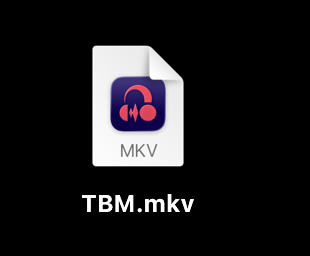

2 Likes
Can confirm this is happening across all Mac OS installations of audacity I have access to. Setting the default app back to Quicktime doesn’t stick - Audacity snatches it back again on the next launch. This really needs t be fixed as a matter of priority as it’s extremely annoying.
2 Likes
This is not happening on my Macbook Pro M4 macOS 27.0.1.
Does the association switch back immediately after changing it in Finder, or only after opening Audacity or Muse Hub again? Is the same thing happening with other video formats, or just MP4 files?
I also have this issue and it drove me nuts, to the point I had to uninstall Audacity and make an account here to complain too!
Also on macOS and I think an Audacity 4 update distributed via Homebrew caused this, please fix this ASAP, Audacity used to be a trusted program you could install worry-free, now I’d think twice knowing there’s not enough testing from your end. This is borderline malicious behavior.
This topic was automatically closed after 30 days. New replies are no longer allowed.