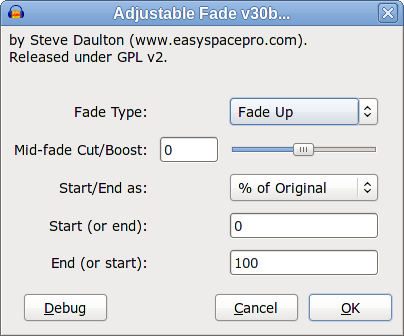
I presume that you are referring to:
The purpose of this plug-in is to provide greater flexibility in fade effects, specifically:
- The ability to fade between gain levels other than unity.
- Fade shapes other than linear.
We have seen that preset fade alone are inadequate for fulfilling either of these requirements.
The best solution that we found for fulfilling these requirements are to provide controls for:
- The amount of curvature
- The initial and final gain levels
So that is three controls that we cannot do without. Those three controls provide the essential functionality for the effect. Anything else is optional and may be chosen to improve work flow or to provide “short cuts”, but at the expense of making the effect more complicated.
Optional features:
- There are fundamentally two “types” of curve in common usage for fading. “Single” curves that curve in one direction only (such as logarithmic and exponential curves) and “double” curves that bend one way, then the other (‘S’ shaped curves). The latter of these is arguably sufficiently common to be classed as a “requirement” rather than an “optional” feature, but if we say that it is optional (non-core feature) then this must be top of the list. There is no other way in Audacity to create an “S” shaped fade other than very fiddly use of the Envelope tool.
- A selector for the fade “direction” (up/down or in/out). This control provides significant benefits to work flow and productivity. The ability to change the “direction” of the fade means that settings for “low point”, “high point” and “curve shape” can be reused when switching between as rising fade and a falling fade.
The above two “high priority” features have been implemented in the one “Fade Type” control.
- Choice of “units” for initial and final gain. The obvious (most common / “standard”) way to describe the gain levels is as “dB”, however there have been persistent arguments for using “% of original level”, so this option has been included (and set as the default). A downside to providing a choice is that “% of original” and “dB” cannot be accommodated on one pair of slider controls because the scales are incompatible. For “dB” we want a range of about -96 to +24 (ideally -inf to +24 dB). An equivalent scale as “% of original” would be 0 to 1600 %.
To work around this problem we can either duplicate the controls so there are two “dB” controls and two “%” controls (two of which are inactive but not greyed out) or we can use text input. My preference is for text input because (a) duplicate controls make the effect “look” more complicated, (b) It is confusing to have controls that apparently “do not work”, (c) To provide the required range with linear scale sliders, commonly used values are bunched up in a small region of the slider, requiring text input to be used in many cases.
So that is the explanation and justification for all of the controls in version 30. It provides all of the essential functionality and the most important “optional” items in as simple and economical way as possible. I think that the visual simplicity encourages experimentation. The minimal number of options means that novice users are less likely to get “lost”, but core functionality is not compromised.
The only question that I see to be left open is, do we wish to include any “additional” features?
If version 30 is “too complicated” already then the answer must be “no”. Additional user facing features will only make the interface more complicated.
Certainly a “preset” for (by way of example) “exponential fade from unity gain to silence” would make it easy to select an xponential fade from unity gain to silence, but at what cost? Including this preset option would mean that at least some of the controls would need to be disabled, but with no visible indication that they are disabled. Also the preset would be of no use at all if the user wanted a “slightly flatter” curve. I am loath to include features that simplify usage for a few specific cases at the expense of complicating the effect for all other cases.
The points raised by yulac have not been ignored. Each point raised has been carefully considered and I have tried not to be swayed by his/her rudeness, personal attacks or off-topic rantings about text colour.
I see little point in having a “linear preset” for two reasons:
- For a fade in or fade out (between unity gain and silence) we have the built-in linear fades which are one click operations and process faster than Nyquist can,
- The default settings of version 30 provide a linear fade between unity gain and silence.
- Fade Up: A linear or “simple” curve from a lower gain amount to a higher gain amount. The default is a linear Fade In. The “Mid fade Cut/Boost” will cause the fade to curve so that it is either higher (“Boost”, + values) or lower (“Cut”, negative values) than a linear fade.
- Fade Down: A linear or “simple” curve from a higher gain amount to a lower gain amount. The default is a linear fade out.
- S-Curve Up: A “double” curve from a lower gain amount to a higher gain amount. The fade rises slowly at first, then gradually more steeply before levelling out at the end. This type of fade is ideal for smoothly increasing the audio from one level to a higher level.
- S-Curve Down: A “double” curve from a higher gain amount to a lower gain amount. The fade falls slowly at first, then gradually more steeply before levelling out at the end. This type of fade is ideal for smoothly lowering the audio from one level to a lower level. It is also popular for fading out music.
It is linear when “Mid fade Cut/Boost” is at zero (default).
When “Mid fade Cut/Boost” is greater than zero (“Boost”) it becomes curved so that the fade will either (fading up) rise more steeply initially then gradually level out, or (fade down) fall gradually at first then progressively more steeply. For positive values (Boost), the middle of the fade will have a higher level than a linear fade (like a “logarithmic” curve).
When “Mid fade Cut/Boost” is less than zero (“Cut”) it becomes curved so that the fade will either (fading up) rise slowly initially then gradually more steeply, or (fade down) fall rapidly at first then level out. For negative values (Cut), the middle of the fade will have a lower level than a linear fade (like an “exponential” curve).
If they are happy to use linear fades then there is no need to use the “Mid fade Cut/Boost”.
I disagree. Every other audio editor that I know of provide at least one means to produce different curve shapes. It is an important feature for any audio editor and conspicuously absent from Audacity (other than the frustratingly fiddly Envelope Tool and the misleadingly named and limited “Cross Fade In/Out” effects).
I have been using self authored plug-ins to provide this functionality for years. Many users do not have that choice and must either make do with the currently shipped tools or use a different audio editor. By providing “one” slider I think that we are actively encouraging users to experiment.
I was tempted to stop reading at this point.
I changed the colour of a couple of your early posts so that I could read what you had written. Since the first time that I mentioned about using colours with a reasonable amount of contrast I have not changed the colours of your posts. I don’t consider this point to be worth any more of my time. You may use any colour that you like - if I can’t read what you have written I will ignore it.
I have already answered this. It would be nice to be able to provide more features, such as presets, but there are severe limitations to what can be implemented within the interface of a Nyquist plug-in. I am only able to provide interface features that Nyquist plug-ins support. Where one feature conflicts with another feature it is necessary to make a design decision regarding the best compromise. There is no point in demanding “everything in one plug-in” because Nyquist plug-ins cannot do that. In fact there is no point “demanding” anything because I am not an employee, I am under no obligation to do anything and I do not respond well to coercion.
As already explained, introducing presets necessarily disables some or all of the other control but there is no way in a Nyquist plug-in to indicate which controls are enabled and which are disabled. The result is a plug-in that appears to be broken, and that would not inspire confidence in users.
An “exponential” fade is not one thing. It is a mathematical function with multiple parameters. An exponential fade is any fade in which the amplitude is proportional to a constant to the power of the time value. In order to provide an exponential fade option, assumptions must be made about the scale for amplitude and time and the exponential rate. Choosing different scales or a different rate will result in different curves. How does the programmer know “which” exponential curve you want?
Please think before you write. So far I have ignored your insults but I may not continue to do so in the future.
Thank you.


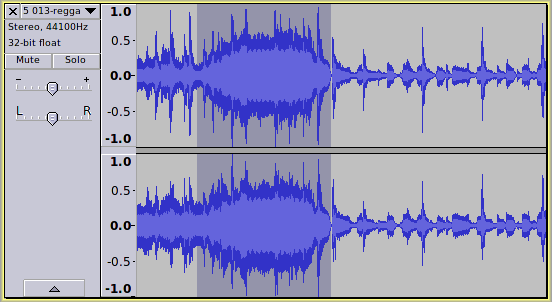
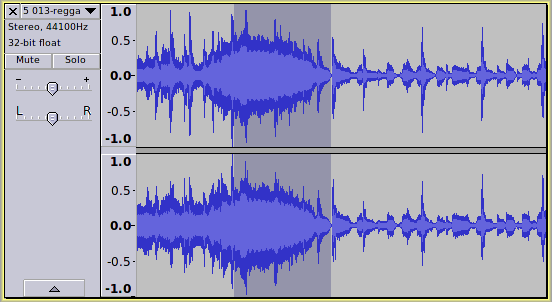
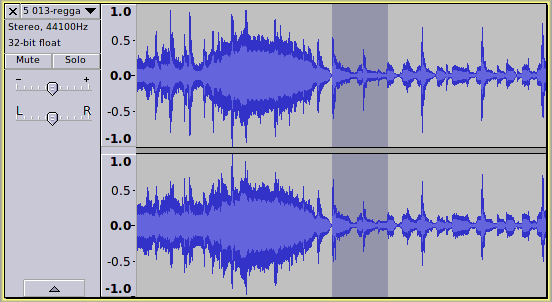
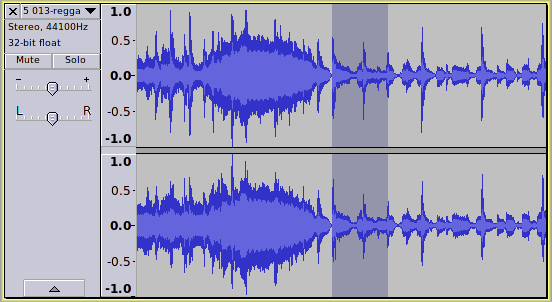


 )
) ) and not too complicated …
 and hope that if nothing else the types of control and their order are now settled. I think though if we use the “gain” word for the third control we should use it for the following two controls.