ACX, then noise floor, and pauses greater than 0.5 seconds

Read most (if not all) of the previous noise floor posts (very helpful, Koz).

Tech specs: Shure MV7+, noise limiter on, boom, pop screen, facing a closet full of linens in a small room with blackout curtains, usually from 5 am to about 7 or 9 am so no one is moving around. Here’s a test sample after cleaning and the filtering algorithm:

Here’s the same clip after the text-based cleaning–(done by hand) but before the 36audiobook mastering macro. There may be a few loud breaths that I adjusted down to -45 db using the amplifier, but most were removed by hand deletion—no fun, but I needed to do the text editing anyway. (It would be nice to have a way to eliminate the breaths faster than that, but I was going through it with a fine toothed comb anyway to clean out spoken errors. I’ve got a lot more of them to process and it would be nice to be able to do that faster. I’ll post the unadjusted clip in the next post.

Here’s the rub:

If I run truncate silence on the whole at 0.5 seconds, after the 36audiobook macro, it passes with flying colors-–but sounds terrible. When I leave the appropriate amount of breaks between section heads and the verbal pauses that fit the pacing, it never passes.(and yes, I know I don’t have a full 2 seconds at the front–I’m working on it.) The ACX check says the sound floor doesn’t pass.

When I label sounds less than -80 db, I get that there is only one location to label. As you will see from the clip, that one location happens to be in the quiet section at the beginning–it’s a very quiet setup, and I haven’t done any adjustments to the audio on it.

Thoughts? Could use help on both issues—a better way to eliminate breathing wholesale, and a way to deal with the noise floor. If this issue were only in this track, I’d just steal background noise from another chapter, but it’s not.
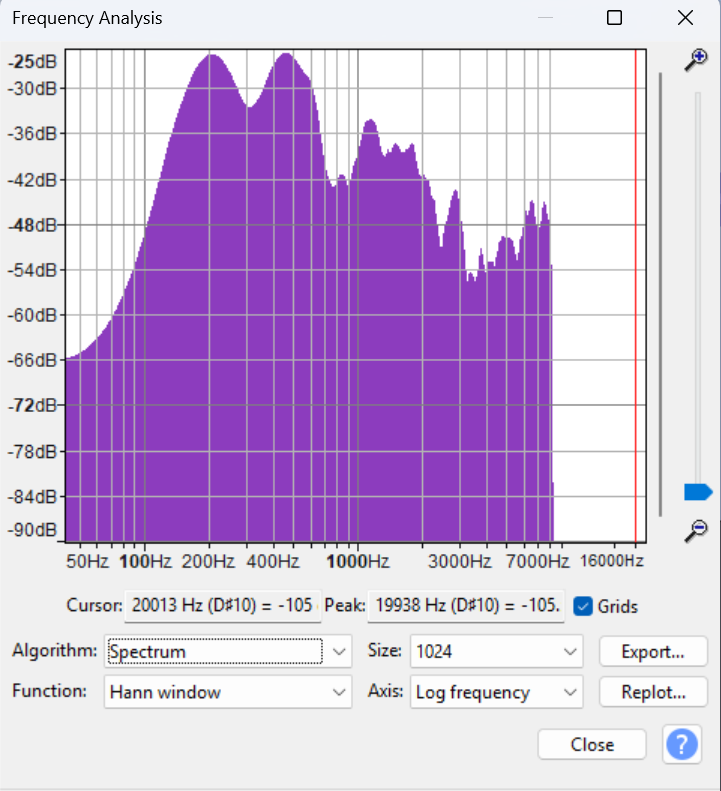
Here’s the audio profile for the whole:

And here’s the same clip before running the 36audiobook macro:

Here’s a particularly breathy section, late in the recording. It gets worse as I go on. Vocal chord spasms can mimic asthma.

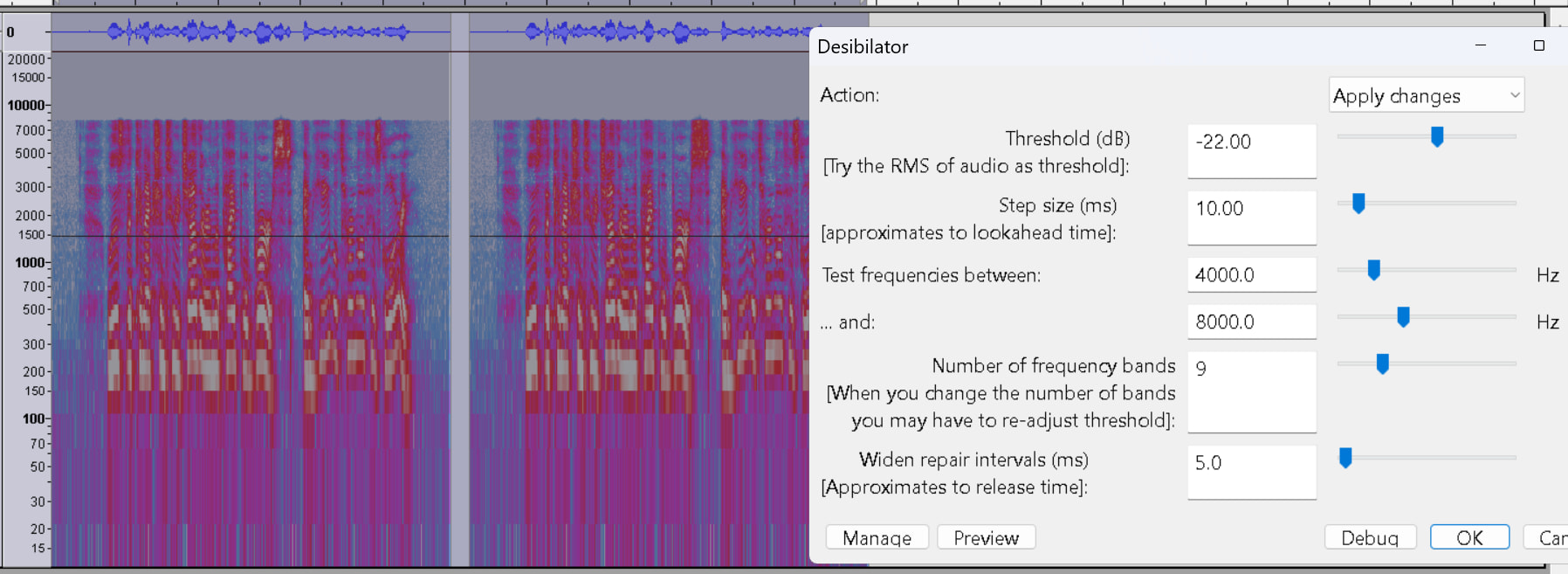
IMO more like excessive sibilance, fixable with the desibilator plugin

“burSt” before -after desibilator.

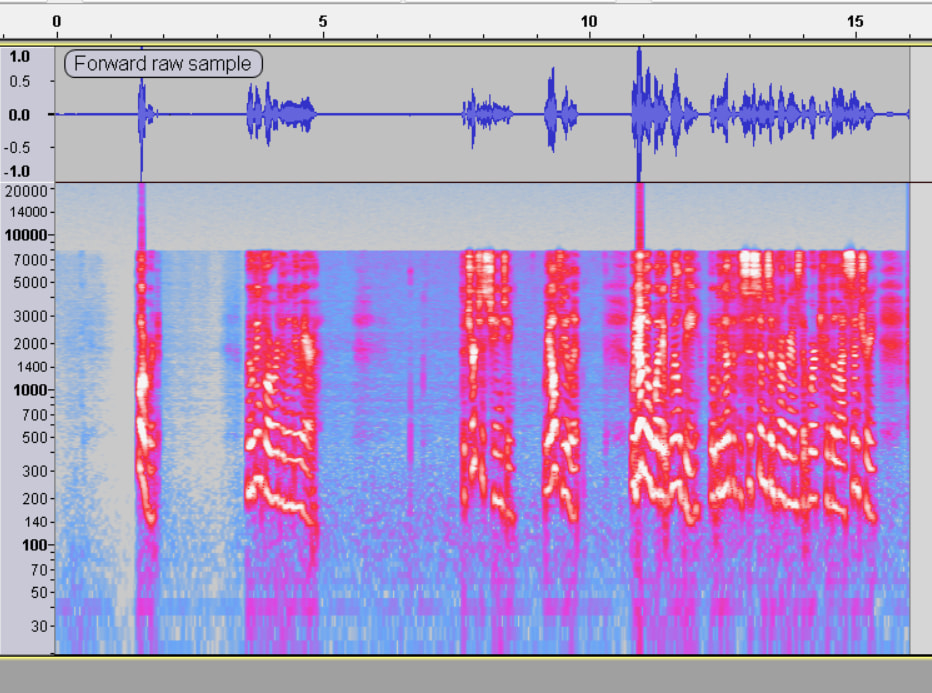
BTW there is nothing above 8kHz. That could be due to zoom-type real-time processing, or a 16kHz sample-rate bottle-neck somewhere in your recording chain.

Quick q: how do I pull up that view?

I hadn’t noticed how strong those s’s are–and it’s worth a small adjustment. Thanks!

The breathy spots that I was concerned about are at the beginning of phrases in the inhale sections. Those are the sections I’ve been either chopping out or de-amplifying. Getting rid of them in bulk would be nice–I can recognize them visually now, so they’re easy to see and zap, but it takes time and a bit more precision than I want to have to use with my mouse.

Multi-view shows the waveform and spectrogram https://manual.audacityteam.org/man/multi_view.html

The desibilator is not native to Audacity: it’s a plug-in you have to download, install and enable.

The first clip is overprocessed. It’s painful to listen to and I suspect ACX will think so, too. The expressive theatrical leads and tails of each word are just missing.

The gasps later on are actually a relief because it means you stopped trying. You sound more like you—more natural.

Ssssibillance is relatively easy to get rid of, but that could point to a problem. I bought a used AKG Studio Microphone. AKG is normally a very highly regarded maker and I couldn’t understand why I was getting such a good deal. Then I found out. This model had design changes to make it more of a “professional,” “studio,” “modern,” microphone. It was harsh, hard-sounding, and esssy. I used it once and put it in the garage.

Is one of those samples above completely unprocessed? About every third forum post involves us telling the poster to turn off Windows “Enhancements.”
Also, do a Windows Clean Shutdown if you use Skype, Zoom, Meets, or any other communications app.

You may have run out of tricks for gasping. You probably noticed that it’s not just the gasp. You also make word lead-in sounds that telegraph you are going to gasp for air, and you need to get rid of those, too.

Trebor noticed a couple of posts above that your posted work, even though you didn’t do anything to it, had changes and distortions added. We need to stamp that out before we add stuff of our own. See Clean Shutdown.

Yes. 36Audiobook-Mastering-Macro doesn’t do a thing to noise. I wrote it with the idea that you were going to perform in a quiet, echo-free room. By the time Mastering gets done, you may need to add very gentle noise reduction.

As proof of pudding, I recorded a voice test in my quiet bedroom and Mastering gave me a clip that passes ACX-Test and sounds exactly like me. I did it on my phone.


`

I don’t know where to go for gasping. That’s hard.

Koz

Editing note. If you make a word-o and you know you messed up, go back to the beginning of the sentence or section. DO NOT drop back one word and pick it up. Those are almost impossible to edit so they sound natural.

Koz

Another Note.

The popular look-alike microphone to yours is the Shure SM7.

It’s Rode, not Road.

RØDE PSA1 Professional Studio Arm : Rode

](Amazon.com: RØDE PSA1 Professional Studio Arm : Rode: Musical Instruments)

The MV7 is a newcomer and I can hear the voices in my head yelling that they
“Improved” the SM7 like the AKG people did to their microphone. That may be where your Esssing is coming from.

Koz

Is there an option somewhere in Truncate Silence to replace the silence with punch paste? If not, this would be an excellent improvement.


kozikowski

21h

KOZ: The first clip is overprocessed. It’s painful to listen to and I suspect ACX will think so, too. The expressive theatrical leads and tails of each word are just missing.

That’s interesting because the only things I removed/de-amplified in that clip are the inhales at the front of the phrases. I’ve uploaded the completely raw sample here. I did some pretty tight editing in the middle of the recordings, but nothing so fancy in the samples I uploaded. I’ve tried to go back to the beginning of sentences for errors, but I’ve probably done a few that only went back to the beginning of the phrase and I’ll stop that. I’m using a dog clicker now to mark them, so that will help the editing some. As I did the edit changes, I would cut out the breath before the words, so I’ll try not to do that any longer.

If it’s still too little sound between the individual words before I did anything to it at all, then I’ll work on doing a clean shutdown and retry recording it. Unfortunately, that probably means starting from scratch on the whole kit and caboodle–which is a lot of re-recording.

If that’s what I need to do, that’s what I need to do.

The mic is brand new. I’m using their in-the-box foam and I’ve seen a few people online complain that it’s not as hefty as the foam on the SM7B, but the change in the foam makes a big difference. It’s between 6 and 12 inches from my mouth, with a pop shield and boom arm. I was using a Bose wireless headset, but it wasn’t happy with it, so I’ve switched to a cheap pair of over the ears headsets coming out of the back. The “advantage” to the MV7+ (theoretically) is that it will run both USB and XLR but is designed for USB natively. It wouldn’t surprise me if the extra “ssing” is coming from the mic. It is a lot better with the foam than without, but may still be something I can’t get away from.

I went down the replace dead silence with recorded silence rabbit hole (using mark and replace) and couldn’t completely follow the process without blowing half a day on the learning curve. It may just have to wait for another day.

The chapters span from about 20 min to 50 minutes and there are basically 11 of them, so I’m just going to plow into a restart in the morning.

I’ll take suggestions or thoughts.

It’s not “raw”, it’s processed: It has noise-reduction, and compression …

Your “noise limiter” would explain why it’s not really “raw”.

I assume then that I need to try to re-record without the noise limiter. I’ll see how that goes… (this is my skeptical side eye…)

Turning off all such enhancements”, be they hardware or software, could solve your loud breaths issue: the compressor, (which is wrongly adjusted IMO), can exaggerate breaths.

So we have not yet experienced a plain, ordinary microphone at an appropriate distance in a quiet, echo-free room.

When you turn off the microphone processing, also do the Clean Computer Shutdown. That distortion and processing could also be coming from other applications. There have been instances when a performer turned off Zoom (as an example) and Zoom conveniently left its voice processor running.

I wrote a forum voice sample process.

I don’t think you ever told us which computer you’re using. We’re guessing Windows.

Koz

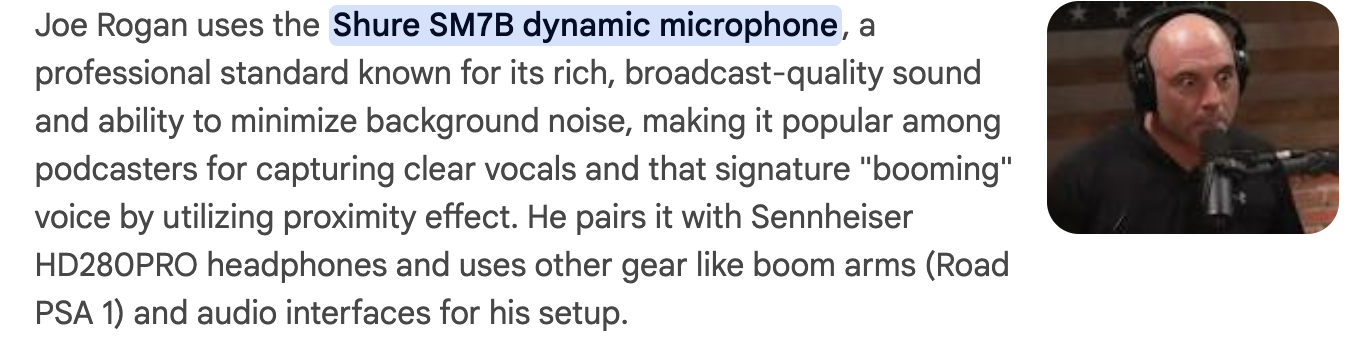
The Joe Rogan Experience is fascinating far beyond his guests. He started using that microphone too close to his face and the performance was roaring with mouth noises, popping, wind distortions, and other problems. It’s a monument to his show attraction that he became famous in spite of that.

Then one day, he got a new production team and although he still eats his microphone, all the odd breath noises vanished—or went so far down in volume that they didn’t matter any more.

I should write to them and see how they did that.

You can suppress some breath noises by placing the microphone off center—position B.

That also lets you increase the voice volume a bit and makes background noise less obvious.

Koz

I had already shifted the mic.

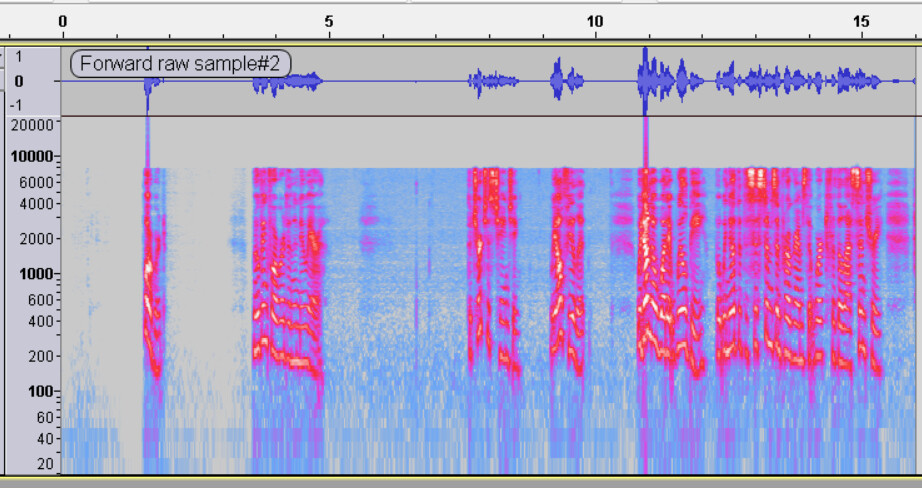
Here’s a clean sample, rerecorded this morning after a clean reboot and turning off all of the mic’s internal processing systems. The spectrum at least looks a little more complete.

RMS fails, and when I apply the 36Audiobook macro, the noise floor fails too.

De-breather? Desibilance? Both?

Still nothing above 9kHz …

There can be more than one layer of audio enhancements and they can be on by default … https://forum.audacityteam.org/t/audacity-as-reverb-detector/52902/5 . Audio enhancements go by names such as: MaxxAudio, DTS, Dolby, HP Sound. If you Google-search the make & model of your computer that may reveal if it has such enhancements.