Hi Guys,
I’m using Audacity version 3.7.7 and I’m trying to find a “Toggle Recording” function — meaning a single command that starts and stops recording with the same hotkey.
In the Keyboard Shortcuts menu I can see entries like:
-Recording – Record
-Timed Recording
-Punch and Roll Recording
…but none of them seem to be an actual toggle.
I also exported my file and looked through it, but I can’t find any command like or anything that clearly represents a start/stop toggle.
Does Audacity have a built‑in toggle recording command?
If so, what is the internal command name?
Or do I need to add it manually in the XML?
Thanks in advance for any help!

“P” for pause ?
Hi
You’re looking for the same thing as me And we’re looking for:
”TransportRecord”
This is the internal name for “Start/stop recording.”
Do exactly as I do, and you might have better luck.
Windows / Linux
Edit → Preferences… → Keyboard
If you follow this path, you will arrive here. (see image)
Next: Display the hotkeys as names. Then click on Export and save the XML file. Next, grab any code editor. I chose Visual Studio Code.
Now open the XML file with Visual Studio Code.
Once you have done this, you will see this list (see image) with all the hotkeys available to you. You may need to activate them.
Find this command in the list:
If this entry is missing, you can add it manually.
Then save the file. And import it back into Audacity.
Then you can try your luck.
Which key you choose is up to you.

Hi,
please forget what I wrote. In Audacity it was never intended to have a toggle
function. Sorry for the incorrect information.
But that doesn’t mean it’s not possible. I’ve tricked Audacity a little, and it works this way: I created macros. Using the record button on the keyboard, I can start a recording and assign multiple keystrokes to one of the G1–G5 keys (see image).

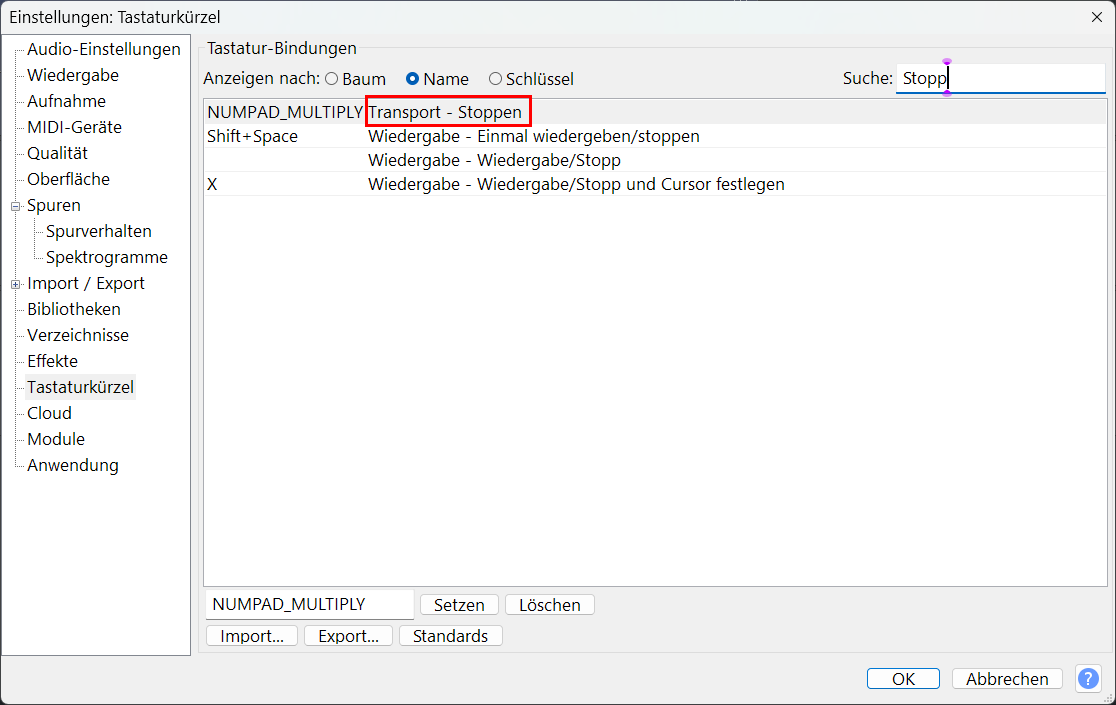
I noticed something else while setting up the macros (see image).
When you use a macro that sends a transport function to Audacity (e.g., Stop), Audacity automatically creates a new entry in the hotkey list. This entry wasn’t visible before because Audacity doesn’t offer it as a built‑in shortcut. The command only appears after the macro triggers it for the first time.
This topic was automatically closed after 30 days. New replies are no longer allowed.