I’ve used Export Multiple Tracks since I’ve been using Audacity.
It disappeared at version 4. It is such a time-saver.
Is there any chance it can be restored?
I’ve used Export Multiple Tracks since I’ve been using Audacity.
It disappeared at version 4. It is such a time-saver.
Is there any chance it can be restored?
Apparently it’s been restored in 4.0.1 …
" Export multiple: export each track, or each labelled region, to its own file #11136"
OK, it looks like they’ve changed the working. Thank you.
I have tried this after installing 4.01 and it only exports the first labeled track.Tried selecting all, but still only got the first track saved. Going back to 3.7 and starting the project again as 3.7 won’t recognise an .aup4 saved project.
What exactly do you mean? By “track” do you mean the first Audacity “track”, (mixing of multiple audio tracks is not happening), or do you mean the first labelled section (that is, by “track” you mean “song”)?
I am not seeing this. I tried a project with an audio track, a label track and another audio track in that order. When I do Export Multiple by labels I get the two audio tracks mixed together in the exported files, and I get one audio file for each labelled section.
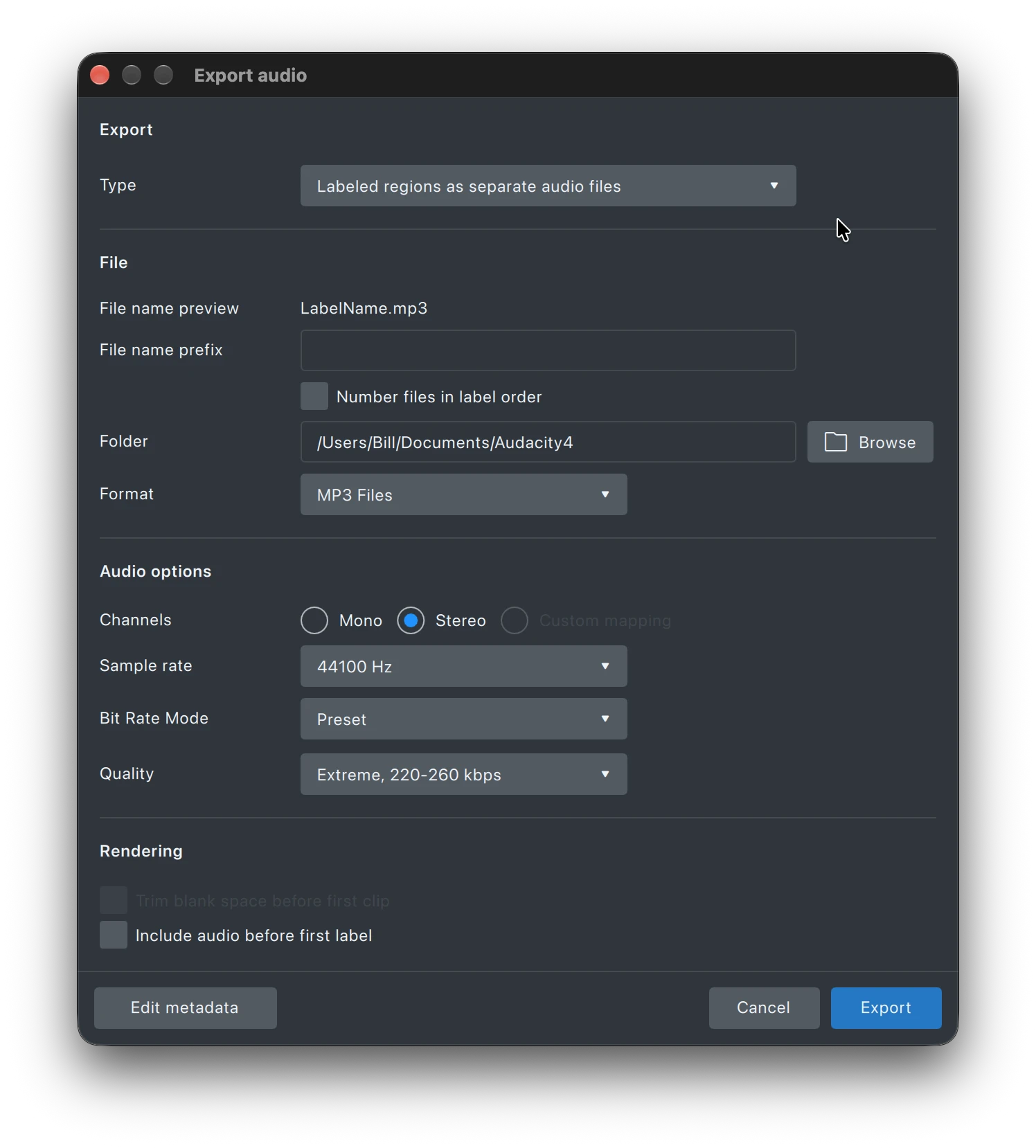
OK, so I have recorded an EP with 4 tracks on it, and used the Add Label for each track giving it the track name. When exporting I use ‘Labelled Regions as separate audio files’ as per your screenshot. I do not have the option for Export Multiple by labels. Where do you see that please?
When I said “export multiple by labels” I was not quoting what’s in the dialog. “Labelled Regions as separate audio files” is the correct option. As I said, it works for me, even with multiple audio tracks being mixed together.
I just now had a minute to test it out. I loaded a recording of one side of a cassette, and broke it into tracks (I use Ctrl-B), then I changed the setting to what you mentioned above "Labelled Regions as separate audio files”, and it created individual tracks/files. That is exactly what I was hoping to do again. Thank you!
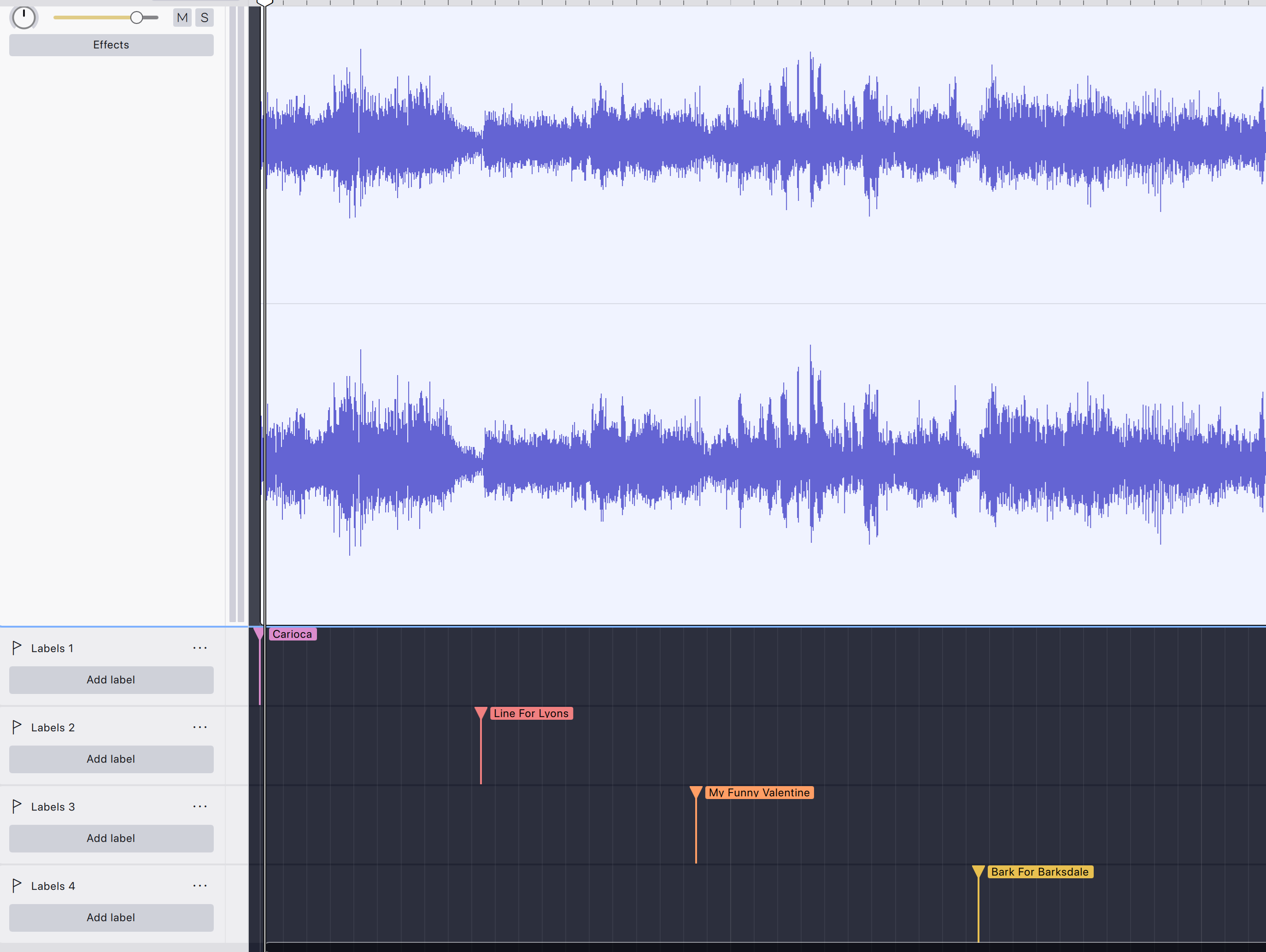
Could I confirm that this is the way you created the labels please? I also used CTRL+B. I must be doing something wrong, but can’t figure out what!
Put all the labels on one label track.