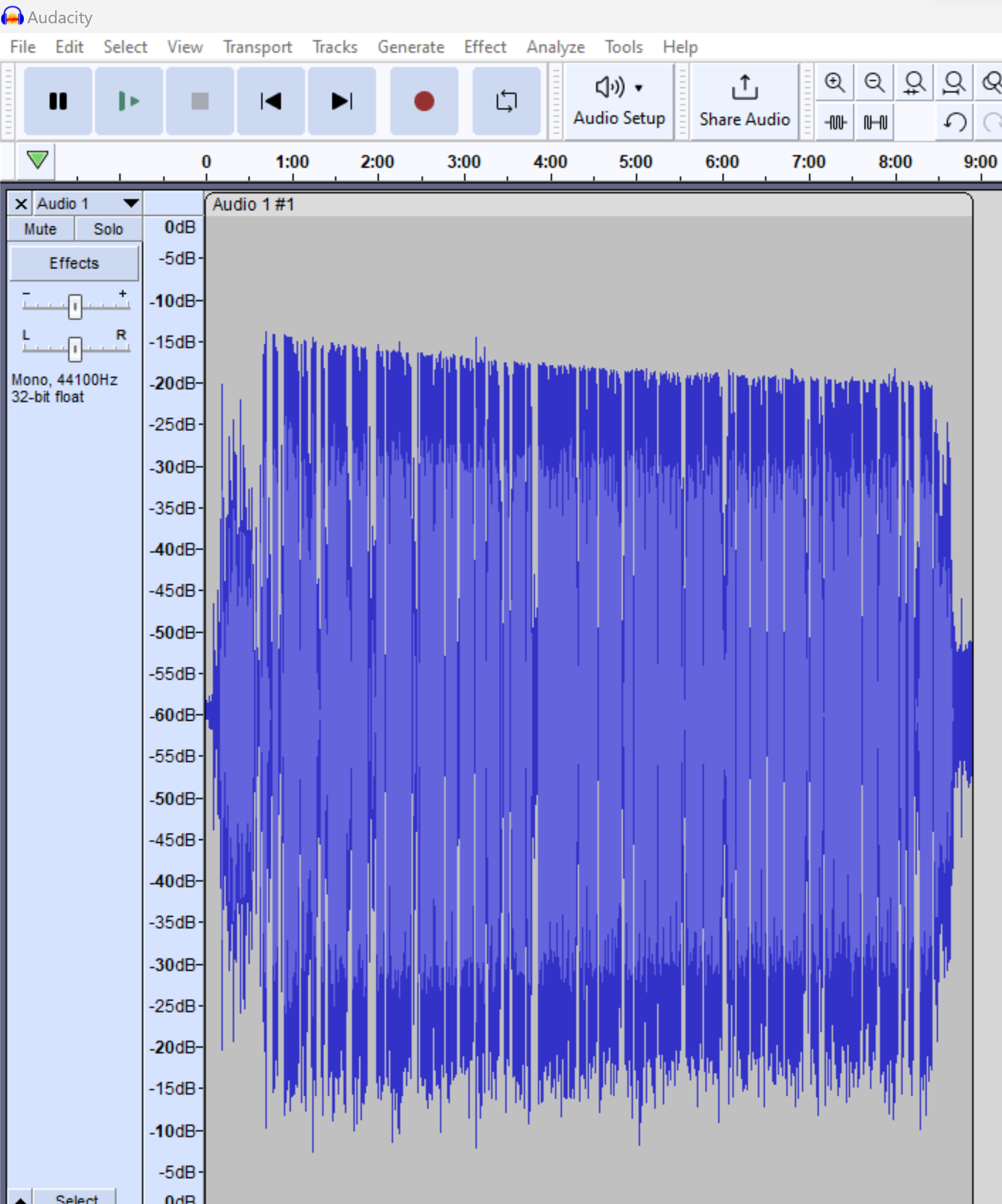
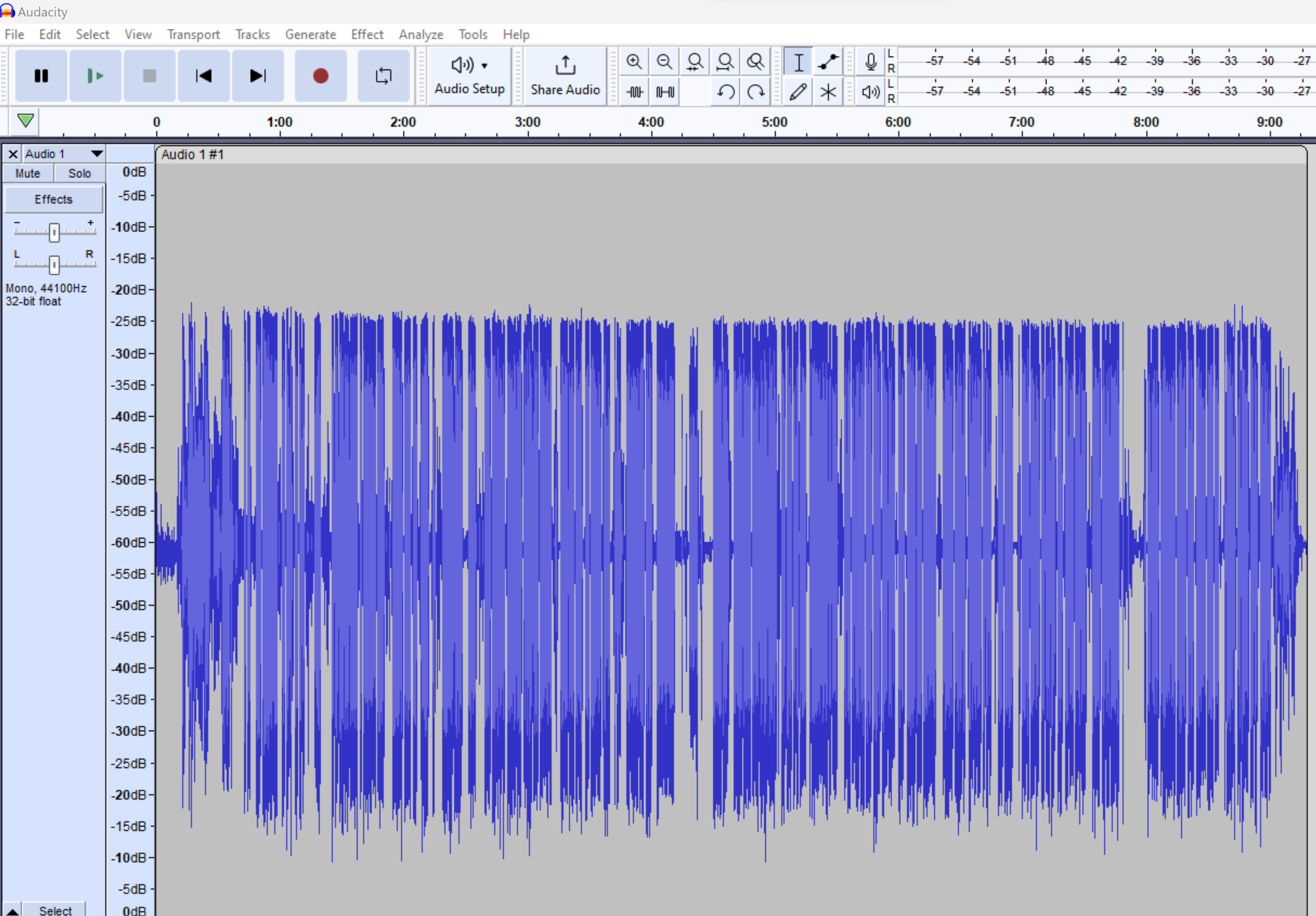
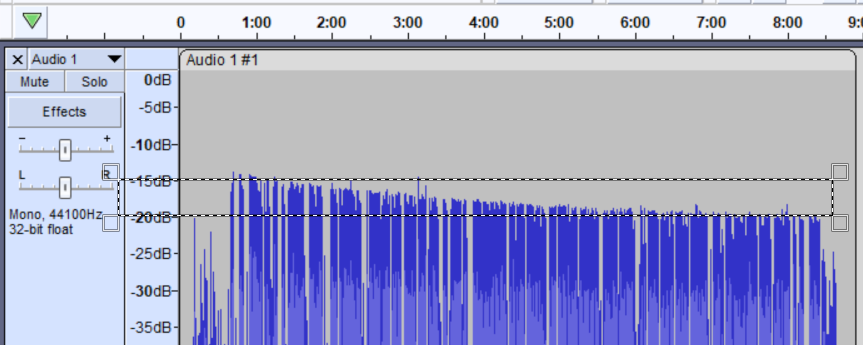
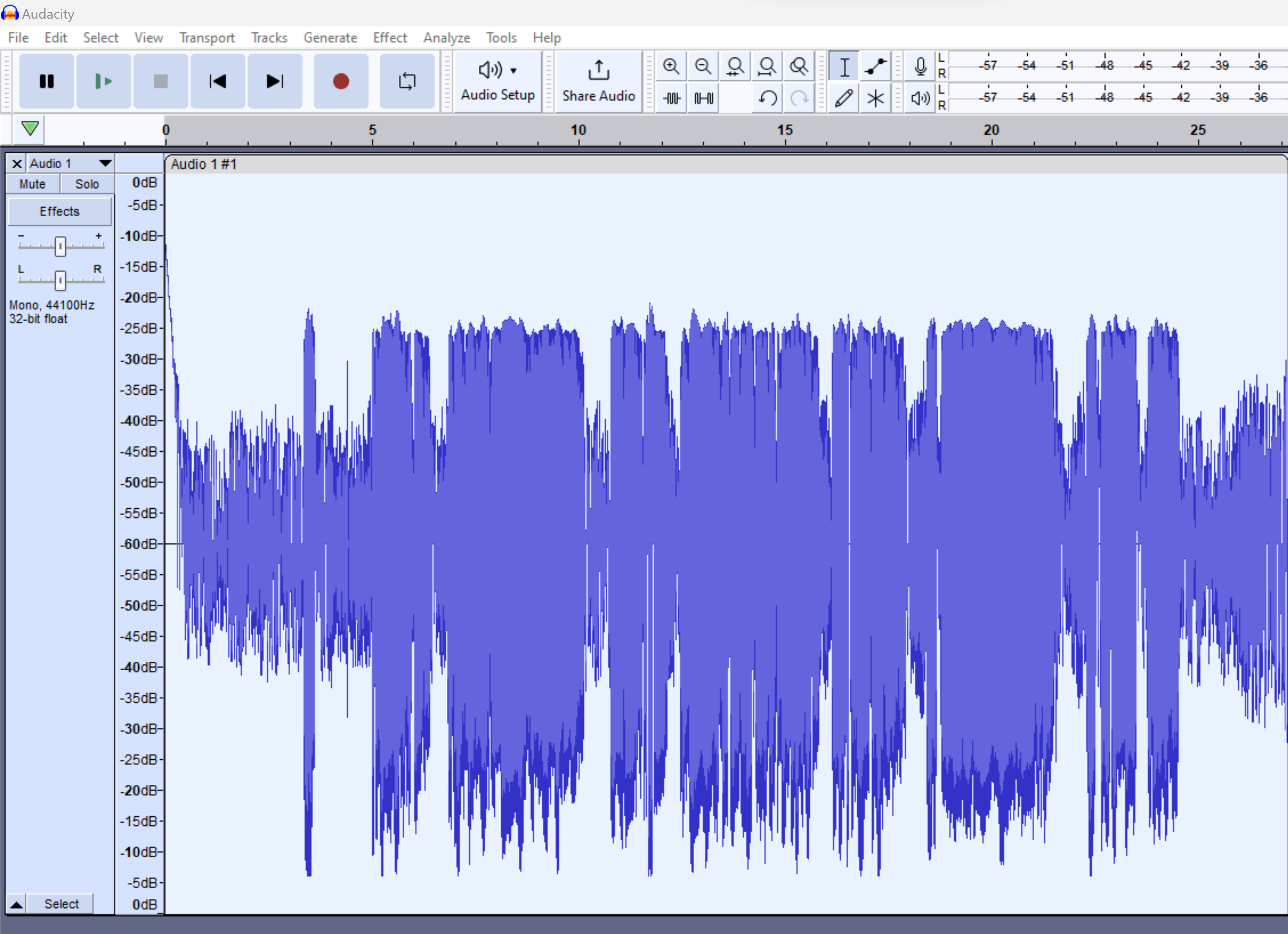
I’m doing a recording for an audiobook - it’s just spoken word. When looking at the results in Audacity, I note this strange waveform. It looks like something is preventing the volume from getting to progressively lower and lower maximums as the recording progresses, though my speaking volume is more or less consistent throughout the recording. The audio sounds mostly okay, though I might be hearing what sounds like clipping, particularly as I get towards the end of the recording.
Is this a hardware problem? Malfunctioning mic? Bad interface? Some of my other recordings are much more top-and-bottom symmetrical.
My hardware setup is:
R0DE-NT 1A podcaster microphone
XLR cable
Blue Icicle interface - gain knob all the way down
USB cable to USB-A/USB-C adapter to Windows 11 laptop
Audacity 3.4.2 at recording level of 95%
That is a strange problem. I think you’re right that it’s probably hardware. …You never really know what the problem is until it’s fixed.
If you have to buy & try something new, I’d buy a new “upgraded” interface and you can probably make use of it no matter what.
The NT1 has a very good reputation so if it’s not broken you probably don’t need an upgrade. On the other hand, if you might want to use 2 mics someday and in that case it wouldn’t hurt to have another. And if the mic turns-out NOT to be the problem, you’ll need a new interface and you can get one with more than one input.
What happens when you turn it up?
My guess is that it’s the 48V phantom power from the interface. Low voltage could cause the head amp inside the mic to clip at a lower level than usual. …Just quickly checking, the mic is rated up to 132dB so it should never overload with voice.
It has an important feature that not all interfaces have - It has zero-latency direct-hardware monitoring so you can monitor yourself with headphones without going through the computer and that avoids any latency (delay) problems.
But, I’ll warn you about one oddity when you’re using one mic into a stereo (or multi-channel) interface -
If you record in stereo, of course you’ll get one silent channel and you’ll have to delete it (or duplicate it). As you may already know, a mono file will play through both speakers.
If you record in mono, Audacity will cut both signals in half so you don’t go over 0dB when they are combined. With only one mic and the signal cut in half, you can’t go over -6dB and you’ll have to amplify after recording. (Normally, you’re going to leave some headroom and you’ll want to amplify anyway.)
Either way you CAN trust the clipping indicators on your interface because it’s (usually) the analog-to-digital converter inside the interface that clips.
The audio is so much cleaner with the new interface. I’m actually going to need to go back and rerecord the earlier parts of this audiobook, because the difference is so stark. The old interface was the problem.
Or the Icicle. The NT1-A is a widely respected microphone, but I’ve never heard of an Icicle. It claims to supply 48 volts phantom power, but if there’s anything wrong with that, the performance of the Rode will be compromised.
The Icicle does warn us to plug in directly to the computer. No hubs or USB tricks.
I have Phantom Powered microphones, but they get their juice from a small sound mixer.
Do you know how Phantom works? The mixer sends 48 volts DC power up the cable on both pins 2 and 3 versus 1 (ground). The microphone uses that to run the preamp and other microphone jobs.
The Microphone sends your voice back to the mixer between pins 2 and 3, ignoring pin 1. They never see each other.
A note.
The NT1-A may be the only microphone on earth where you don’t speak into the company name. The gold dot is the front and it’s a side-fire microphone.
Headed for ACX - yes. So I’m going to re-record my entire production again. Luckily it’s not a terribly long text, and I’m compensated by the knowledge that my results will be better, with less post-production hassle.