I’m a newbie here so not sure this is the right place for an Audacity bug report -if not, please advise of a better place to report this problem. I recorded a couple of chapters of an audiobook I am producing for ACX onto my Rode Wireless Pro mic and transferred that to my laptop to edit it in Audacity. The Rode records at 48K x 32 bit float .wav format mono file. Once uploaded to my laptop I was able to open the file and to perform many edits. I was then able to save the file: size (284MB), format details (24-bit/48kHz/mono). But when I try to reopen the file later to do more editing the wave importer just loops endlessly CPU behavior (4-7%, no completion after 25+ min). I could open the file no problem in Audition but resaving it there still wouldn’t let me open it in Audacity. Took a look at the file header in HxD and found no corruption - exact fmt chunk size (18 bytes) and offset (46 bytes). Finally a Raw Data import in Audacity with the correct specs (including the correct offset of 46 worked fine) Seems like an Audacity problem with mono 24-bit files..?
Which exact version of Audacity on what platform?
I’m using Audacity 3.7.8 on a Gigabyte laptop running Windows 11
- Processor 13th Gen Intel(R) Core™ i7-13650HX (2.60 GHz)
- Installed RAM 16.0 GB (15.7 GB usable)
- Graphics card NVIDIA GeForce RTX 4060 Laptop GPU (8 GB)
- Intel(R) UHD Graphics (128 MB)
- Storage 254 GB of 954 GB used
Device ID xx
Product ID xx
System type 64-bit operating system, x64-based processor
I’ve tested with both mono and stereo 24-bit WAV on Linux and I’m not able to reproduce the problem.
Hopefully someone can test on Win 11.
I am not sure if ffmpeg is used to convert that audio format during import or not, but it wouldn’t hurt to reinstall Audacity’s version of ffmpeg again and try.
By default FFMpeg is not used for 24-bit WAV importing. Audacity uses Libsndfile for all PCM formats.
(It is possible to override the default importer using Extended Import Preferences but it’s virtually impossible to do that accidentally.)
It is also possible to force Audacity to try to import a file with FFmpeg by selecting “FFmpeg compatible files” in the Import file browser.
Checking my Extended Import settings in preferences and I have no “File Extension” or “Import Order” entered in the filter rules area and have the "Attempt to Use Filter in OpenFile dialogue first check box checked (default)
Now that you have established that ffmpeg is not used during import, you can try using it to see if that is a workaround you can use to continue working with your audio files.
…but according to this screen shot, Audacity does seem to be using FFmpg as the wav import filter…!?
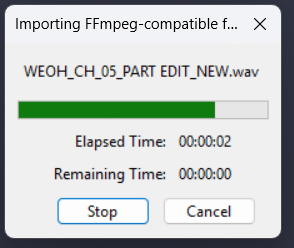
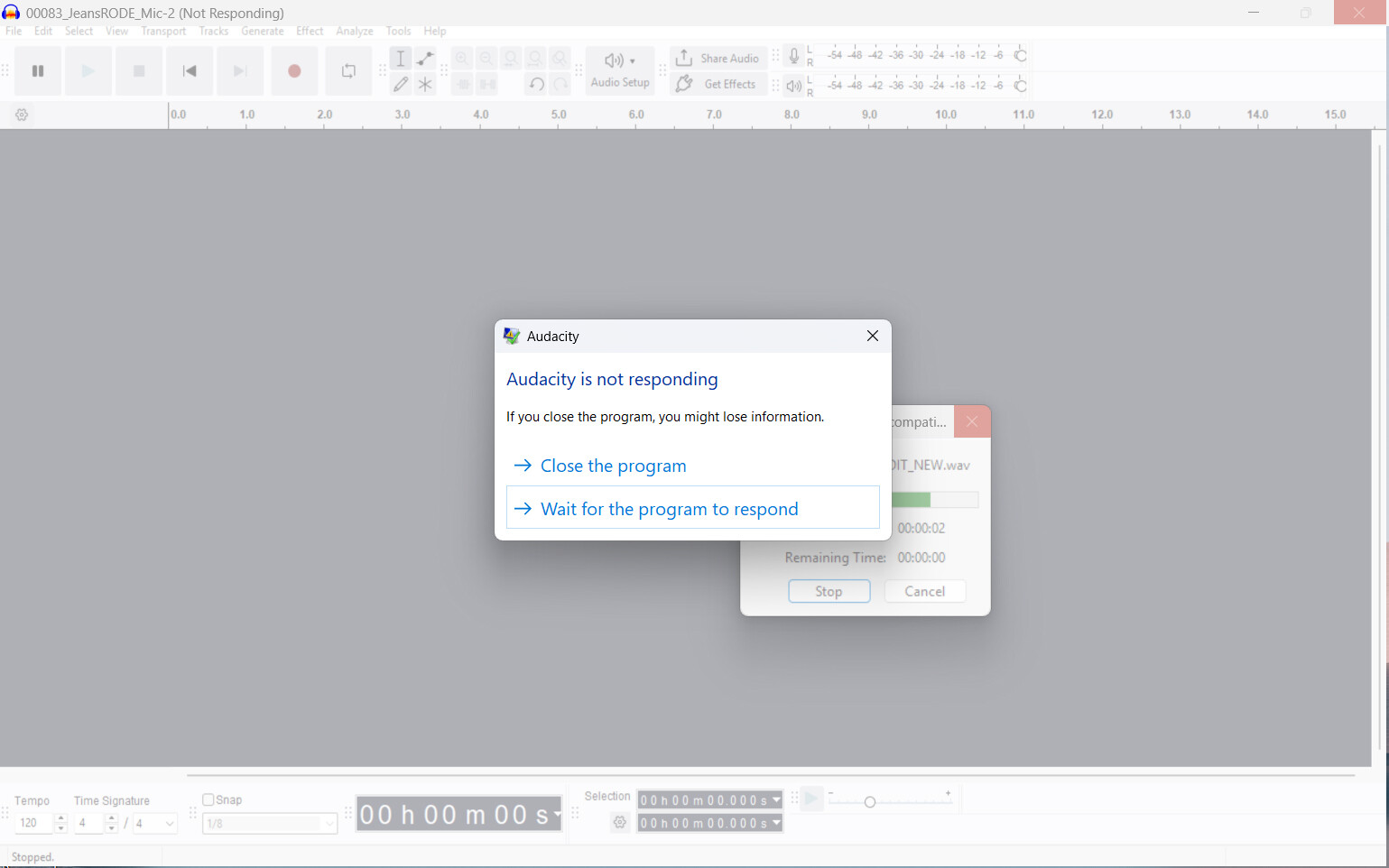
BTW - my workaround has been to select raw data in the import menu and enter the file specs there… in my case - for the 48k24-bit, mono channel using the 46 bytes offset that I determined using HxD. Though that import strips out any meta data, it still gives me a viable audio file that I can edit.
What does MediaInfo say about the file?