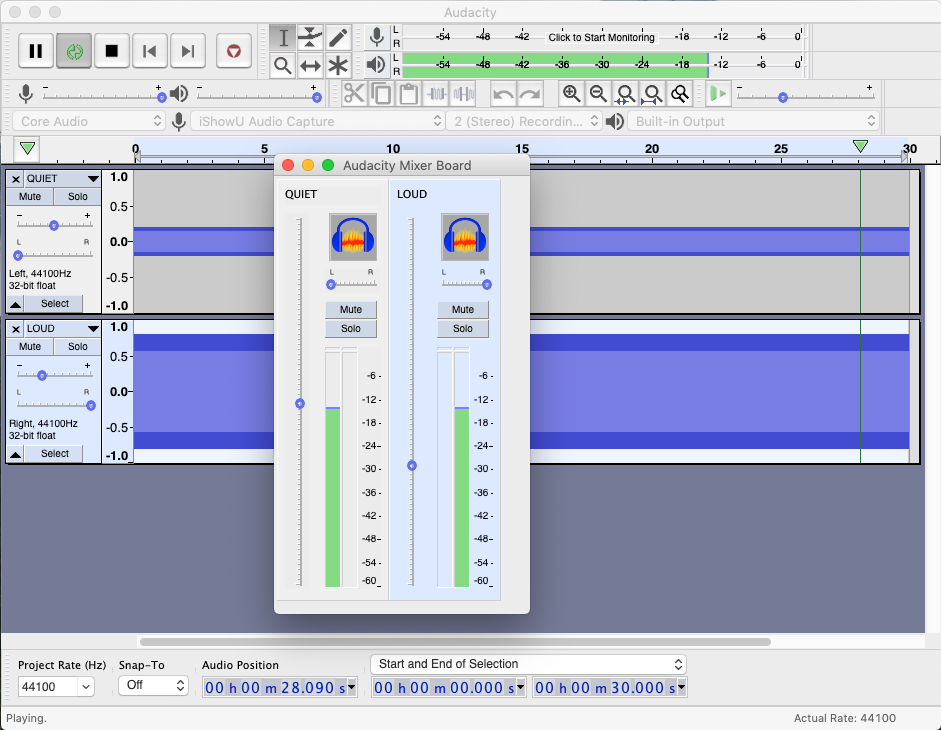
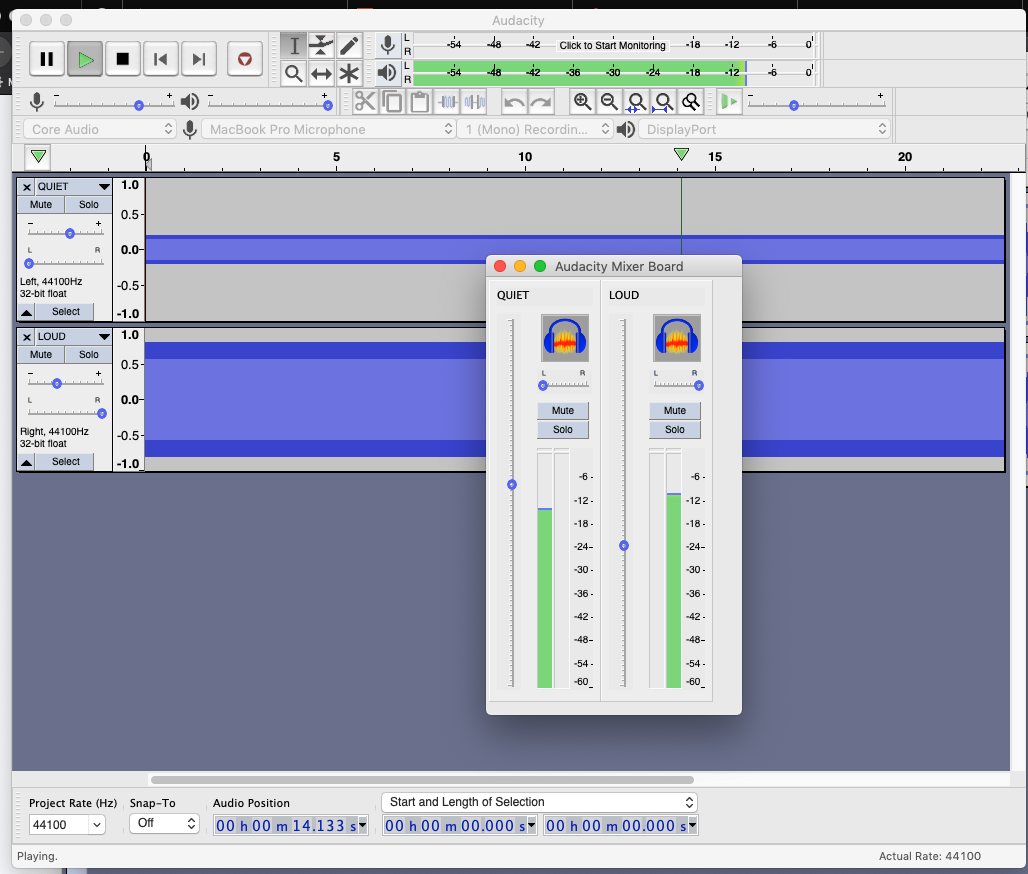
The VU meters on the mixer board and on the main window seem to disagree, even when they should agree.
Here’s how to reproduce the problem: Create a new project with two mono tracks. On the first one, labeled QUIET, generate a tone using all defaults with 0.2 amplitude. On the second one, labeled LOUD, generate a similar tone but with 0.8 amplitude. Pan QUIET hard left and LOUD hard right, as you might if those two tracks were going to be mixed for stereo. Using either sliders on the tracks or on the mixer board, bring down the levels of both about 8 db so we don’t go into distortion. Now bring up the level of QUIET so the left channel matches the right channel on the VU meters in the main window. Notice that the tracks do not appear to be at the same level on the mixer board, even though the entire left channel is the QUIET track and the entire right channel is the LOUD track.
MacOS Mojave 10.14.4 (18E226)
Audacity 2.3.2.