It is so weird that everyone can hear me clearly on Skype
It is not.
Skype became the premiere conferencing and communications app by taking over your computer during the conference and creating settings that enhance its operation. A complete basket case computer can produce a clear Skype call on command and then return to being a basket case when it’s done.
There is a down side to this activity. Everybody wants to record both sides of a Skype call for their podcast. That’s not hard, is it?
It’s impossible. The minute you start to mess with sound conditioning, you run into the snarling bear of Skype settings. I and several others got around this with two computers. One you leave alone running Skype and the other does everything else—like record the show. It got so bad that Skype offers a podcast recording service—in the cloud—that will record your Skype production and then send it to you later. You don’t record anything.
So that’s what you’re dealing with and that’s why I ask about Skype right at the top of a diagnostic process. You do not want to leave Skype running in the background while you’re trying to do something else. You inherit the Skype settings and really bad things can happen.
In the middle of this pop up the celebrity unicorns. Chase is one of these people with his brother across the country. He ran Skype and Audacity, created his good quality, clear podcast over many hundred miles and he’s looking at the rest of us like we’re nuts. He got insanely lucky. Nobody else can do that.
Drive and power supply noises.
Welcome to recording on a computer. This is another reason recording sound on a computer is not for the easily frightened. Behold my podcast test studio.
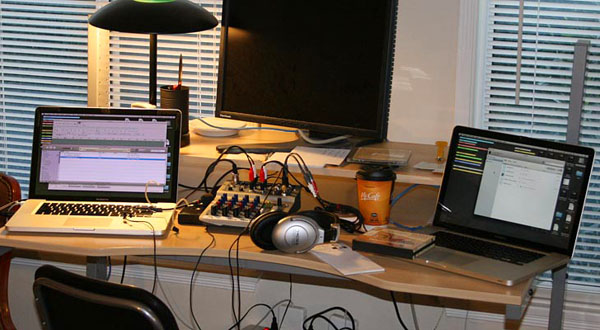
Both of those Macs have Solid State Drives that make no noise in normal operation and unless stressed, the vent fans make no noise.
I have created sample test clips on this machine, a MacBook Air, using the built-in microphones. Again, in normal operation, it makes no noise and I did it in a quiet room.
I wouldn’t do regular production like this, but I did do a production sound shoot of someone whose voice was going to be used as a “stand-in” for the real actor who would appear later. It worked perfectly and they slipped the temp voice right into the show and kept going.
Just the machine and its microphones. Nothing external.
I have a guideline for this. If you can tell the computer is on just by listening, you’re going to have an interesting time.
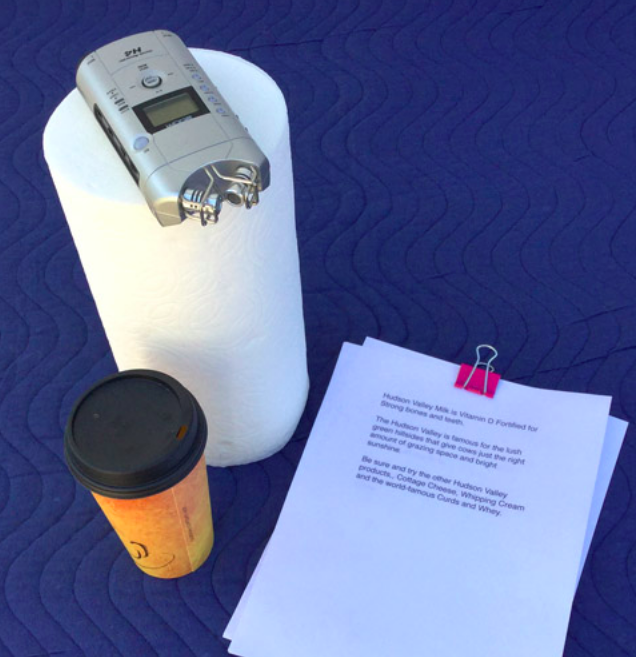
That H4 is looking better and better, isn’t it?
Koz