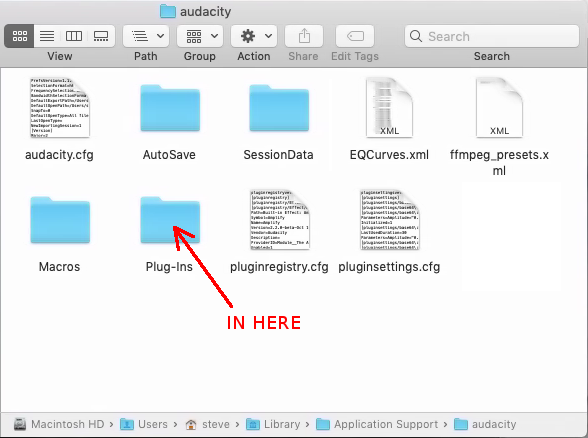
I’m not sure that you’ve got the right Plug-ins folder. It should look like this:
In the Plug-in Manager, click on “Path” at the top of the table to sort the plug-ins by their location, then scroll down to where the path matches where you put the plug-in. Note that before the plug-in is installed, the “Name” will probably show the name of the plug-in file, rather than the name of the plug-in.
Yep. Here is the plug in folder and there is Nyquist.
These are my steps.
. Click Go
. Go to folder
. Library (full address with squiggly line)
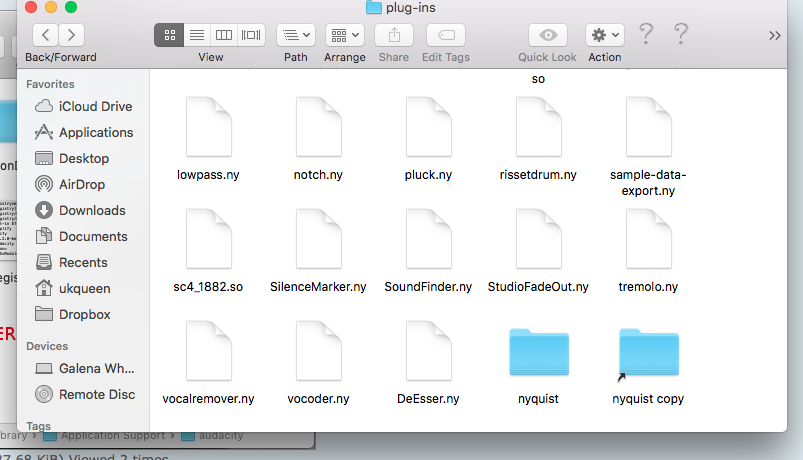
Then I’m at plug-ins. There is a plug-ins folder and an audacity folder. I click the plug-ins folder and there is a nyquist folder there.
Where did that “Nyquist” folder come from? That shouldn’t be there (or the “Nyquist copy” link).
Also, the plug-in files that are shown there (lowpass.ny, notch.ny, …) should be in: /Applications/Audacity.app/Contents/plug-ins/
not in: ~/Library/Application Support/audacity/Plug-Ins
I found it after downloading and then moved it into the plug-ins folder. I think it was initially in the Audacity folder. Not sure. I’ll move them now. ok I moved them as suggested.
Good morning… It’s still not working… I’m so frustrated and clueless… I’ve tried following the suggestions but it’s not working for me… Is there a nyquist for dummies step by step guide. I feel like I’m missing some steps and I’ve dedicated more time than I believe is necessary to this on my own… I wish I knew it all… Guh… Please help
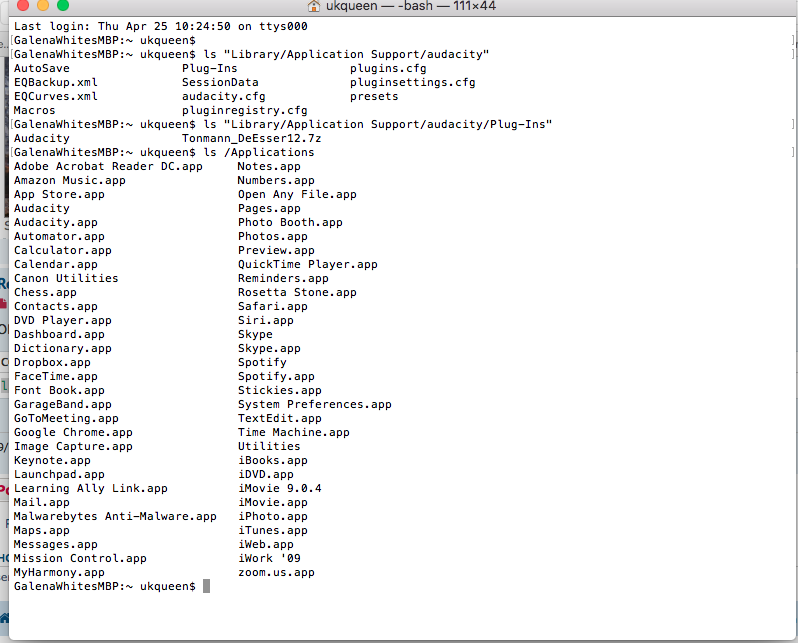
I’m not sure what you’ve done, but you appear to have Audacity’s directory structure muddled.
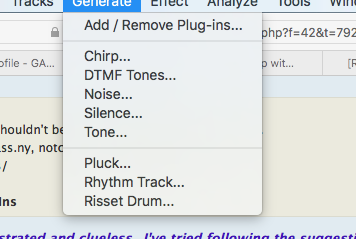
Do you have any Nyquist plug-ins showing up in Audacity? For example, look in the Generate menu and you should see a generate plug-in called “Pluck”. Is that there?
Somehow, your Audacity installation has got messed up and there are many files and folders in the wrong places.
I’ve had a word with one of our Mac experts, and he agrees that the best course of action will be to completely trash your current versions of Audacity and do a fresh install.
Before proceeding, ensure that any work (audio files or projects) that you have been working on with Audacity, are backed up safely.
Open “Applications” in Finder, and you should see two “Audacity” items. One called “Audacity” and one called “Audacity.app”. Send both of them to trash.
Use “Go” to open Finder at “~/Library/Applications Support” and you should see a folder called “audacity”. Send that to trash also.
Steve you are so patient and helpful thank you. I’ve been reluctant to uninstall because I really thought there is a quick fix, but since I truly have no idea what I’m doing and I don’t want to mess anything up… I guess I’ll go ahead and do it… Solemly LOL