I have a huge .aup3 project (1.47 GB) that I can no longer open, and I need help recovering it.
**System and Software Info:**Windows 10, 64-bit, build 26100,CPU: AMD64, 8 cores, Audacity 64-bit version 3.7.5, Available disk space: ~250 GB free, File size: 1.45 GB
Problem Description:
The project crashes immediately when opening. Autosave folder is empty.
I have tried using audacity-project-tools (both -drop_autosave and -recover_db -recover_project), but it reports: no database file found.
Older versions of Audacity (3.3.3) cannot open the file because it was created in a newer version.
I’ve Tried:
Reinstalling Audacity 3.7.5 (64-bit).
Safe Mode launch.
Attempted recovery with audacity-project-tools on a copy of the .aup3.
Verified disk space and closed all other applications to free RAM.
Request:
I would like assistance in recovering the audio from this project, as it contains a 1.5-hour audiobook. The project is too large and seems partially corrupted. If possible, I’d like guidance or direct help from someone who can extract the audio from the .aup3 database safely.
I can provide the .aup3 file or any diagnostic information if needed.
Hi Stella,
It looks like you did everything right with the project tools as far as I can tell. I’m willing to try too, if that would help. Either upload the project to Google Drive, if you have an account, and then share the link to it or transfer it to me via the excellent free service at Swisstransfer.com. I will send you a private message with my personal email address. Look out for that, OK?
Mark B
Thank you Mark! after hours of desperate efforts a miracle happened and right after I deleted all copies and left only one it unexpectedly opened as if there has been no problem, I don’t understand the reasons but I’m endlessly happy as this was my first audiobook recorded in Audacity
Good news indeed. It’s a good idea to export your recording to WAV before editing so you always have something to go back to if the project file gets corrupted. If you are only doing single-track recordings I recommend having Ocenaudio in your ‘toolkit’ too. It’s also free but is faster and more stable than Audacity and it doesn’t use project files, just plain audio files.
What he said. Plus, given your fuzzy-warm experiences with Projects, your Forever Archive should be in individual chapters in WAV (Microsoft), too. WAV has a size limit, so Do Not try to export the whole book at once.
And don’t be tempted by MP3. MP3 gets its small, convenient files by re-arranging the tonal values of the work— and leaving some of them out.
If you plan on publishing with ACX, they require you to post the work in 192 Constant Quality MP3, chapter-at-a-time. There is no post the whole thing at once and go to lunch.
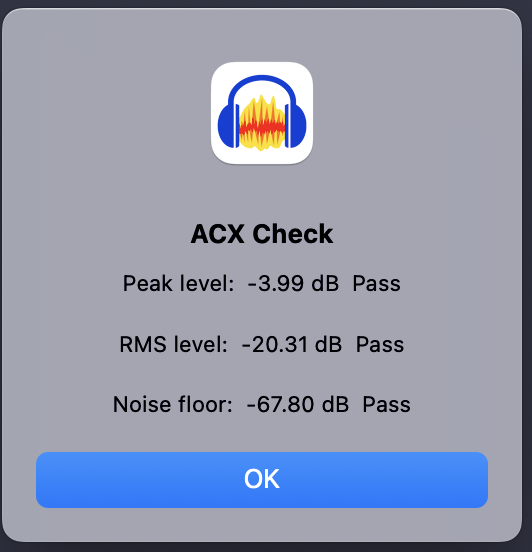
Audacity has two handy Audiobook tools. ACX-Check will tell you if your chapter passes the three ACX standards.
And 36-Audiobook-Mastering-Macro. That automatically sets the first two technical standards, Peak and RMS (Loudness). I don’t know if you ever tried to set those manually, but it’s not fun.
And yes, that does leave you to struggle with noise.
And sound quality. Nobody is going to accept a technically perfect chapter read in a room with echoes or sounding like talking into a wine glass.
One more note. When you submit your MP3, that’s not your edit master. The Edit Master is still your WAV file of that chapter. If they object to a chapter, you can’t clean or patch the MP3. That messes up the MP3 file quality. You have to fix the WAV Edit Master and make a new MP3.