Good morning.
I installed Audacity 3.7.7 for the first time on a Windows 10 PC with a Behringer UCA 222 audio interface, but I can’t record in stereo from an analog source. I’ve tried all the MME-Windows Direct Sound-WASAPI combinations, but when selecting the recording device, besides the PC’s internal microphones, it only gives me “USB audio codec microphone” and nothing that suggests the Behringer interface. And… the sound I listen to and record is always MONO, not even a mix of L and R, but the sound coming only from the L input, which in headphones is mono distributed across both channels.
Can anyone help me? Thank you so much.
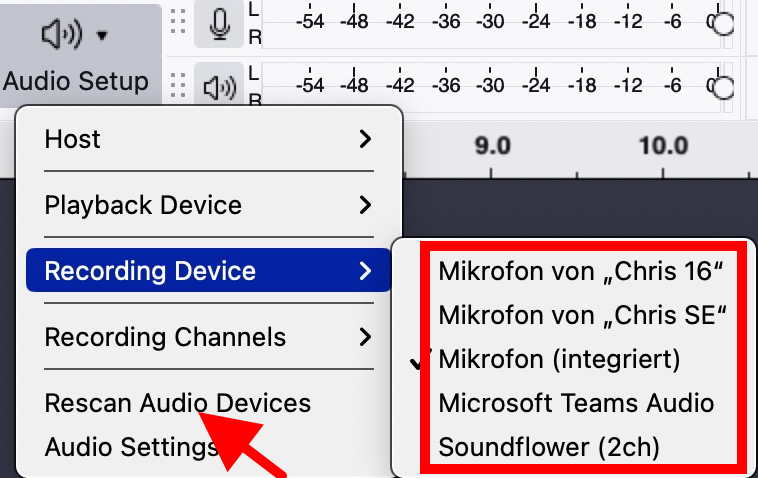
The UCA 222 should appear as “USB something” in the list of recording devices of Audacity. I don’t have one attached at present, but still look at my screenshot.
You need to attach and switch on the UCA 22 before starting Audacity (to make Audacity “see” it), or else select “rescan audio devices” in the audio setup dialog.

Thank you so much Trebor, that was exactly the problem. Thanks to this video I solved it by changing the microphone settings in Windows.