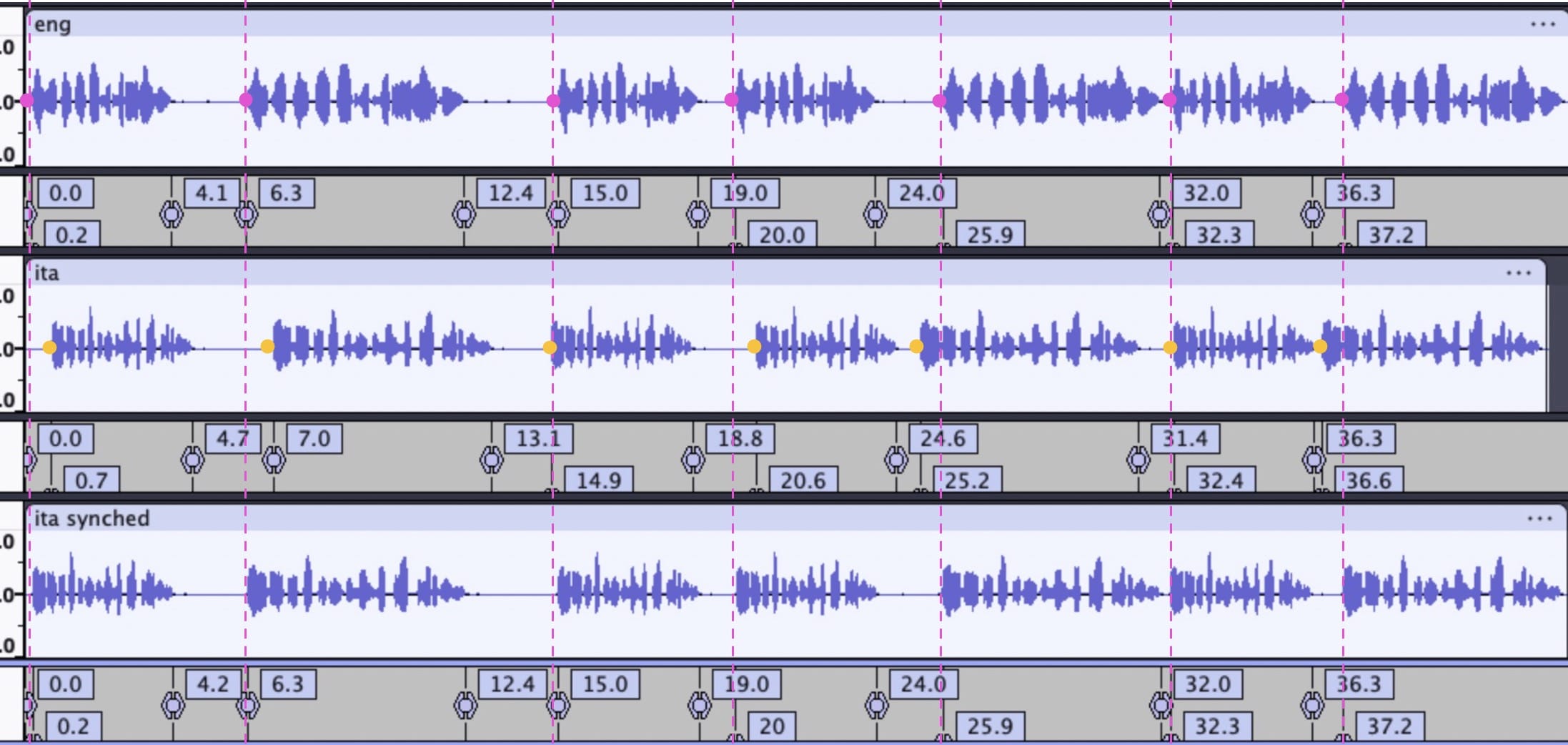
I’ve searched this forum for a solution to my question but nothing has helped, so here goes: Is there any automated way of synching voice audio tracks by adding/removing to silence gaps? I don’t mean rigorously synced word for word, but rather roughly sentence for sentence, such as when an audio track is translated into another languages.
My image below shows a specific example for 2 short audio clips (eng.mp3 and ita.mp3), but what I’m after is something that can be done automatically for much larger audio tracks. This kind of syncing is especially useful for language learning.
The audio is simply counting to 10 in both English and Italian, first at normal speed and then slower. To manually sync these I just removed silence gaps as shown.
My idea about doing it automatically would be that the user would define key points such as those shown by the pink arrows and then Audacity would remove silence gaps before those key points in order to line them up a seen by the dashed pink lines (I think this is called keyframes in video?).
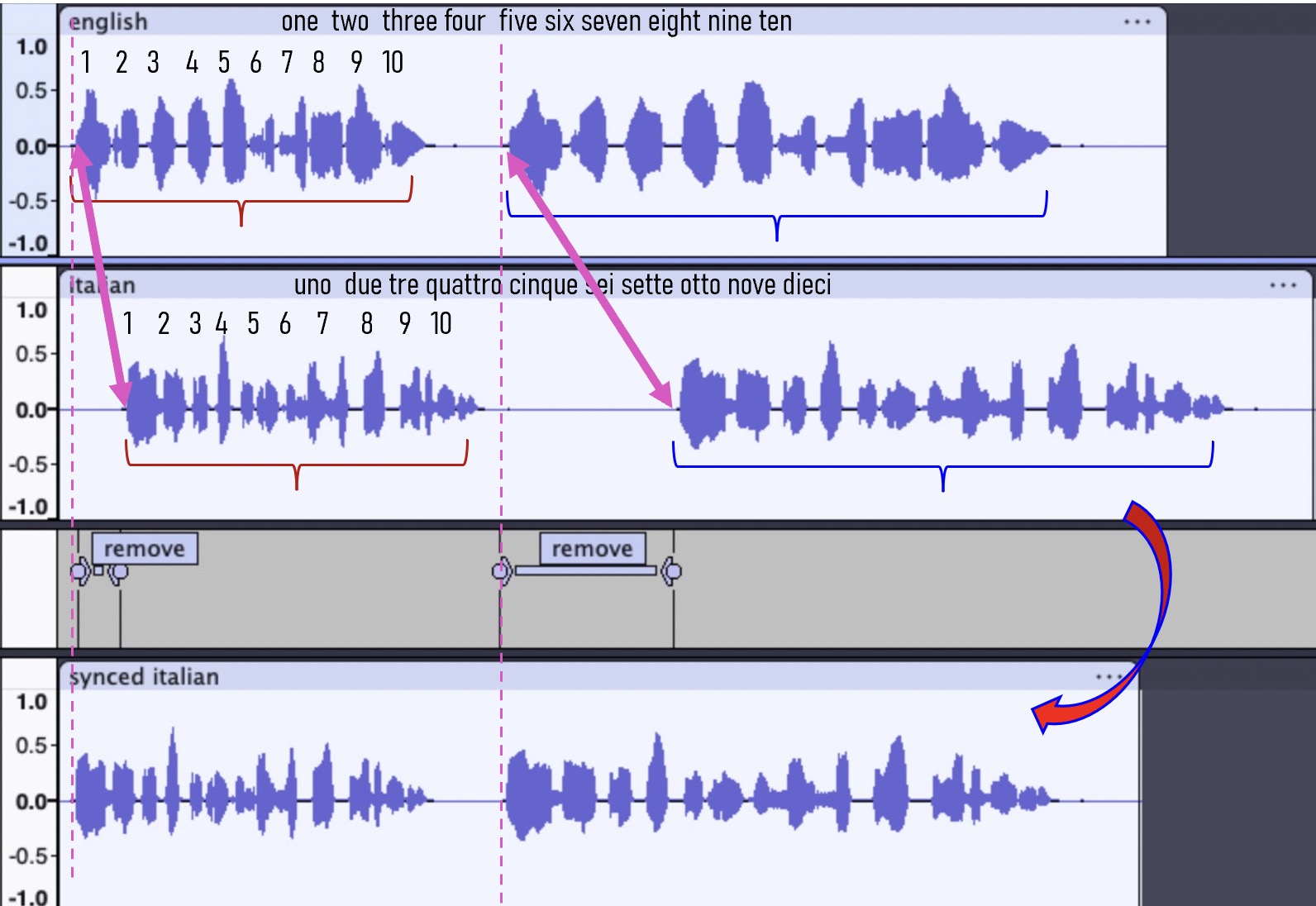
For best results the user would select such points in places where the silence before was long, but a really sophisticated system would detect silences everywhere in between the set points and reduce them intelligently (linearly?) in between. But maybe that’s asking too much.
You might ask, “Why would this be needed?” Well, audio gets out of sync for all sorts of reasons ranging speakers rate of speaking, strange pauses due to getting distracted, latency in the audio equipment, delays in signal transmission related to wifi or poor internet connectivity, etc… The point is that I run I’ve run into this problem over the years and fixing the problem manually is really tiring for audio over an hour or more.