Hello, I am new to the Audacity app and I’m having difficulty removing the background sounds of my podcast. The background sounds are very minimal so they are difficult to hear and adjust. I need to remove background sounds and edit (cut off) the end of each episode of my Nature of Meditation podcast, before it can be accepted onto an international meditation teachers platform. I hope someone can help me. Kind regards, Michelle.
Before you start any surgery on your work, it is highly recommended that you perform an ordinary WAV (Microsoft) backup of the show.
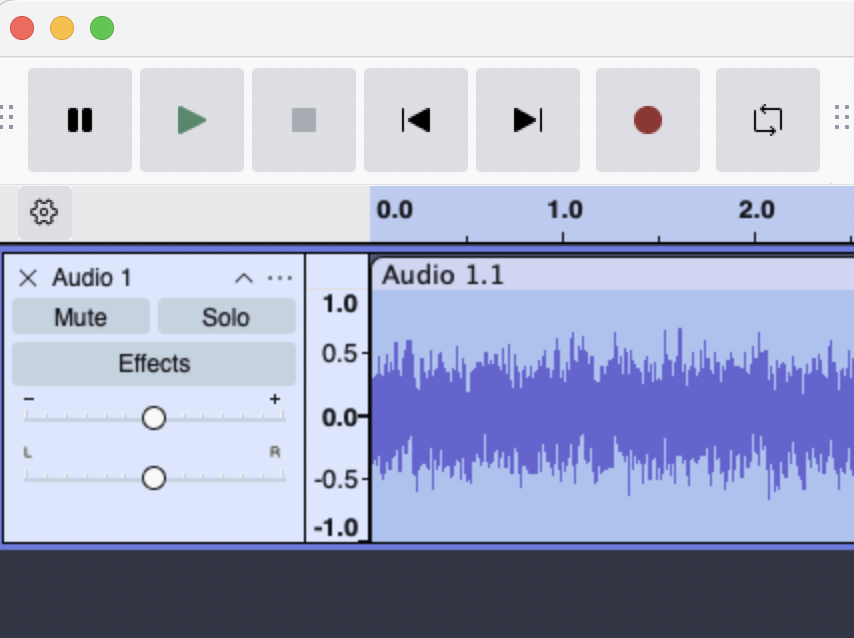
This is assuming you have a completed mono or stereo show on your timeline.
Click inside it anywhere and select the whole thing. It should turn a color.
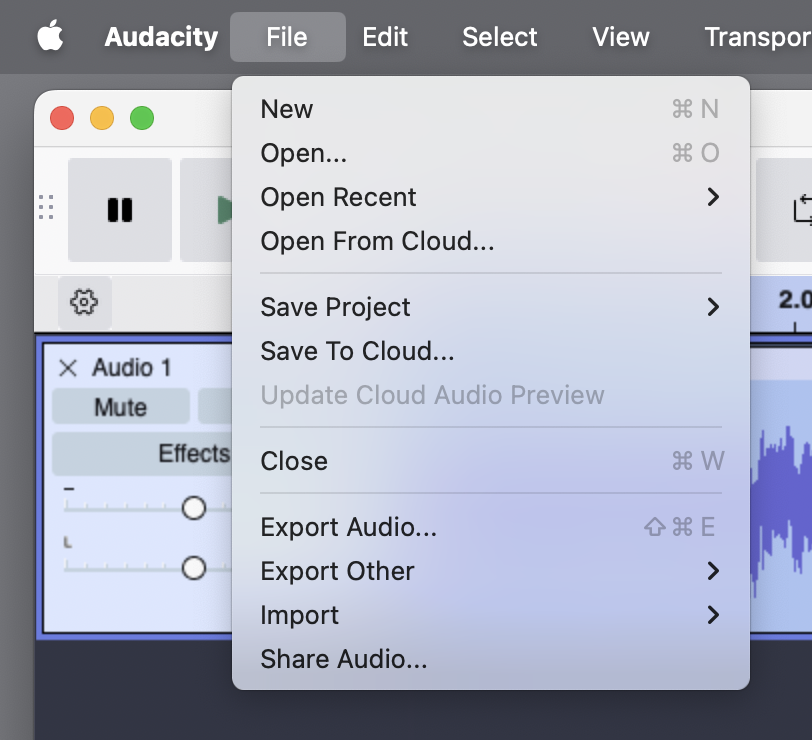
Then File > Export Audio. It won’t let me capture with the words highlighted. @#$&
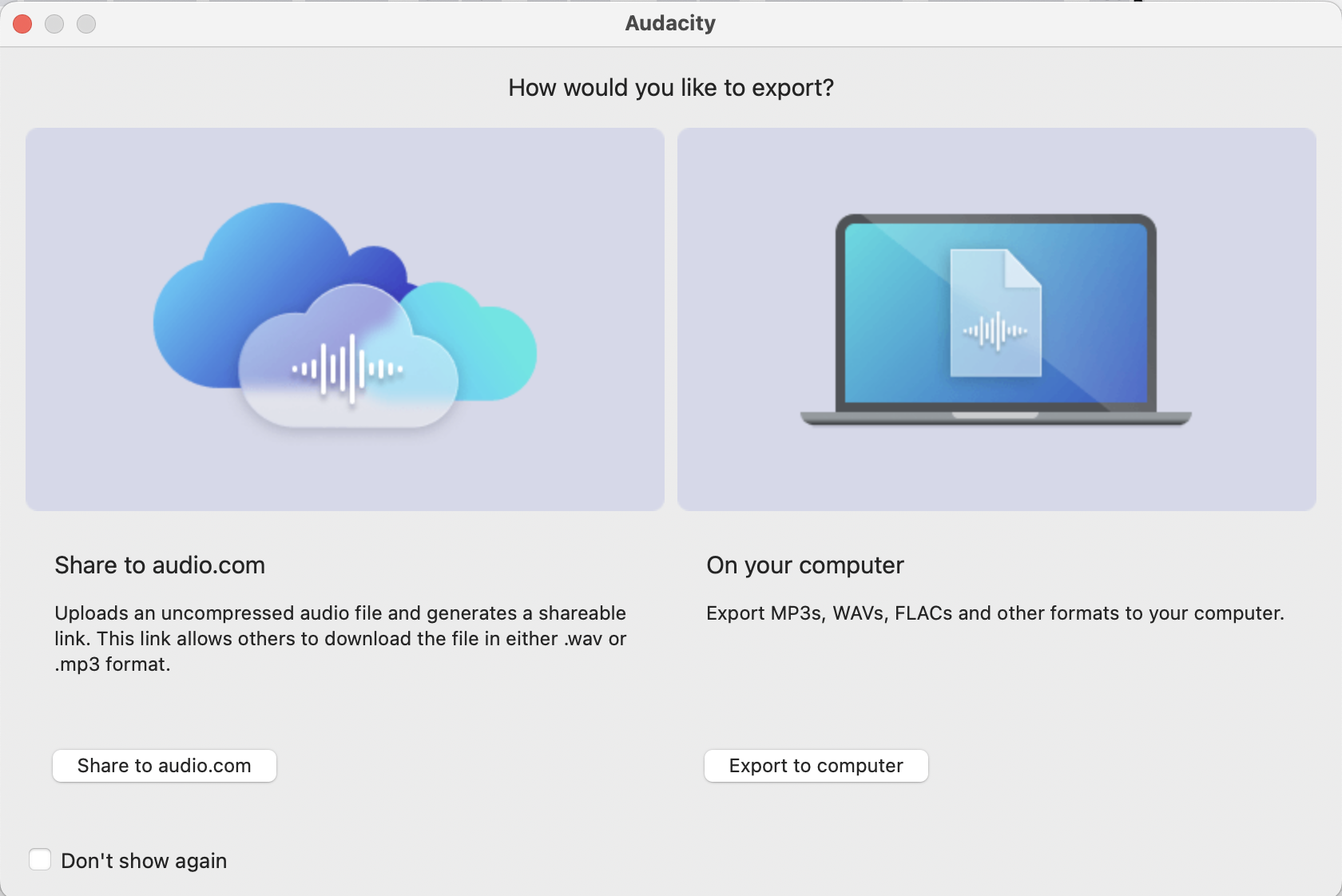
Export to your computer.
Pick a nice, safe name. Upper case letters, lower case letters, numbers, underscore, and dash only. Being obsessive, I don’t use spaces, either.
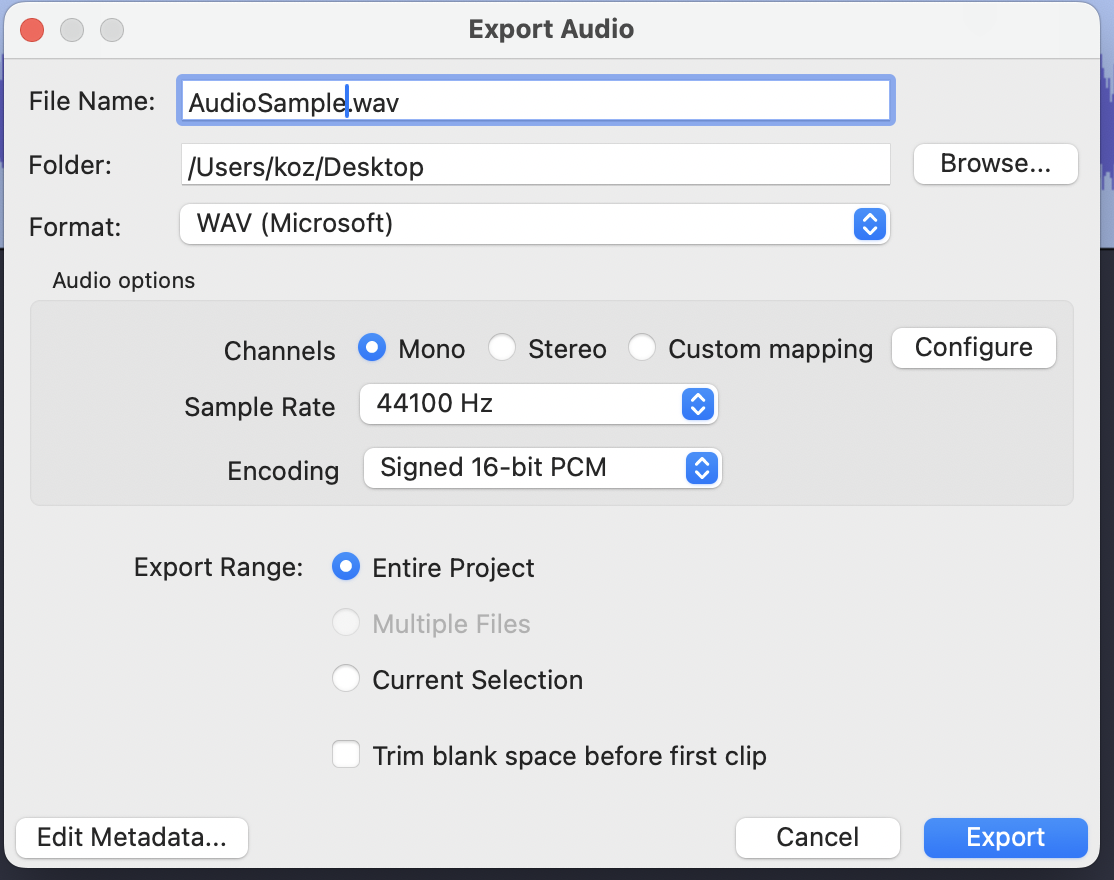
That will guard against making a mistake and destroying your work.
Koz
There is one magic problem that waits patiently to mess with new users. Running out of room. Every time Audacity performs an edit, it makes a copy of The Whole Show. That can run you out of room in a big hurry with a long performance.
Audacity doesn’t much like working directly with external, network, internet, or cloud drives. So your internal drives are the way to go.
Other posters should be along with Noise Solutions.
Koz
With respect, I don’t appreciate being bombarded with information. This is what I’m trying to avoid. I’m not interest in entertaining neuroses. If nobody wants to help fair enough, but be honest, don’t pretent you’re helping when you are not.
Audacity Noise Reduction
Optional OpenVINO Plug-ins.
It’s best to prevent noise. Pros still record in soundproof studios.
“Traditionally” you can’t remove things like a barking dog or a truck driving by. Noise reduction works best when you have a constant low-level background noise… When you don’t REALLY need it.  If the noise is bad you can get side-effects and “the cure can be worse than the disease.”
But AI is getting smarter every day and you might find something online that’s better than Audacity.
We’re trying to avoid the all too common problem of having Audacity crash during an edit and you discover your show is permanently damaged when you open it up again. Without that perfect-quality WAV file backup, you could be back in the quiet room with a microphone, strong coffee, and a script.
There is another file format for this trick. Searching.
Oh, one more note. If you get something to work, post back how you did. it. This is a Forum, users helping each other, not a Corporate Help Desk.
Koz
Here it is. FLAC.
We did a brief post on it.
Koz
.
Something that I discovered accidentally is using wired, unidirectional lavalier condenser microphones reduced the sounds of trucks driving by and the neighbors dog enormously. I wish I had tried them a long time ago. Most lavalier microphones are omnidirectional, which sort of defeats the purpose of them.
This topic was automatically closed after 30 days. New replies are no longer allowed.