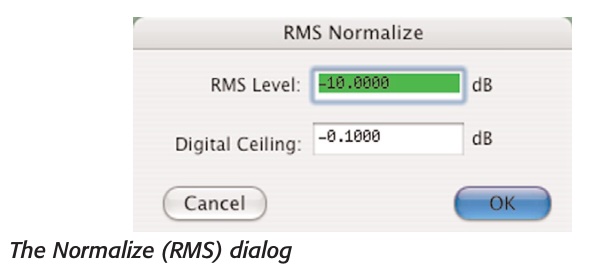
In the days of BIAS Peek Pro, this audio editor had the real deal function of offering a two fold “RMS Normalize” DSP editing function. #1, an adjustable peek output limit #2 an adjustable RMS output.
This was an incredibly useful tool because it acted like a manual compressor, it could push the weaker signals above to a desired threshold and at the same time push down the spike overloads creating a more uniform file region… When used with specialized care, it could better prepare individual project audio tracks for later realtime compression where the signal is too erratic and varied for a compressor or limiters to keep up with, and at times avoid the use of excessive track automation.
294 Peak 6 User’s Guide
Normalize (RMS)
This command allows volume optimization of a selection or an entire audio document, so that it is at its maximum possible amplitude without clipping. RMS Normalization is based on the RMS (Root Mean Square), or “average” signal level of the selected portion of audio. The RMS value of a file cannot be increased to an arbitrarily high value, that is, if the desired RMS value specified is so high that will produce clipping, the Soft Clip feature will automatically activate and the resulting level will be lower than specified by the user. The processed file will be as loud as possible while guaranteeing that the signal will be limited to the ceiling specified by the user.