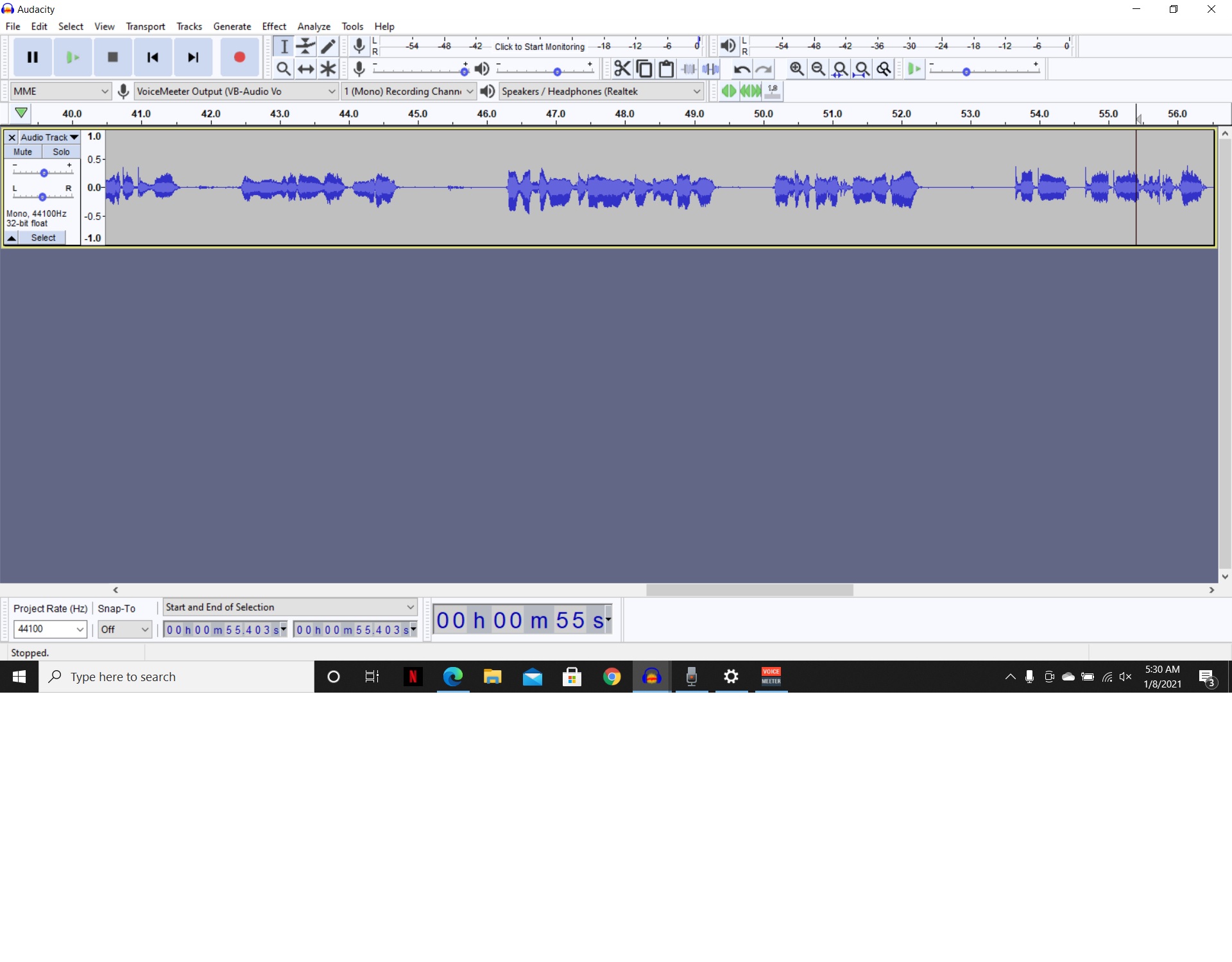
I am experiencing severe audio quality loss when exporting, in either WAV or MP3 format. I’m using Windows 10. I record right into Audacity, using a good mic, and the playback sounds great. As soon as I export and listen to the subsequent file the sound is fuzzy/echoy/clippy. I’ve tried everything: all the various export formats. I’m recording straight into Audacity, not importing MP3 files, so I’m assuming my recordings start out good. What’s happening? How can I get my MP3s or WAVs to have the same sound that the audio does when played directly in Audacity?
I think my screen looks similar. I’ve attached a jpeg, and audio recordings, both in wav and mp3 format of my lousy exporting results.
The WAV file was exported in 32 bit encoding, and the mp3 with a “bit rate mode” of “constant”, at 320 kbps, with the "force export to mono box clicked.
The sound clips are short as I couldn’t upload larger files, but you can hear the clipping and the echo/scratchiness. My voice sounds about 2X clearer on the same clip in Audacity pre-export.
I don’t know that I would choose fancy file encoding, particularly if you’re having trouble. Stick with absolutely plain 44100, 16-bit, Stereo (or Mono). Once you get that working, then you can get fancy.
The 32-bit thing is the reason you couldn’t get a longer file on the forum. 16-bit, Mono will post over 20 seconds.
Wow, you’re a life saver. I assumed that since I was hearing two different qualities from the same earphones, that the problem was the export, not the earphones. I had been using bluetooth earbuds, and when I pugged in a different set, I heard what I’ve been trying to hear for days: clear audio.
I feel like a dunce now, but thanks so much for your help!
I had an audio file that played fine in the Audacity program, and fine when I exported to WAV, but when I exported to mp3 it sounded so weird and distorted you could barely hear the speaker in the audio. I realized that when I was exporting to mp3, in the export settings I had selected “force export to mono.” When I changed this to export mp3 to joint stereo, it worked fine. However I needed a mono file. So in Audacity I clicked on the name of the audio file to open up more options, selected “split stereo to mono,” which split it into to waveforms. I deleted one of them, then exported again as an mp3 forced to mono. It worked fine! So I would suggest checking if you are exporting to mono or stereo and seeing if changing it makes a difference.