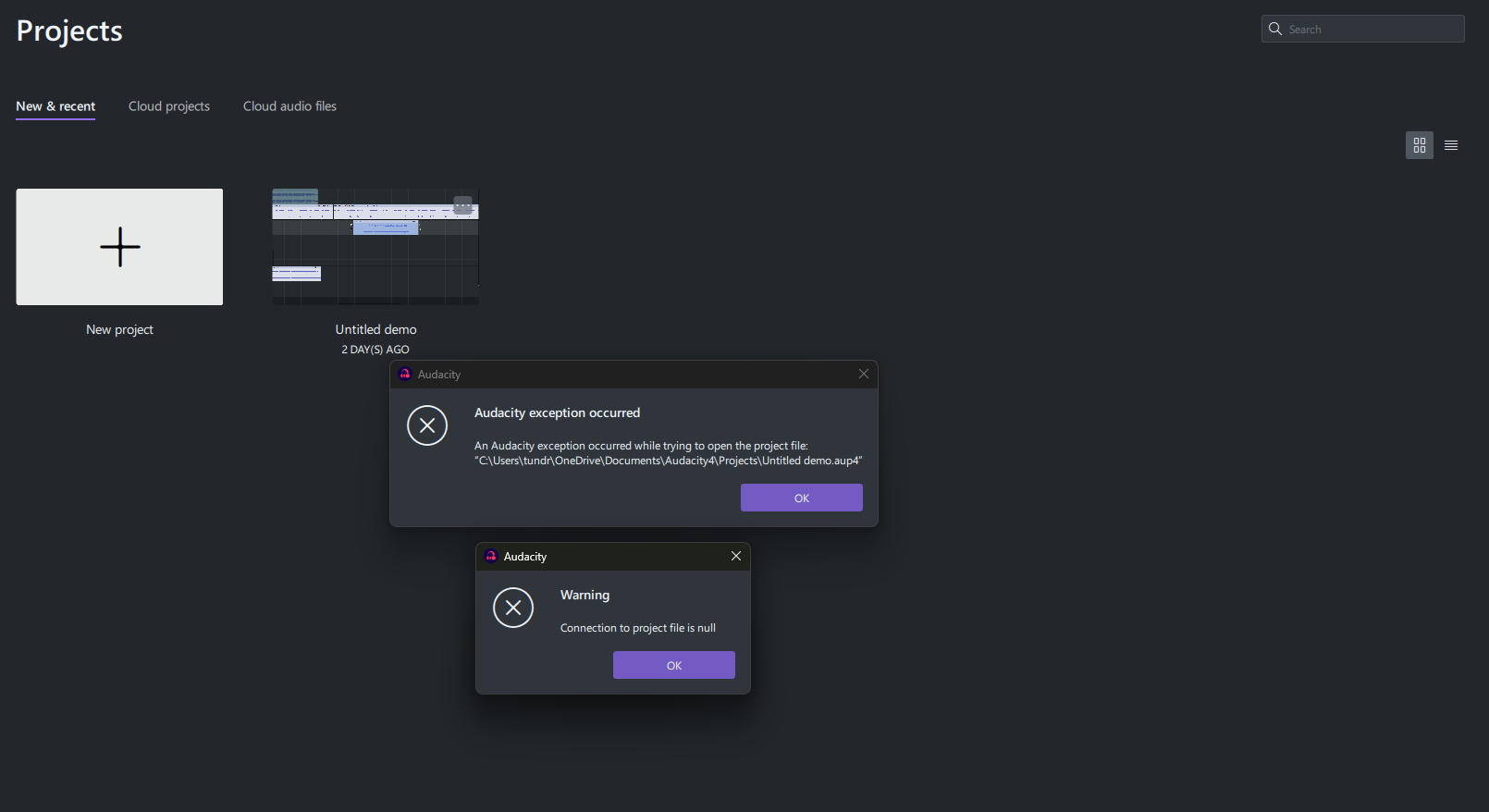
I noticed it’s a project from Audacity 4 Beta. I have no means to fix that. It can’t be opened in Audacity 3. If the project was important to you, it would have been safer not to use unfinished software to create it.
@emred3r could you share the project file?
it doesnt let me upload .aup4 here so i put it on drive
“Sorry, the file you are trying to upload is not authorized (authorized extensions: jpg, jpeg, png, gif, heic, heif, webp, mp3, wav, ogg, flac, opus, aup3, txt, ny, lof, cfg, mp4).”
google drive link:
@emred3r please try this file: https://drive.google.com/file/d/1TSJwAKcc1NDfN4NNawP97wsJmEqhDSkk/view?usp=sharing
Can you describe your actions the last time you worked on the project? Did you do anything besides simple operations? Were there any crashes?
1 Like
it does work now thank you very much!
also yes it did crash a lot like every 5 minutes or so when i clicked the play button
@emred3r does it sound familiar to what happened to you: Project gets Broken after re-opening Project · Issue #11359 · audacity/audacity · GitHub
Specifically: not saving the project after a session restart?
@kryksyh Hi! I’m having this same issue. I opened my project and attempted to move a track, and the track went invisible. This has happened before, and the only way I’ve been able to make it re-appear is by closing and re-opening the program. I did that this time, and when I went to reopen the file, I got the “Connection to project file is null” warning. Could you please help me like you did with emred3r?
the drive link is attached. https://drive.google.com/file/d/1D_4gxPN7NO86tsns-Yt-9xuTDjgCSbNu/view?usp=drive_link
@Sunn i’m sorry for taking too long to respond. The project is recovered, 2.41s of audio on "“no prc Simon Says” track at 31.31s was lost.
Thank you very much for this project! It helped to find a bug in the app.
UPD: https://drive.google.com/file/d/1sgoS_pa7y3YFW_7f75IwAsAyLfPmOmRk/view?usp=sharing
1 Like
Hi, I’m getting the same “Connection to project file is null” error in Audacity 4.0 with an important .aup4 project.
Audacity had become unstable while I was working between two versions of the project. The affected project was saved successfully earlier, but now consistently throws the error when opened, including after completely restarting Audacity.
I have made untouched backup copies and have stopped trying to open or modify the affected project. The .aup4 is approximately 2.4 GB.
Would you be able to help recover this project in the same way as the other .aup4 files in this thread? I can provide the file via Drive or another suitable file-sharing service.
I had the exact same error message as OP so I tried using the link you provided, but it didn’t let me access it. Could you help me restore my file? The corruption (or whatever happened to my file) happened after I tried saving it to my locally to my computer instead of the cloud, which apparently is a terrible idea because every time I’ve tried to save locally similar stuff has happened. Could you help? I can provide the file and my Gmail if needed.
@NadaHidaya @residentorange, please send me projects in dm/email.
And update to 4.0.1, there we fixed quite a few crashes that could lead to project corruption: Release Audacity-4.0.1 · audacity/audacity · GitHub
1 Like
I don’t know how to DM you, could I have your email so I can share the file via gmail?
yes, sure: [email protected]
1 Like
Tysm! I’ll send the file in a few minutes.
Thank you so, much I have sent you an email with a link. in advance thank you for the updated 4.0.1
I opened an old project .aup in Audacity 3.x
I got a notification “file 111.wav is missing, inserting silence”
Why doesn’t Audacity give me a choice to find the file manually? I know where I moved the file.
Thanks to everyone who sent me a project for recovery this week. I want to apologize that this happened to you. We will work our tails off to make sure your projects aren’t corrupted again.
For anyone else who stumbled upon this post, if you have a broken project please send it to me at [email protected].
1 Like