Hi guys - I’ve just installed Audacity 3.6.4 and have found an issue with AURoundTripAAC. Whenever I hit the “Apply” button, the AAC window closes without doing anything. Trying “Preview” does analyse 4 seconds of the audio but that pop up window then remains open showing 1 second of “Remaining Time” for every 5 seconds of “Elapsed Time” which keeps keeps ticking over - e.g. for 25 seconds of elapsed time, remaining time shows 5 seconds.
Also, while the AAC window is open, I can’t manipulate the audio in Aud.'s main window - amplify it, cut it, move it left/right, etc. I have to close the AAC window.
I’m running an M1 Mac with Tahoe 26.4.1. I have Audacity 3.1.3 on an older Mac running Monterey 12.7.6 and AAC works on that. I was running Audacity 3.1.3 on the M1 and AAC worked fine without any of the above problems.
I’m replying to my own post because now I can’t edit it. Is anyone else having this problem? Is there any way I can raise a bug report? I’ve looked around on the Support page but couldn’t find anything.
On my Mac (M4 chip, macOS 26.5.1) and Audacity 3.7.7, AURoundTripAAC appears to behave properly (although I do see the Preview progress bar getting stuck when clicking Preview when using it as a destructive effect). Not being able to manipulate audio or selection is normal when the dialog for a destructive effect is open.
I have never used this effect, and I don’t understand its purpose. Could you tell us your use case? That might help.
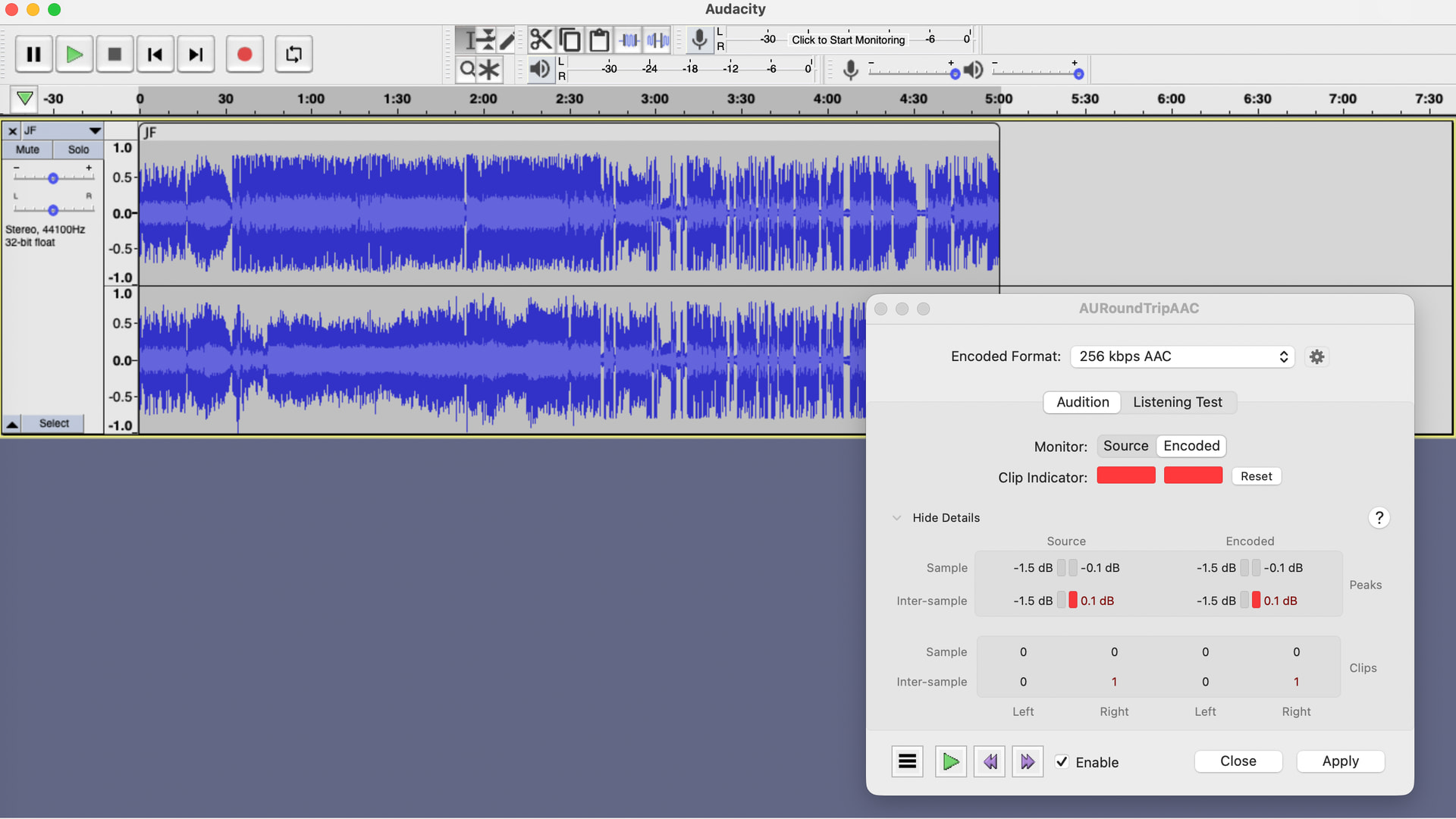
Thanks Bill. I use it to check levels of my recordings and adjust channel balance mismatches. I’m not a pro, I just record stuff from Amazon and Apple and some radio shows. It can also detect clipping that Audacity misses. Here’s a screenshot of what it should look like after applying it. I do have Show Clipping enabled in Audacity so larger instances of clipping are displayed. This is admittedly only a very minor clip.
Aud. 3.1.3 allows me to manipulate the audio while the AAC window is open so it seems something has changed with this later version?
Thanks again Bill though that doesn’t explain the issue I’m having with Roundtrip. FWIW I tried it on an M2 Mac and got the same problem. Looks like I may have to forgo Roundtrip - no big deal just a bit annoying.
Cheers.
P.S. Do you know if it’s possible to open a problem ticket with the Audacity crew? Or some other way to bring this one to their attention?
Go to Github, create a free account, then you can click the “New Issue” button.
Note that Audacity 3 is no longer under active development. All efforts are now apparently directed to Audacity 4. However the issue you describe may persist in Audacity 4.