Hi,
I am new to Audacity and would appreciate any hep anyone could give.
I am having problems recording from the internet, which, in the past I did not have.
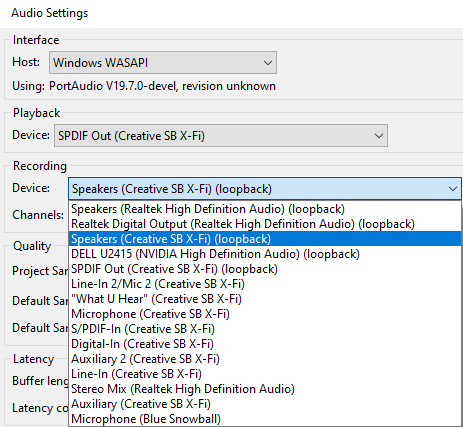
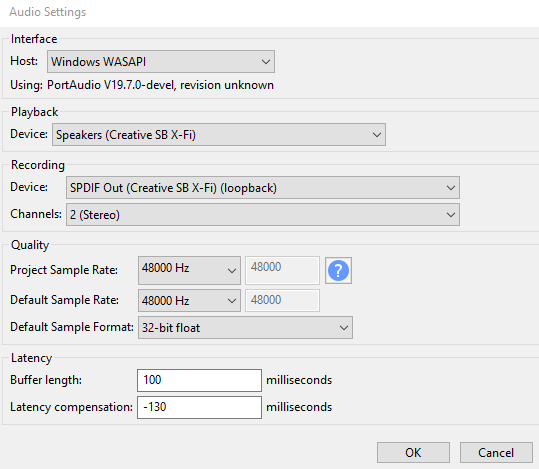
This is the setting which I am trying to use, but with no luck:
Recording audio from the internet in Audacity 3 on Windows 11 requires a very specific digital “handshake” between your sound card and the software. If you’ve been using a microphone to record your speakers, that explains the “tinny” or hollow sound—you’re essentially recording the room’s acoustics rather than the clean digital signal.
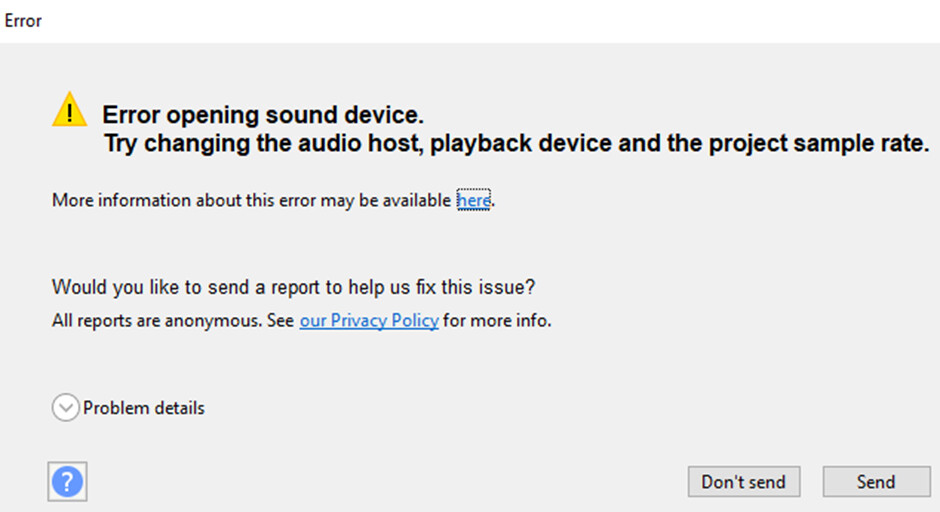
I have tested all (4) playback options:1. SPDIF Out (Creative SB X-Fi)2. DELL U2415 (NVIDIA High Definition Audio)3. Speakers (Creative SB X-Fi)4. Speakers (Realtek High Definition Audio)All come back with the above error.