I have been using the popmute plugin, but one of things that annoys me is that no matter how low I set the mute level, the actual gain reduction of the pop never goes lower than the threshold I set to catch the pops.
Is there any way to actually reduce the gain lower than the threshold? Any other plugins I should try?
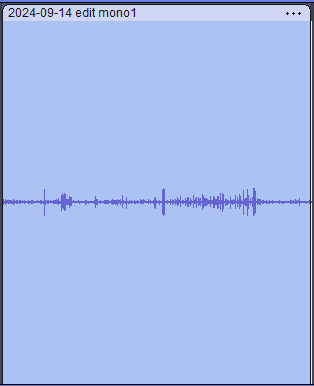
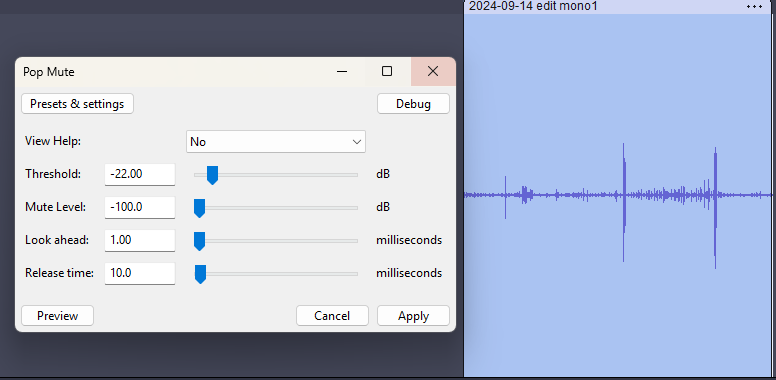
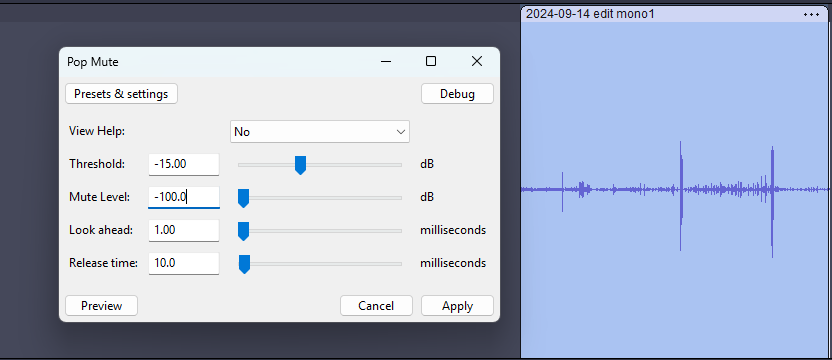
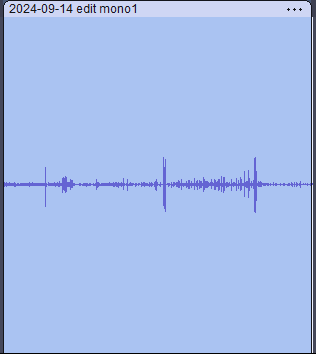
Here are some before and after photos. At a mute level of -100, I would have expected the pops to drop below the threshold, but in both cases they seem to stop at the level at which the threshold was set.
Pop Mute has done what it is supposed to do. The parts over -22dB have been virtually silenced, but it is such a short time period that it is hard to see unless you zoom in:
Probably also worth mentioning that setting the attack/lookahead to 1ms is at the extreme limit of how “fast” the effect can respond, and may prevent some short transients from being detected. I would recommend using a slightly longer “Look ahead” setting.
I get your point. If I keep the threshold at -22 and alternate between a mute level between -90 and -100, there is a difference. I guess what I was hoping for was a way to push the reduction even closer to silent. I edited your script (pretty sure I am talking to the author) and allowed for a mute level of -400 0, but it had no effect. I know programming but little to nothing about sound engineering. I pushed the script through google gemini and was shock at how well it explained what the code was doing (still over my head). BTY, my head hurts after learning to read LISP. If there is no good way to do, so be it, but I figured I would at least throw an inquiry out there.
-100dB is extremely quiet - on a CD it would be totally silent. However, the “envelope follower” (tracking the amplitude) has to do a kind of averaging so as to not “flutter” as the waveform crosses zero. Because of this, it takes the effect a short time to respond to sudden changes in level. This is where the “look ahead” and “release” timing are relevant. The lookahead provides time for the muting to ramp down the volume, and the release allows the level to smoothly rise back up to normal.
To get a feel for the effect, try playing with the settings and apply to some tones and chirps and faded tones at different levels.
Also, read the “Help” that is included with the effect.
(BTW, yes I’m the author - just ask if you have more questions and I’ll do my best to help.)