I’m a longtime podcaster who used Audacity as my primary editor until 2023, when several crashes led me to Adobe Audition. When I saw Audacity 4, I was thrilled. The improvements are terrific, and I would love to switch back.
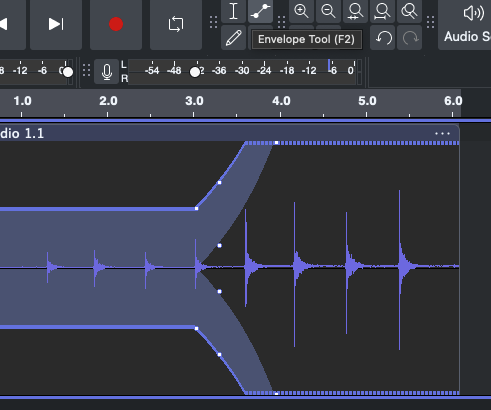
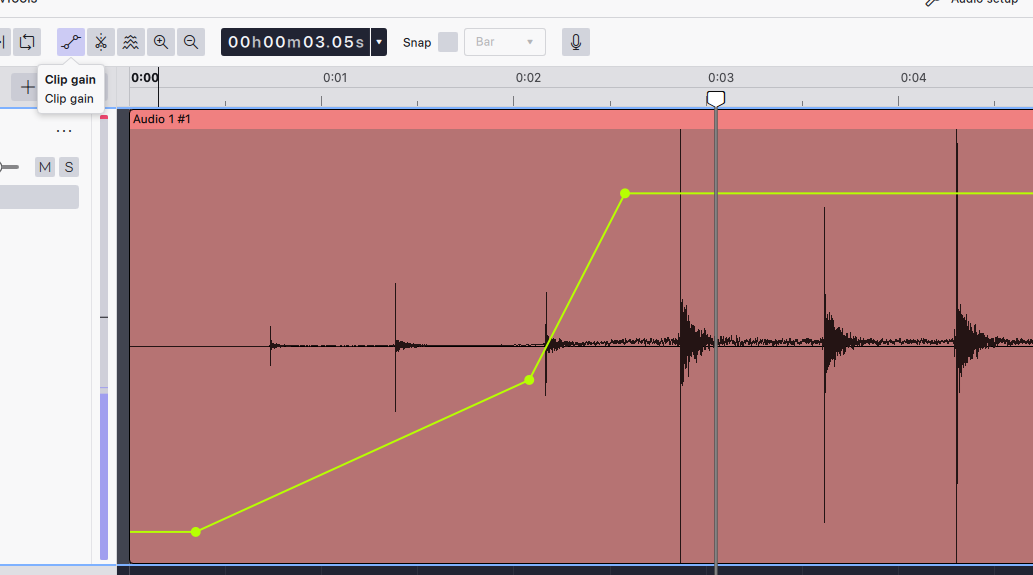
But one missing feature is stopping me: an on-waveform gain control for selected audio.
In Audition, I highlight a phrase or sentence and immediately raise or lower its gain right on the waveform. No menus, no dialog boxes. When editing a 45-minute interview, I may do this dozens of times.
In Audacity 4, I have to select the audio, go to Effect → Amplify, enter a value, apply it, and return to editing. That’s far too many steps for such a basic, frequently used adjustment.
Please consider adding an on-waveform gain control for selected audio. Audacity 4 has made me want to come back. This one feature would get me there!