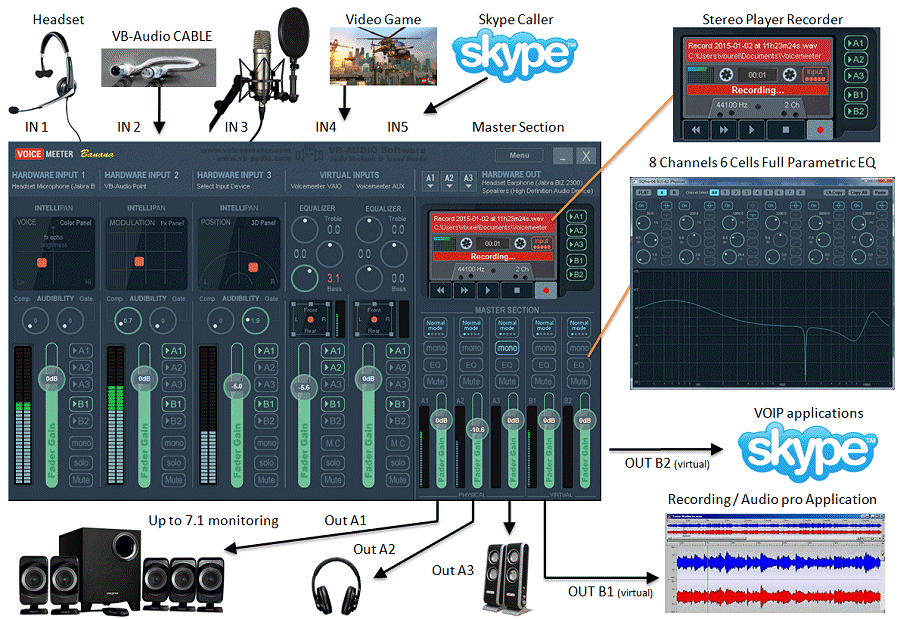
In a session on MS Teams or Zoom, I want to to play back audio from Audacity tracks so other participants can hear it. (Not currently as concerned with recording audio from other participants).
I have Audacity 3.7.5 on a PC with Win11; Focusrite 2i2 interface 5+yo so without the new loopback capability. I also have a Focusrite Solo ~ same age.
I’ve reviewed Jim Edgar’s postings on loopback but still don’t understand how to do this. They seem more focused on recording FROM Zoom/Teams than playing back TO it. On Gravy for the Brain (GFTB), Rob Bee suggests using two interfaces (#1 between mic and DAW, #2 between interface #1 and Zoom/Teams on the same computer) or a software program such as Source Nexus Router. Either would be complicated, and this software seems to come only in an expensive bundle rather than as a cheaper standalone.
Is there a simpler solution that doesn’t require using two interfaces or extra software? (E.g., would a new 4G Focusrite 2i2 do the job without extra interface or software?) If so, what/how? If an alternative cheaper/simpler intermediary software program would do it, what do you suggest and how is it used?
Thanks! This is exactly what I need to know!! I record a Zoom Jam session where I can loopback everyone - except me! As Zoom doesnt send originators their own input to avoid feedback.
However…
I wasnt clear if this is the answer that the OP needs? I believe he can share desktop and play an audio in a Zoom Meeting using Audacity playback or an exported wav or mp3.
I have a session tonight where in addition to several live participants someone wants to share a video of grand daughter playing at Thanksgiving in an mp4. I created a wav file of the audio. So we will be knocking on this door again!!
Update: In the Zoom Audio Settings I set up the screen sharing to share designated windows rather than full screen. The participants were able to see my Windows Media Player screen while I played the mp4 video file, and again when I played the wav audio file I created in Audacity. I imported the mp4, used Open Vino to separate guitar and vocal then balanced and rendered. After normalizing the file I exported audio to a wav file on my computer. No magic with Banana or multiple interfaces required.