While playback, I can’t find play at speed function to adjust play speed (for review only) as Audacity3. Item in additional → play at speed is also not available. Can I have kind advice from the group? thanks a lot!
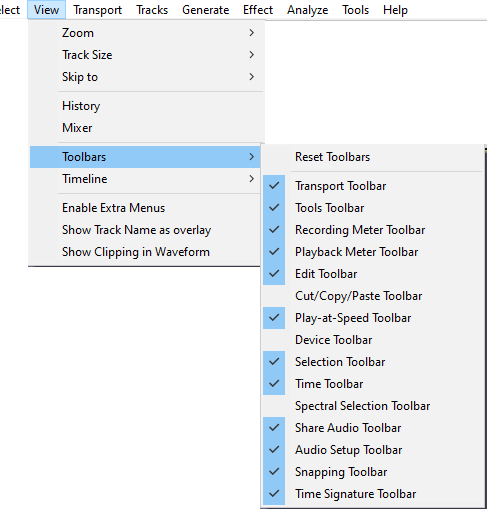
As far as I can tell the play-at-speed function has not been implemented in Audacity 4.
1 Like
they do say there is an option to view speeds in the playback:

I just can’t find it. it is an essential part of my proccess…
Where did you get that quote?
It seems the team is working on it:
in the new site, FAQ at the bottom of this page: Free Audio Speed Changer – Slow Down or Speed Up Audio | Audacity
thank you! it looks like they were just working on that today! great.
anyway for my project tonight I am back at Audacity 3…
Seems they were a little optimistic in putting that out. Not only is “play-at-speed” not implemented, the “Change tempo” effect does not yet exist.
That’s what many (including myself) are doing. My advice to everyone is to continue with Audacity 3.7.9 for real work, play with Audacity 4, and not switch until it a) has the feature set you need and b) is stable.
3 Likes
Hey!
We’re working on it for 4.1, which we’re hoping to get out around mid-Jan!
Thanks for hanging in there!