Opinion, please?

That might be what this is.

Screen Shot 2021-06-15 at 8.28.00 PM.png
Note in that musical performance, the H2 is pointed at the audience, not either performer. That help any?

I think I would settle the microphones and directions before trying to record directly in Audacity. Baby steps.

Koz

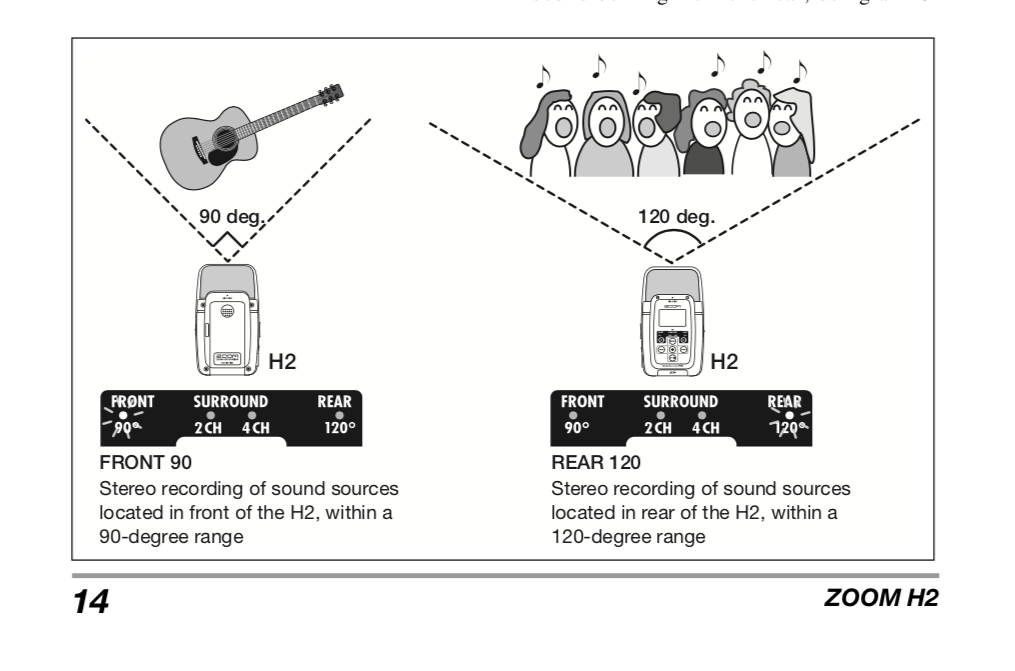
That’s the H2 sitting on its back in stereo.

At least I think it’s sitting on its back. It could be on its front in 120 degree mode.

Koz

See, I’m not making that up. Both Josh on the right and the keyboardist on the left are wearing wired earpieces.

Screen Shot 2021-06-15 at 9.08.38 PM.png
Koz

Unfortunately switching-off Windows recording enhancements has not changed anything :frowning: …
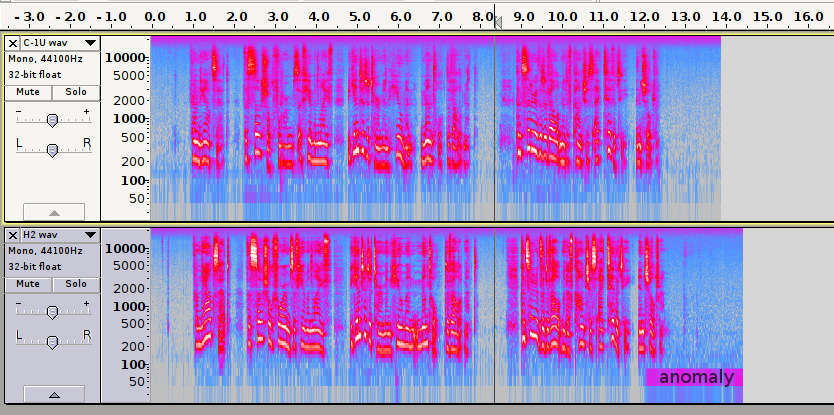
“C-1U wav.wav (1.17 MiB)” still has the signs of noise-gate,
“H2 wav.wav (1.21 MiB)” still has the signs of AGC/compression.

That could explain why the H2 recording has an inconsistent noise-floor, as occurs with AGC.

But the C-1U does not have any processing capabilities, so the noise-gate being applied has to be elsewhere.

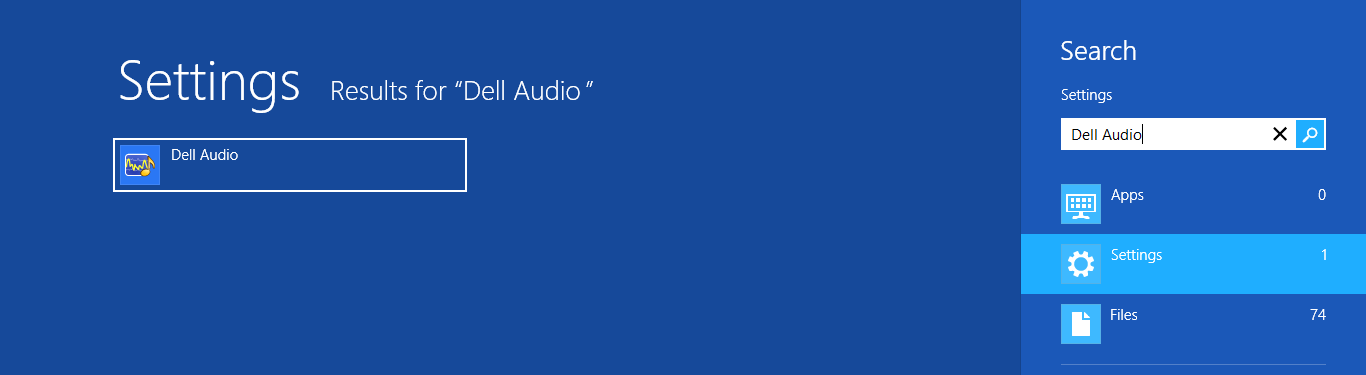
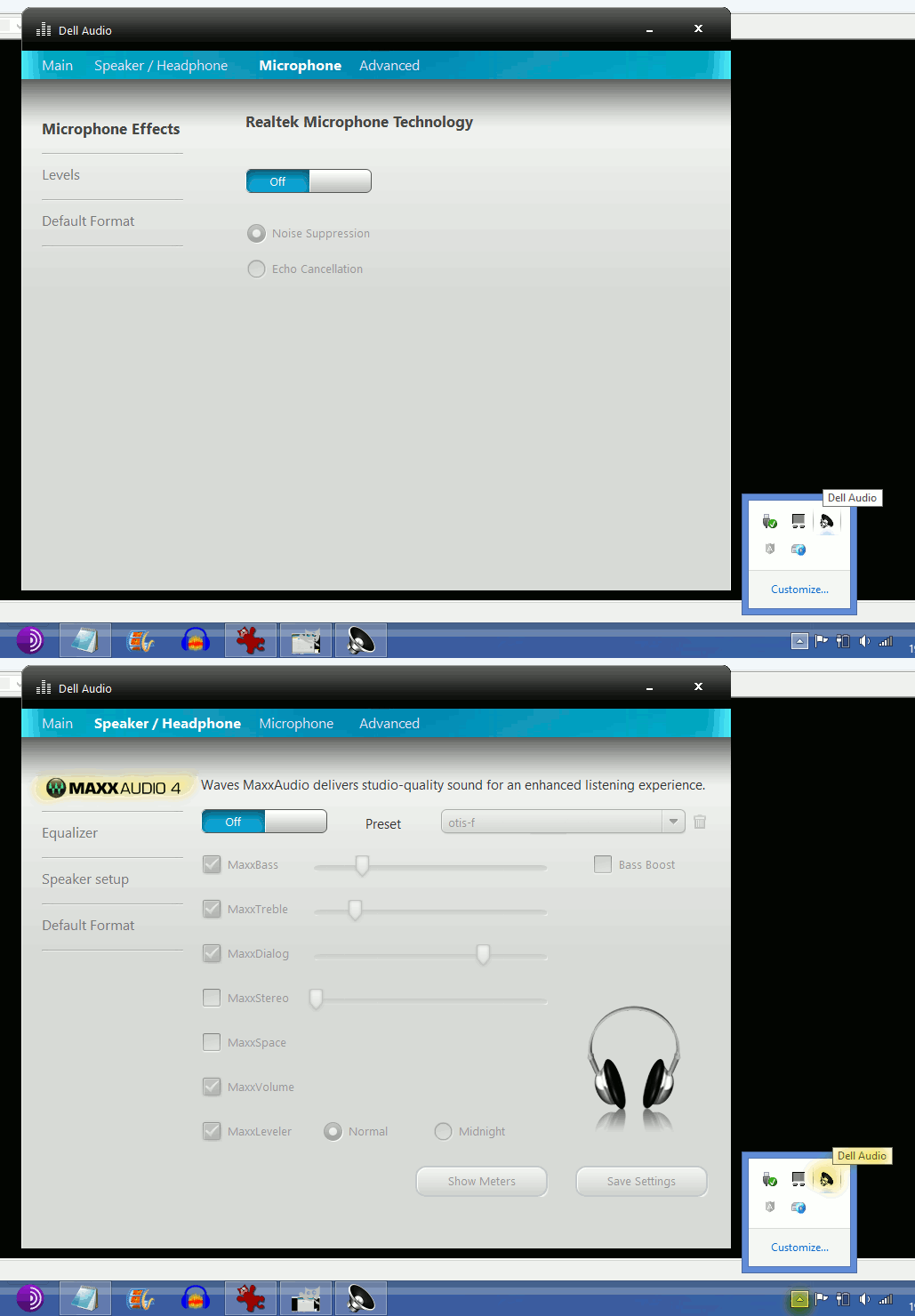
As it’s a comparatively new Dell computer, it could be “Dell Audio” applying the unwanted microphone “enhancements”, (in my case the Dell-brand audio enhancements were on by default).

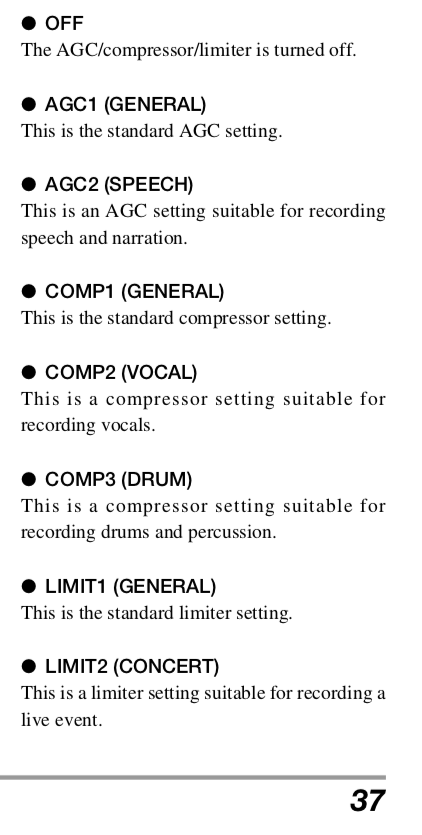
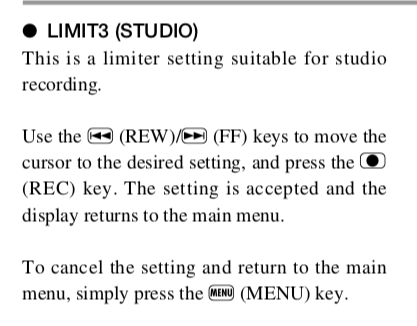
Since one of the questions in this forum message thread is how to get the H2 to appear as a microphone to the computer, that test is stand-alone. That means the H2 is applying its own AGC/Compressor/Limiter (PP37).

Screen Shot 2021-06-16 at 2.22.11 AM.png
Screen Shot 2021-06-16 at 2.22.41 AM.png
Screen Shot 2021-06-16 at 2.22.54 AM.png
I don’t remember the answer to the question of whether you were able to find the H2 instruction Manual on-line.

Koz

Since one of the jobs of the H2 is free-form interviews, Automatic Gain Control may not be such a bad thing.

Koz

Just to be crystal clear. Without Automatic Gain Control (If that’s the one you’re using), the only way to set recording volume is to leave it up to the recording engineer. That’s you. If nobody sets it, you could produce too loud, dense, clipping distortion or thin, noisy, low volume sound.

Usable interview chances drop to 30%, if that.

Nobody is reading for theatrically pure audiobook presentations in this case. Keeping one eye on the goal is good.

Koz

So much great help. I appreciate your giving me your time.

I do have the paper manual that came with the H2, and I can track with you as you cite page numbers.

Trying to respond to everything in order, but probably failing:

I noticed my friend (in the Zoom interview) is using a desk mic and a wired one-ear headphone. That’s what I plan to do from now on.
Like you, I mistrust wireless ear buds, for something this important and possibly live.

I always use “Front” and “Mono” (that seems to be what people want for speech).

It’s not hard to find the USB modes. As soon as I plug it in (whether using the USB cable or the Plextone + Aux), I get a choice of “Storage” or “Audio I/F”. so I select the Audio I/F.

Next it says “Frequency 44.1 kHz” or “Connect.” I click “Connect.”

Then I click the red button once, so the red light is flashing. I don’t need it to record to the SD card, so once is enough.

Here’s the weird thing. If I’m using the USB cable, wait a second, then open Audacity, the H2 is there as one of the mic choices. So I click it and click the red Record button–and the cursor does not move. It looks like the attached screenshot.
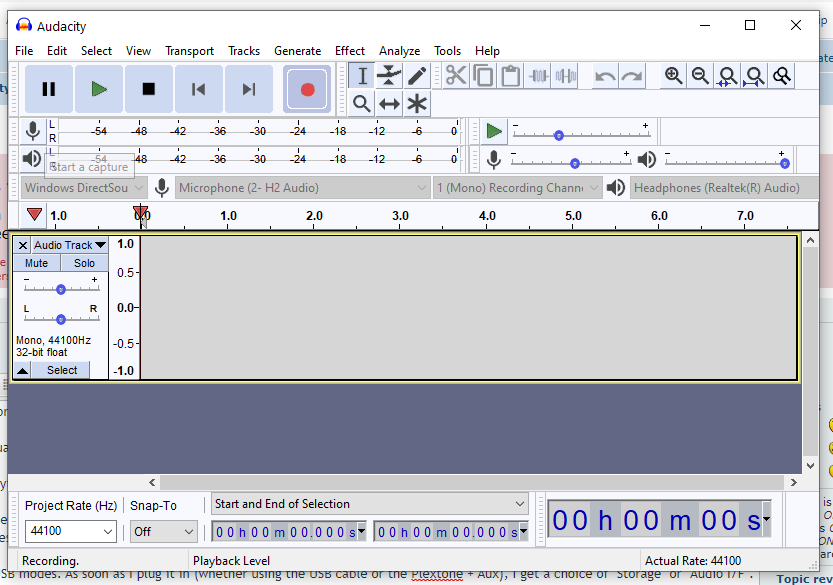
Audacity & H2.png
I can see the volume lines moving on the H2. But Audacity apparently doesn’t hear anything. Likewise when I check it on Zoom Settings > Audio, it plays back nothing.

In both cases (Audacity and Zoom), I get good results when I use the Plextone connector with the H2.

BTW I opened the Control Panel and then went to Manage Audio Devices, and didn’t see a way there to monitor audio. I could set things, like mic gain, but not record/play and monitor something.

Love the recording in a cave. That was genius.

I had never set AGC / Comp. I see it is set to “Off” at present. What setting do you recommend?

I am looking for Dell Audio, but can’t turn anything up:
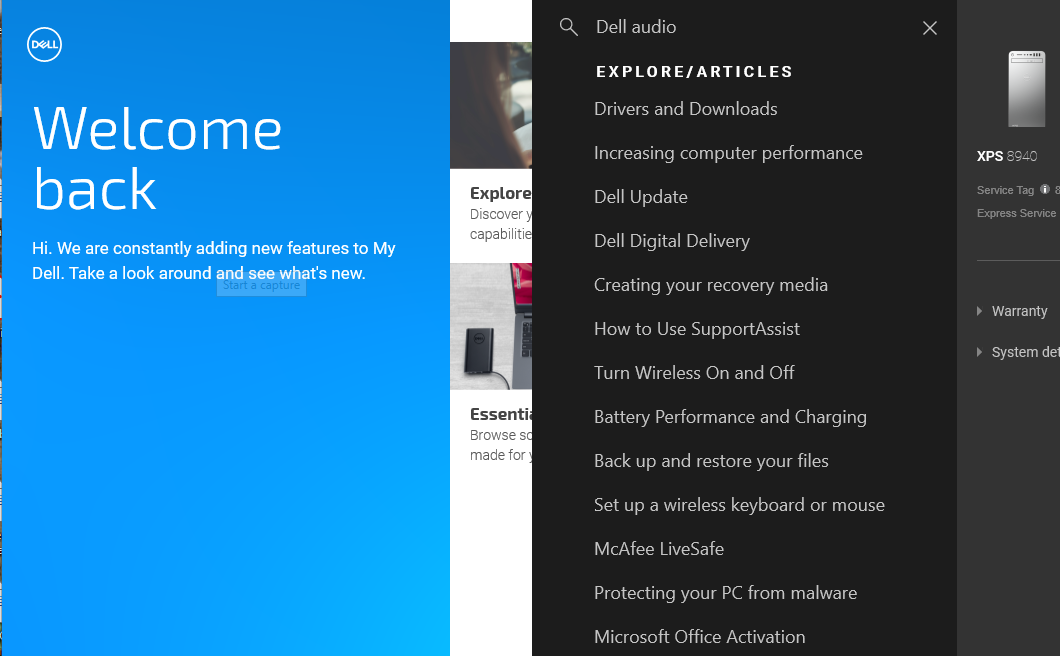
Dell Audio search.png
Gradually working our way through!

I guess what we’ve settled is that the H2 should be capable of handling Zoom interviews well. I’ll use a single-ear wired earbud.

And the computer doesn’t seem to like the H2 USB connection, though it knows it’s there.

https ://manual.audacityteam.org/man/tutorial_selecting_your_recording_device.html


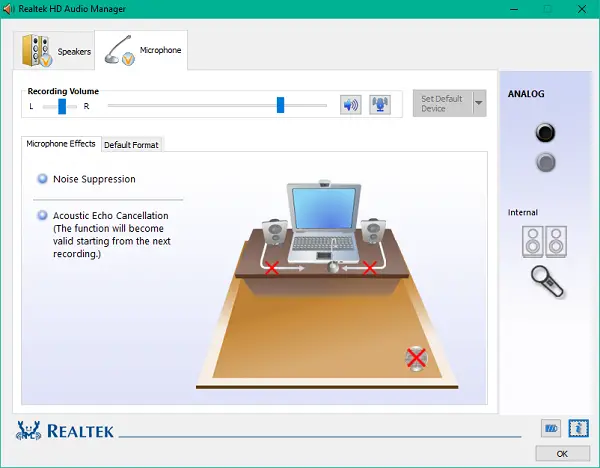
How about “realtek” … https://www.thewindowsclub.com/realtek-hd-audio-manager

I tried the other 2 audio hosts, MME and Windows WASAPI, and had the same results–nothing happens when I hit record.
It’s not working with Zoom either (using the USB cable with the H2–using the Plextone works fine).

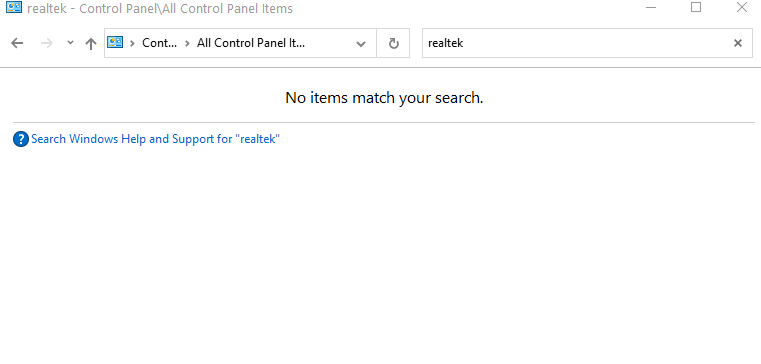
Can you believe it–when I search Control Panel it doesn’t find Realtek.
Realtek.png

Zoom video-conference has noise-reduction & noise-gate audio-enhancements.
It may be possible for audio still to be in the grip of Skype/Zoom/etc even after you have finished using those apps.

I may have one note. I see you have the recording set for mono, one blue wave and the H2 is set for mono, but it’s possible they’re sending stereo with the same thing on left and right. That will sound identical to mono and is stereo only because there are two tracks there. Try setting Audacity for stereo and see if that helps.

We do have one “problem” in troubleshooting this, I’m on a Mac and so can’t first-person try out all the configurations and settings. I know you can’t do it this way, but I have an informal rule that if you spend more than two or three days fighting with the computer, stop using the computer.

I think you mentioned what the computer was. It’s a tower? So there’s no built-in microphone? That’s the desperation method if you can’t get the fancy-pants microphones to work right, use the one built into the computer. That’s not always dreadful. Regard:

https://www.kozco.com/tech/audacity/clips/DenisePodcastVer5.mp3

This was an engineering test and the editing is ratty, but still. Denise is using the laptop built-in microphone and we’re both on good quality headphones. She sounds like she’s on the couch behind me, but in fact we’re four time zones apart.

“…I’ll have to leave about 4:30 your time.”

I have a silly joke about this. It’s the perfect podcast. We spent most of it deciding when to have the next podcast. We could probably do that for months.


I was this close to recommending you set up a “fake” interview with someone to straighten this all out, but you can’t do that either. It’s super difficult to record the far side of a Skype/Zoom interview. You can get Skype/Zoom to record it just as a test. Both companies will record an interview on their big servers if you ask them nice. I understand Zoom will even give you two separate sound files, one for each person.

Koz

I sure appreciate all the time you guys have spent on this.
Yes, it’s a Dell desktop / tower, so no built-in mic. I have had to use my laptop on the road, and it’s worked out all right.

So it sounds like I have a workable solution with the H2 plus Plextone, and should stick with that.

I worry about what Trebor finds in his scans, but don’t know how to fix it for live video interviewing (rather than fixing saved audio in Audacity).

Can you all in good conscience give me an OK to just stick with H2 + Plextone?

give me an OK

We have two support levels: Get it to work at all and then clean up around the edges after you get it running. Since you do have a workable solution, make sure you like the voice quality and then go with it.


There are no conditions a good engineer can’t make a lot worse.
– Kozikowski –

Thanks again!

The problems are actually audible, not just visible on spectrograms.

Here’s a heretical plan-B: Audacity’s competitor OCENaudio.

OCENaudio can be used with the industry-standard AISO driver,
enabling it to work with a wider range of devices than Audacity.
e.g. connecting [u]directly[/u] to the H2 Zoom recorder, not via your weak-link Plextone device.

[ The standard version of Audacity cannot speak ASIO ]

…or did you try setting the H2 sample rate to 48000… (plus windows and Audacity)

Hey, Jademan! That worked!

Now I have the H2 connected with USB to the computer tower, and it is recognized by Windows and by Audacity, and Zoom can hear it.

I would like Trebor to take another listen to the quality. I will send another sample once the attic fan quits for the day.

I found in Downloads an empty folder labeled MAXX Audio, downloaded a few days ago–I don’t remember downloading it. There is no MAXXAudio listed among Programs.

I think this is a Dell thing–that it is the program Dell likes to use. Do you think I should install it?

Thanks Jademan, (better than my solution).

“MAXX Audio” applies the enhancements you don’t want, so don’t install it.
It probably is already installed, (it does not show-up in the list of installed programs).
In my case the “MAXX Audio” window is accessible via this icon, where enhancements can be turned off …
Dell Audio is Maxx Audio.gif

You’re welcome. I make a lucky guess once every year or two. :wink: