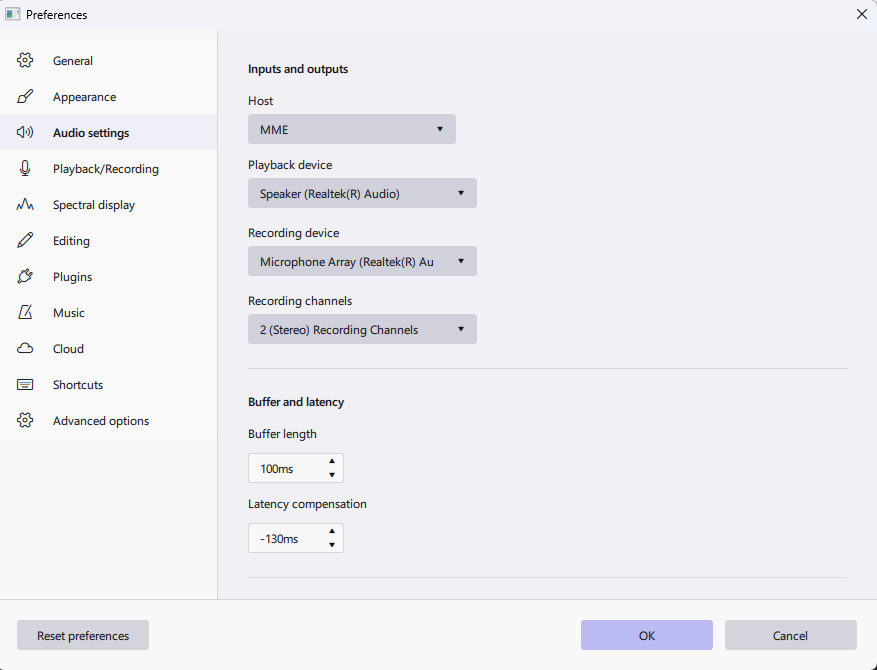
I’m trying to install Openvino in Audacity 4. OpenVino appears to have installed successfully. I go to Edit>Preferemnces as istructed but I don’t see the “modules” option to enable OpenVino. Running Windows 11. My preference looks like this:
What OS are you on?
Do you not see this?
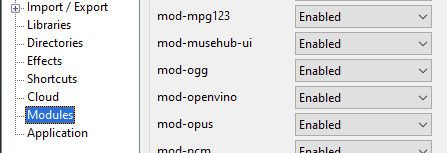
Mine is there & enabled (v. 3.7.7, Win 10) but the only one that installed (the others gave “hash” errors), Music generation, failed at first attempt. Diagnostic log says
Could not open the file: “C:\Program Files\Audacity\openvino-models\htdemucs_v4.xml”.
In fact, all I have in the folder is this -
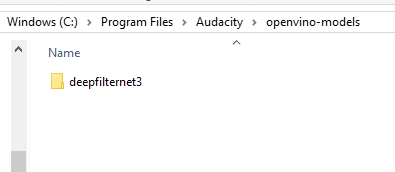
And I haven’t found how to open OpenVINO or MuseHub with any option to try again. All MuseHub says is that it’s already “installed”.
I might try & install everything again from MuseHub. Otherwise it’s back to DaVR/Audition.
Hi @tyronek99 – Audacity 4 does not yet support these OpenVINO plugins. In fact, I don’t think Audacity 4 even has a “modules” mechanism (yet).
2 Likes
Running Win 11
GRRRR!!! Thanks for the response.