Hi, I set aside a day to do some voice-over demos but unfortunately have been defeated by Audacity. Have searched for answers, but everything I find indicates I’ve set up everything correctly. I’ve even deleted and reinstalled Audacity to no avail.
I am running Audacity 3.7.7 on Mac OS 26.2, my audio interface is a Focusrite Scarlet Solo 3rd gen and I have an Audio Technica AT2020 XLR microphone.
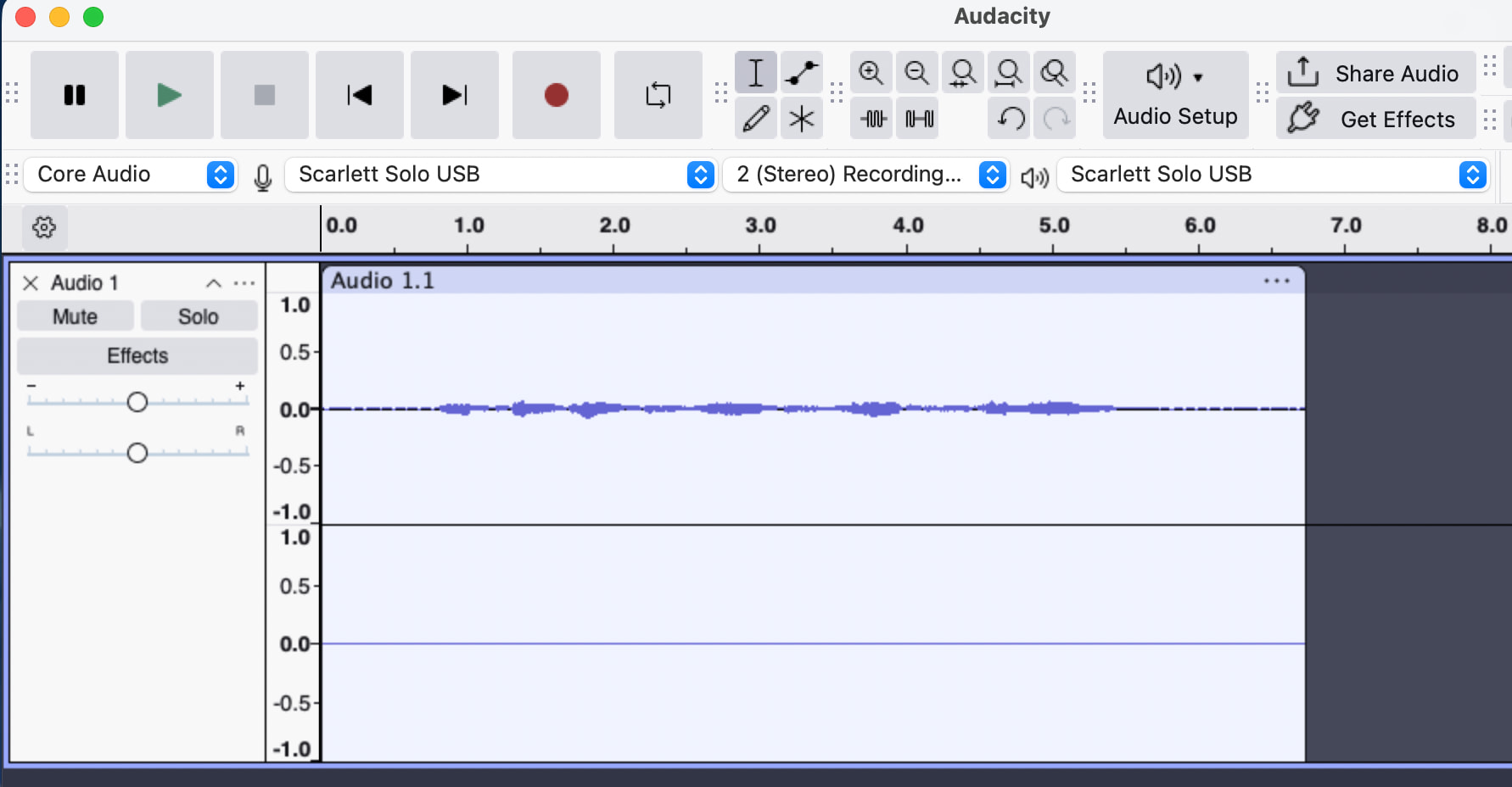
My issue is that any audio I record is mono on the left channel. I attach a grab that shows I have selected Stereo, with the same grab showing the result is just in mono.
I can only assume it is a problem with Audacity, as I get the same result on both an iMac and a MacBook.
Testing the same hardware set-up on Ableton and I can record in stereo, so it is just an Audacity problem. I’m going to try to find and install an older version of Audacity in case it’s a version thing though wanted to see if anyone has ideas on how to fix.
Stereo requires separate left & right microphones (or a stereo mic). With the Solo you’ll get the mic on one side and the instrument on the other.
A true-mono file will play through both speakers.
You can click the 3 dots to the left of the waveform to open the drop-down menu and select Split Stereo To Mono. Then click the "X "to delete the silent channel.
Or if you set Windows and Audacity to mono you should get a stereo recording. (I think Focusrite includes a utility with some settings too.)
Note that if you record in mono with a stereo interface Audacity will cut the signals in-half so it doesn’t go over 0dB when the channels are mixed together. If the instrument is unused the signal will be cut in half. (Of course you can run the Amplify effect after recording.)
Thank you so much, you provided an answer that I wasn’t able to find searching Google for an couple of hours. I immediately tested and can confirm the issue is resolved.
If anyone else has the same issue and finds this, the resolution is:
Record audio > click the 3 dots to the left of the waveform to open the drop-down menu and select ‘Split Stereo To Mono’ > Then click the "X "to delete the silent channel > Audio then in both ears.
 With the Solo you’ll get the mic on one side and the instrument on the other.