I can’t hear any sound or see any waveform for the recording, even though the track is set to solo. I’m using Audacity 3.7.7 on both a Mac Mini with an Apple M1 chip running macOS Monterey version 26.4 and a MacBook Air running macOS Monterey version 12.7.6. Everything was working fine on both, then suddenly I can’t hear anything anymore, neither through the internal speaker nor an external one. And as I mentioned, nothing is moving. I’d be happy to send a short video.
What do you want to record - something which is playing on your computer (Youtube or so), or something coming form a tape deck / turntable / other source?
For internet sources, you need additional software like BlackHole.
For other sources, you need a device “in between” which converts analog sound to digital sound and feed it into your USB port (unless your turntable has something like that built in). Such devices are usually called “external sound card”.
And for any “recent” operating system you need to grant Audacity access to “Microphone” in “System settings → Privacy and Security”. I suppose you used an earlier version of macOS before, where this setting was not yet implemented…?
Thank you! I don’t want to record anything; I have recordings that I can’t listen to and don’t see any waveform.
Ahem… Audacity is basically a utility to record sound and a sound editor and not the preferred application to listen to something (although it can be used to play a recording). When Audacity opens a recording, it converts it internally into something which can be used for editing.
Since you have a Mac, you certainly have either “iTunes” or “Music” installed, since it is part of the Mac’s operating system. You can use it for playing sounds in many formats (mp3, WAV, AIFF, etc.). There are also other applications available for doing this.
What format do your non-playing recordings have?
Grüsse ins Ruhrgebiet
Oh, we record using our cell phones, in MP3 format or other formats. We use Audacity for editing and cutting. (Sorry, I thought that was obvious!) But I can’t edit anything if I can’t hear it or see the waveform.
Liebe Grüße aus Duisburg
Are you willing to share such a recording via a dropbox link or similar? Or attach it to your reply in this forum, if its size does not exceed the forum’s limits? I then would look into it whether the problem is in the file itself.
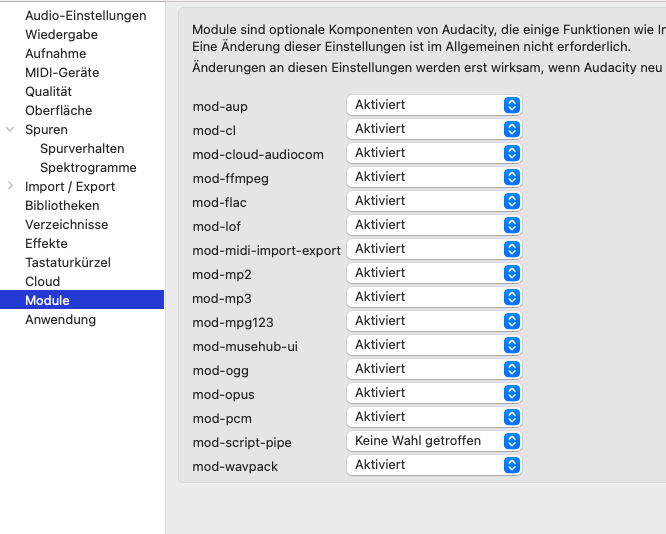
Do you have enabled all of Audacity’s modules? (Settings → Modules)? Usually, Audacity opens every sound recording just perfectly.
Can you hear the file(s) without software, via “QuickLook”? click the file once, then press the space bar and the file should play.
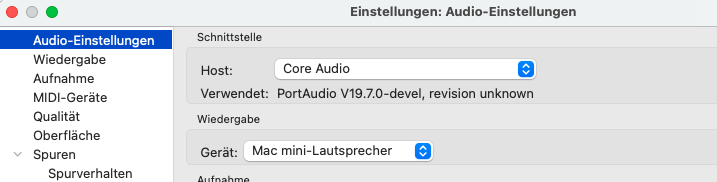
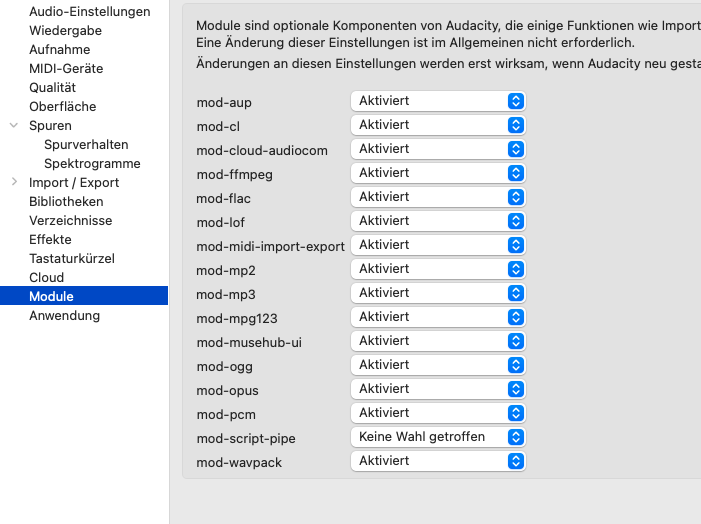
I send also a screenshot of my modules, do you see then?
The most obvious thing I spotted in your movie is that the playback volume is set to zero.
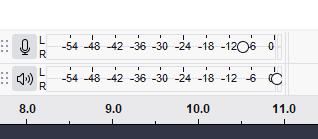
Oh! Did I just accidentally move that slider? Is that all? How embarrassing! 

Thank you so much! You saved me!
What is the purpose of this button? It doesn’t affect the recording, and there’s a volume control on the device for playback. Plus, it gives a false indication of the recording volume. Sorry, I always want to know exactly how things work!
The slider on top (with the microphone symbol at the left) influences the recording volume.
The slider below (with the loudspeaker symbol at the left) influences the playback volume.
In the first post, you write “I can’t hear any sound or see any waveform” - but I can see a (stereo) waveform in your screen recording… Do you really (want to) have a stereo signal? If not, you could change the recording to mono.
Grüße aus der Schweiz! Christian
“The slider below (with the loudspeaker symbol at the left) influences the playback volume.”
Yes, that’s true! But for this we can change the playback volume of our device. For this I don’t understand the purpose of this.
”Waveform” maybe a misunderstanding of my translation. So in German: Klar ist da die Wellenform der Aufnahme, ich habe nur keinen Ausschlag rechts von dem Lautsprecher gesehen. Ob Stereo oder Mono spielt keine Rolle, ich habe irgendein Beispiel genommen. Danke dir!