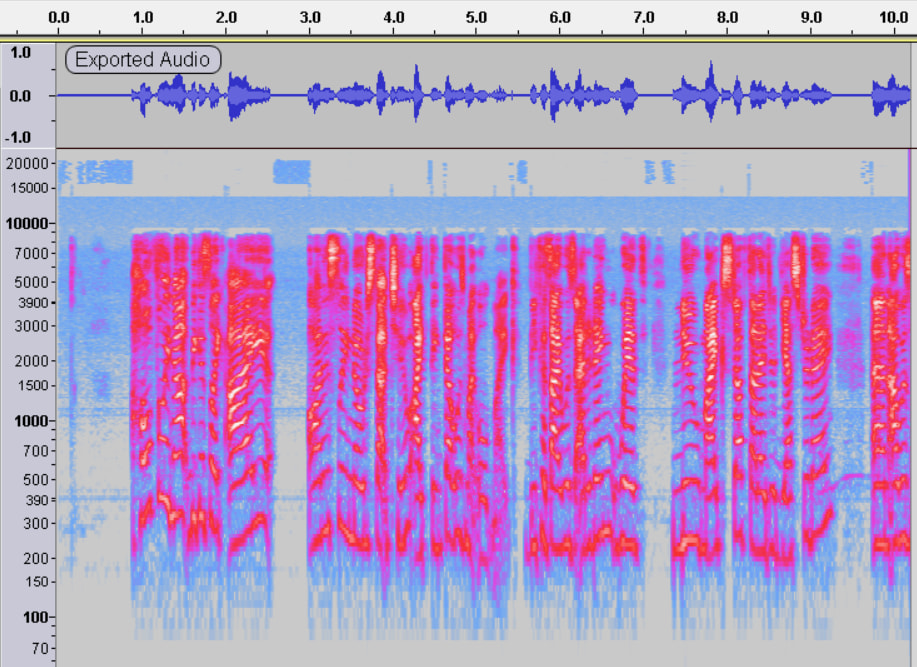
My audio seems to sound a lot smoother in playback before I export it, and I’m confused as to why, because I’m very new to audio editing. I’ve tried every setting and effect that I could find from google searches to YouTube videos, and I’m not sure what else to try. If anyone with a good ear could help, that’d be fantastic.
I tried to post the playback audio, as well, but it would only allow me to post one because I’m new. Here’s the playback audio:
I’ve tried exporting in WAV and MP3, and have tried multiple different settings for the Quality, Bitrate, and such when exporting, but it all comes out sounding the same.
The most obvious difference is that the “playback” version is quieter.
But somehow you exported them both…
The volume slider to the left of the waveform affects the loudness in Audacity AND the exported volume. The changes are not shown in the waveform display.
The playback volume slider “hidden” under the playback meters only affects the playback volume in Audacity. It doesn’t affect what’s exported.
Effect → Volume and Compression → Amplify affects the loudness in Audacity, the waveform, and the exported volume. BUT the slider to the left of the waveform will override that adjustment so it should be set to the middle at 0dB (no change).
No speech above 9kHz. If the processing was an unintentional “audio enhancement” that could explain why it now sounds different to you. Enhancements would not be exclusively on exported audio: it’s applied in real-time when the recording is made.
Thank you for the help, everyone! After you mentioned that the difference was mainly the audio volume, I went around trying to figure out why I didn’t like the way the audio sounded, and going into my mic’s settings was the solution to everything. The problem turned out not to be with Audacity. Thanks again!