I’ve been a basic user of Audacity 3 for many years, mainly to create track markers for long audio recordings and joining/splitting audio. I make heavy use of labels for this work and quickly navigating between labels with the keyboard is vital. In Audacity 3 this was easy with ⌥→. I tried Audacity 4 for the first time today and using nothing happened when I used the move to next label keyboard shortcut. I also can’t find any menu item for moving the cursor (like the old Transport menu). I checked the Audacity 4 manual online and supposedly the old shortcuts should work:
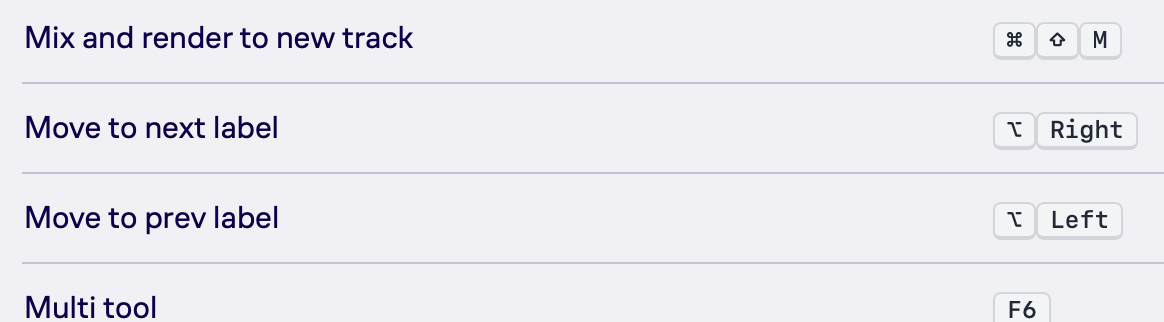
Audacity ® Manual | Keyboard shortcuts
However they don’t, and when I go to Shortcuts in the Audacity 4 Preferences, there’s no item that would allow me to add a shortcut:
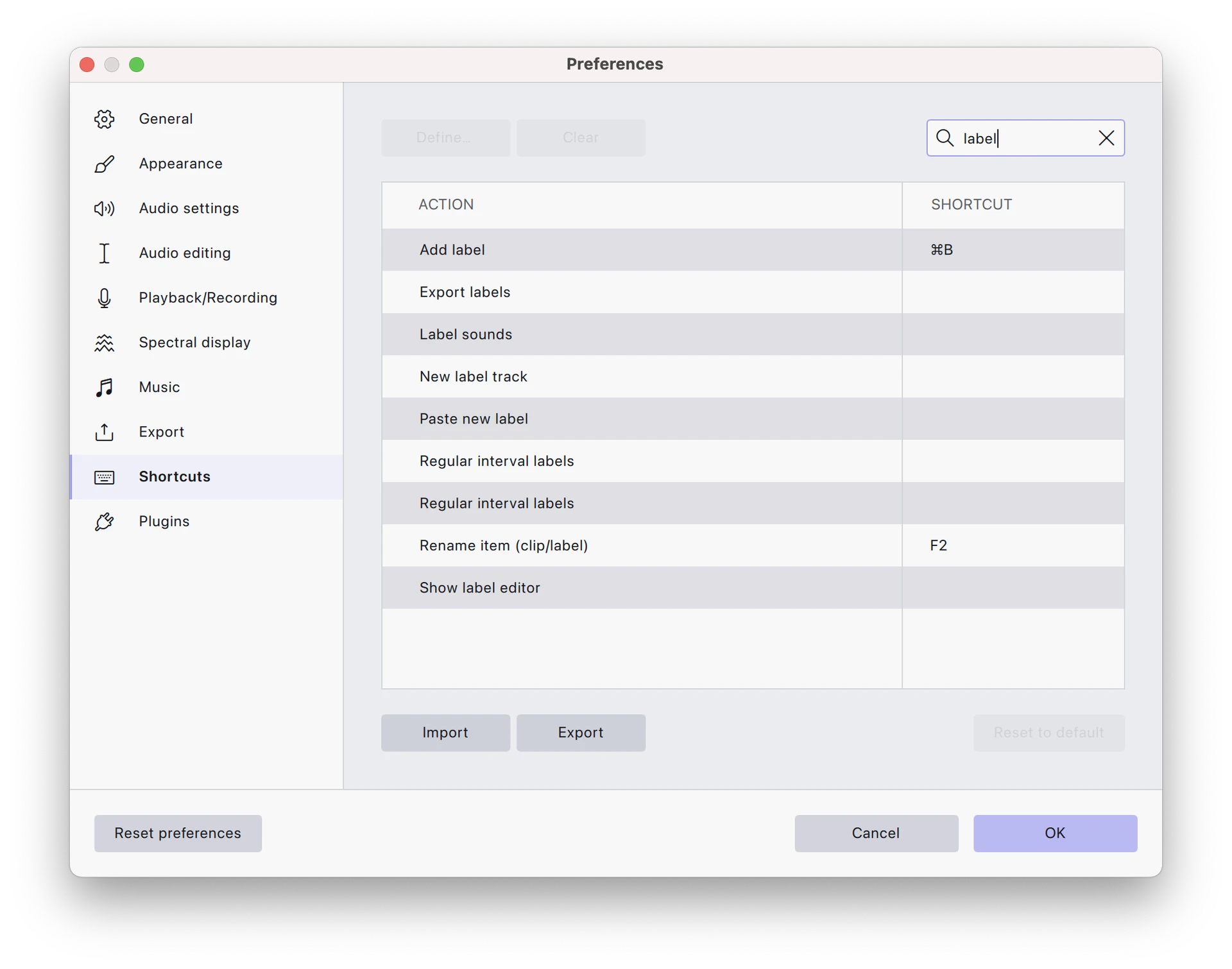
It also looks like the Add label playing (⌘.) shortcut isn’t available even though it’s also listed in the manual. I can’t find any of these commands in the menus either.
Is there some interface setting I’m missing that enables the full set of shortcuts and capabilities? I’m going to revert to Audacity 3 for now as until I sort this out I can’t use v4.
Thanks for any help!